Technical specifications of DeepSeek-OCR-2
| Field | DeepSeek-OCR-2 (published) |
|---|---|
| Release date / Version | Jan 27, 2026 — DeepSeek-OCR-2 (public repo / HF card). |
| Parameters | ~3 billion (3B) model (DeepSeek 3B MoE decoder + compressor). |
| Architecture | Vision encoder (DeepEncoder V2 / optical compression) → 3B vision-language decoder (MoE variants referenced in DeepSeek materials). |
| Input | High-resolution images / scanned pages / PDFs (image formats: PNG, JPEG, multi-page PDFs via conversion pipelines). |
| Output | Plain text (UTF-8), structured layout metadata (bounding/flow), optional JSON K-V for downstream parsing. |
| Context length (effective) | Uses compressed visual token sequences — design goal: long, document-scale contexts (practical limits depend on compression ratio; typical pipeline yields 10× token reduction versus naïve tokenization). |
| Languages | 100+ languages / scripts (claimed multilingual coverage in product notes). |
What is DeepSeek-OCR-2
DeepSeek-OCR-2 is the second major OCR/document understanding model from DeepSeek AI. Rather than treating OCR as plain character extraction, the model compresses visual document information into compact visual tokens (a process DeepSeek calls vision-text compression or its DeepEncoder family), then decodes those tokens with a 3B parameter mixture-of-experts (MoE) style VLM decoder that models text generation and layout reasoning together. The approach targets long-context documents (tables, multi-column layouts, diagrams, multilingual scripts) while reducing the sequence length and overall runtime cost compared with tokenizing every pixel/patch.
Main features of DeepSeek-OCR-2
- Human-like reading order & layout awareness — learns logical ordering of text (headings→paragraphs→tables) rather than scanning fixed grids.
- Vision-text compression — compresses visual input to much shorter token sequences (10× typical compression target), enabling long-document contexts for the decoder.
- Multilingual & multi-script — claims support for 100+ languages and diverse scripts.
- High throughput / self-hostable — designed for on-prem inference (A100 examples), and community GGUF/local builds reported.
- Fine-tunable — repo and guides include fine-tuning instructions for domain adaptation (invoices, science papers, forms).
- Layout + content output — not just plain text: structured outputs to facilitate downstream KIE/NER and RAG pipelines.
Benchmark performance of DeepSeek-OCR-2
- Fox benchmark / internal metric: ~97% exact-match accuracy at 10× compression on its Fox benchmark (the company’s benchmark focused on document fidelity under compression). This is one of the headline claims in DeepSeek marketing materials.
- Compression trade-offs: While accuracy remains high at moderate compression (≈10×), it degrades with more aggressive compression (Tom’s Hardware summarized tests showing accuracy falling to ~60% at 20× in some scenarios). This highlights the practical tradeoffs between throughput & fidelity.
- Throughput: ~200k pages/day on a single NVIDIA A100 for typical workloads — useful when evaluating cost/scale vs cloud OCR APIs.
Use cases & recommended deployments
- Enterprise document ingestion & indexing: convert large corpora of annual reports, PDFs, and scanned documents into searchable text + layout metadata for RAG/LLM pipelines. (DeepSeek throughput claim is attractive for scale.)
- Structured table extraction / financial reporting: the layout-aware encoder helps preserve table cell relationships for downstream KIE extraction and reconciliation. Validate compression level against numeric-precision needs.
- Multilingual archive digitization: 100+ language support makes it suitable for libraries, government archives, or multinational document processing.
- On-prem, privacy-sensitive deployments: self-hostable HF/GGUF variants enable keeping data in-house versus cloud providers.
- Preprocessing for LLM RAG: compressing and extracting faithful text + layout for RAG ingestion where context length is a bottleneck.
How to access DeepSeek-OCR-2 via CometAPI
Step 1: Sign Up for API Key
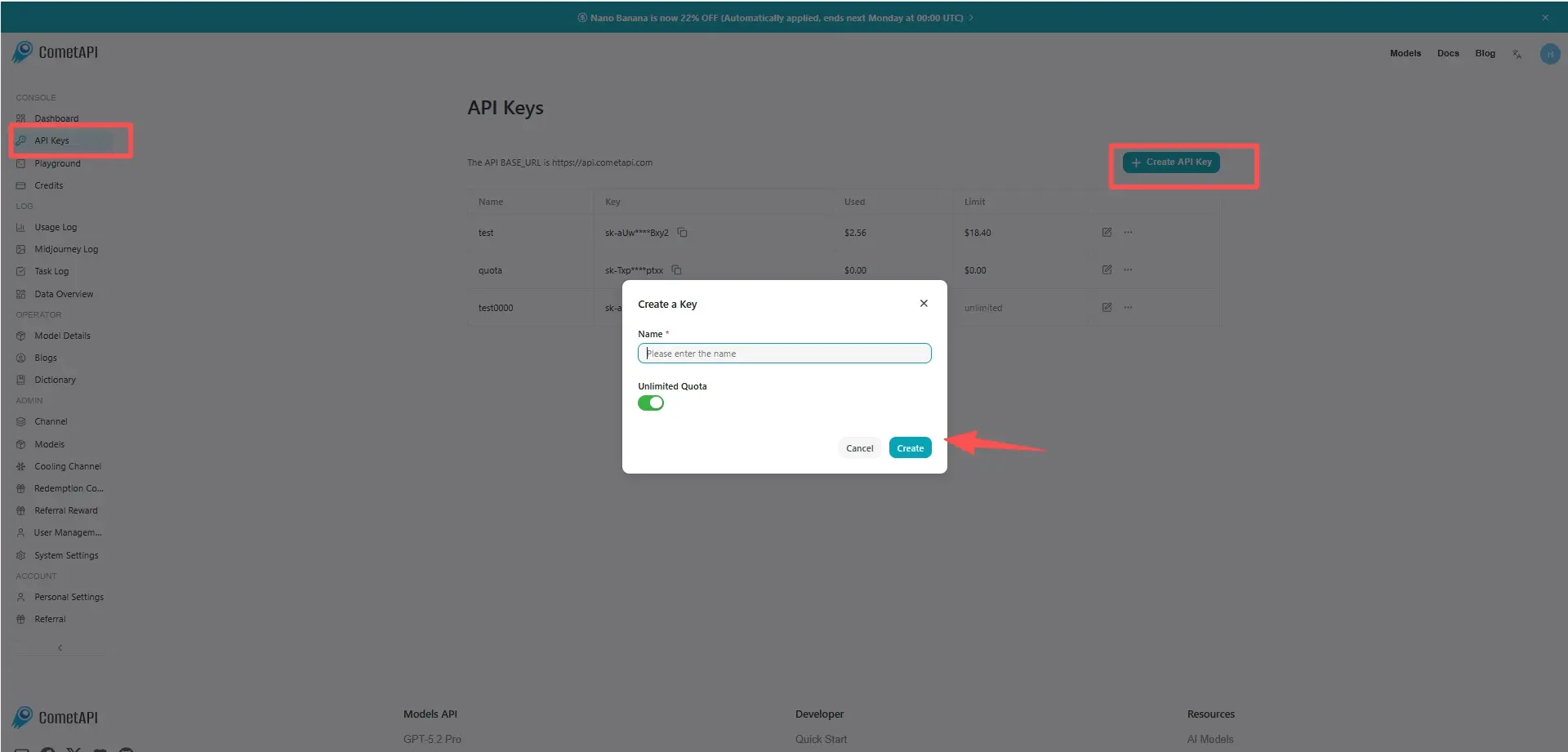
Log in to cometapi.com. If you are not our user yet, please register first. Sign into your CometAPI console. Get the access credential API key of the interface. Click “Add Token” at the API token in the personal center, get the token key: sk-xxxxx and submit.
Step 2: Send Requests to DeepSeek-OCR-2 API
Select the “deepseek-ocr-2” endpoint to send the API request and set the request body. The request method and request body are obtained from our website API doc. Our website also provides Apifox test for your convenience. Replace with your actual CometAPI key from your account. base url is Chat Completions.
Insert your question or request into the content field—this is what the model will respond to . Process the API response to get the generated answer.
Step 3: Retrieve and Verify Results
Process the API response to get the generated answer. After processing, the API responds with the task status and output data.