Technical specifications of gpt-audio-1.5
| Item | gpt-audio-1.5 (public specs) |
|---|---|
| Model family | GPT Audio family (audio-first variant) |
| Input types | Text, audio (speech in) |
| Output types | Text, audio (speech out), structured outputs (function calls supported) |
| Context window | 128,000 tokens. |
| Max output tokens | 16,384 (documented in related gpt-audio listing). |
| Performance tier | Higher intelligence; Medium speed (balanced). |
| Latency profile | Optimized for voice interactions (mid/low latency depending on endpoint). |
| Availability | Chat Completions API (audio in/out) and platform playgrounds; integrated across realtime/voice surfaces. |
| Safety / usage notes | Guardrails for voice content; treat model outputs with the usual safety and verification for production voice agents. |
Note:
gpt-realtime-1.5is a closely related realtime audio/voice-first variant optimized for lower latency and realtime sessions; compare below.
What is gpt-audio-1.5?
gpt-audio-1.5 is an audio-capable GPT model that supports both speech input and speech output through the Chat Completions and related audio-capable APIs. It's positioned as the main generally-available audio model for building voice agents and speech-first experiences while balancing quality and speed.
Main features
- Speech-in / speech-out support: Handle spoken input and return spoken or textual responses for natural voice flows.
- Large context for audio workflows: Supports very large context (documented 128k tokens) enabling multi-turn, long conversation history or large multimodal sessions.
- Streaming & Chat Completions compatibility: Works inside Chat Completions with streaming audio responses and function-call structured outputs.
- Balanced performance/latency: Tuned to provide high quality audio responses at medium throughput—suitable for chatbots and voice assistants where quality matters.
- Ecosystem & integrations: Supported in the platform’s playgrounds and available across official realtime/voice endpoints and partner integrations (Azure/Microsoft Foundry notes reference similar audio models).
gpt-audio-1.5 vs related audio models
| Property | gpt-audio-1.5 | gpt-realtime-1.5 |
|---|---|---|
| Primary focus | High-quality audio in/out for Chat Completions and conversational flows. | Realtime S2S (speech-to-speech) with lower latency for live voice agents and streaming scenarios. |
| Context window | 128k tokens. | 32k tokens (realtime variant documented). |
| Max output tokens | 16,384 (documented). | Typically configured for shorter realtime responses (docs list smaller max tokens). |
| Best use | Chatbots, voice-enabled assistants where full chat semantics + audio are required. | Live voice agents, kiosks, and low-latency conversational interfaces. |
Representative use cases
- Conversational voice agents for customer support and internal help desks.
- Voice-enabled assistants embedded in apps, devices, and kiosks.
- Hands-free workflows (dictation, voice search, accessibility).
- Multimodal experiences that mix audio with text / images via Chat Completions.
Limitations & operational considerations
- Not a drop-in replacement for human QA: Always validate speech outputs and downstream actions with human review in production flows.
- Resource planning: Large context and audio I/O can increase compute and latency—design streaming/segmentation strategies for long sessions.
- Safety & policy constraints: Voice outputs can carry persuasive power; follow platform safety guidelines and guardrails when deploying at scale.
- How to access GPT Audio 1.5 API
Step 1: Sign Up for API Key
Log in to cometapi.com. If you are not our user yet, please register first. Sign into your CometAPI console. Get the access credential API key of the interface. Click “Add Token” at the API token in the personal center, get the token key: sk-xxxxx and submit.
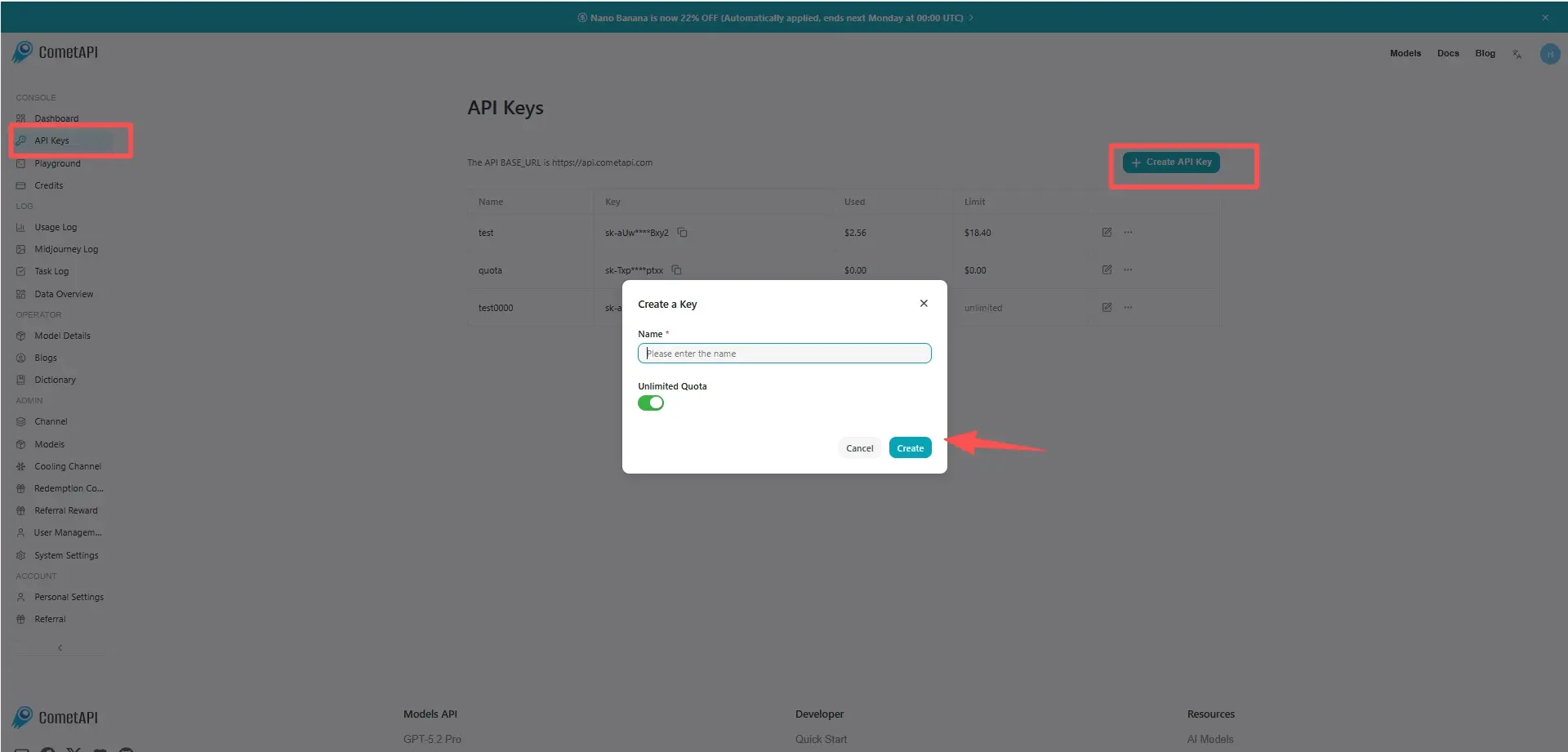
Step 2: Send Requests to GPT Audio 1.5 API
Select the “gpt-audio-1.5” endpoint to send the API request and set the request body. The request method and request body are obtained from our website API doc. Our website also provides Apifox test for your convenience. Replace <YOUR_API_KEY> with your actual CometAPI key from your account. base url is Chat Completions
Insert your question or request into the content field—this is what the model will respond to . Process the API response to get the generated answer.
Step 3: Retrieve and Verify Results
Process the API response to get the generated answer. After processing, the API responds with the task status and output data.