
ByteDance has publicly rolled out Seedance 2.0 — a major update to its AI video-generation stack that promises tighter audio-visual integration, richer multimodal inputs (text, images, short clips), stronger character and scene consistency, and a set of controls aimed at production workflows— features that push AI video generation from experimental demos toward practical production tools.
CometAPI is ready to introduce a major new member – Seedance 2.0 API.
What exactly is Seedance 2.0?
Seedance 2.0 is the latest iteration of ByteDance’s AI video-generation technology. The model has been developed as part of ByteDance’s broader creative stack and is closely associated with CapCut’s Dreamina creative suite in promotional materials. ByteDance positions Seedance 2.0 as a production-grade tool for short cinematic sequences, storyboarding, and rapid previsualization — capable of taking multiple forms of reference material (text prompts, still images, short video clips) and producing synchronized video that includes native audio (dialogue, effects, and music) rather than tacking audio on afterward.
What “multimodal” means here
In the context of Seedance 2.0, multimodal means the model ingests and reasons over different input modalities simultaneously: a written prompt, visual references (character stills, mood boards, sample frames), and short reference videos illustrating camera motion or acting beats. The model then produces an integrated output where motion, visuals, and audio are generated in a coordinated pass so that lip sync, background sound design, and camera language align with the visual narrative.
Architecture highlights
Seedance 2.0 combines diffusion-style generation with transformer-based temporal modeling — an architecture ByteDance reportedly calls or uses variants of “Diffusion Transformer” in order to scale long-range temporal coherence while remaining cost-efficient. The system also exposes new reference controls (often described as an “@ reference” or “reference system”) that lock character appearance, camera framing, and even performance style across multiple shots, improving continuity between cuts.
What new capabilities does Seedance 2.0 introduce?
Seedance 2.0 centralizes several technical and product features that together differentiate it from many prior text-to-video and multimodal models:
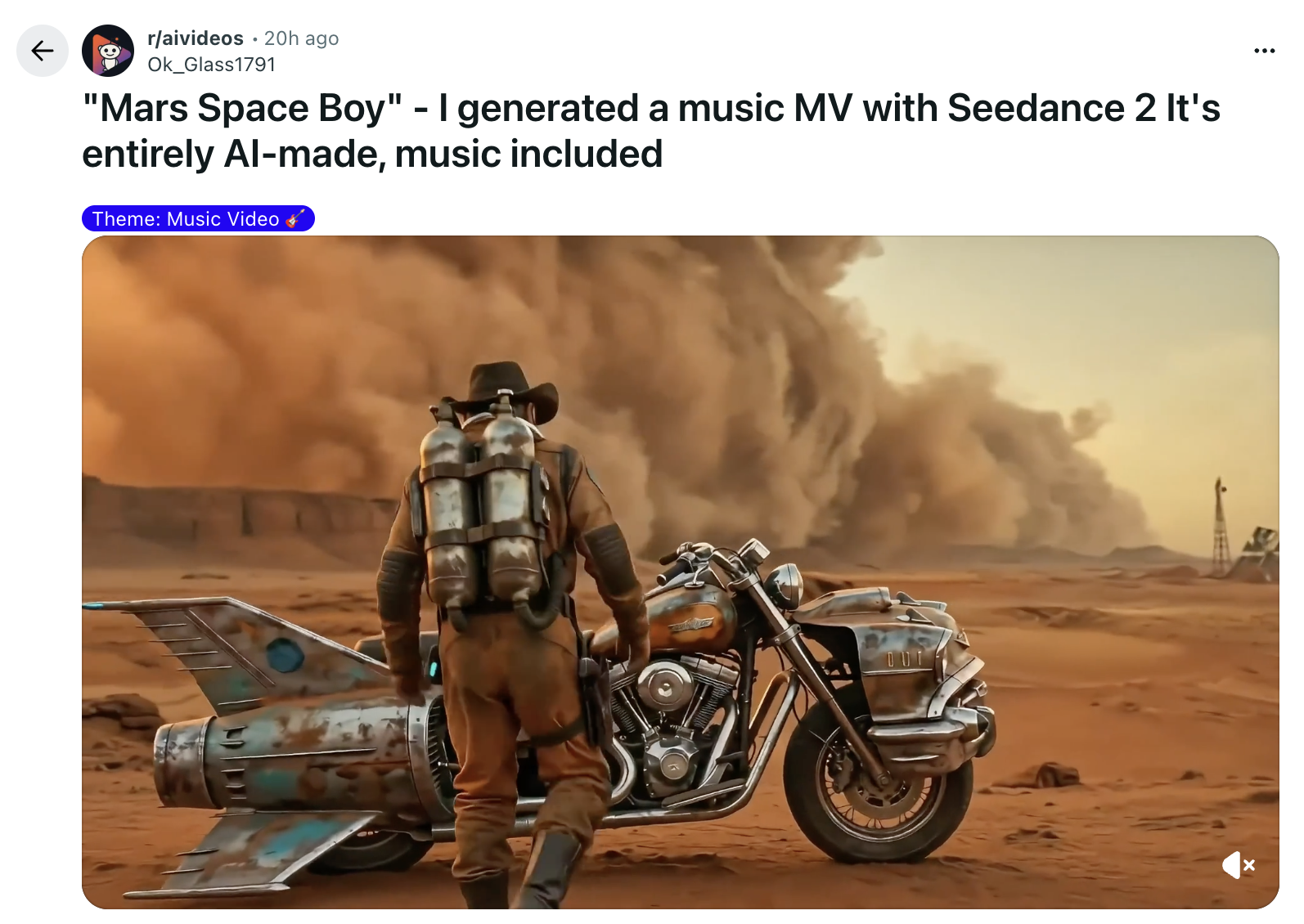
- Native audio–video generation (single-pass): A standout claim for Seedance 2.0 is built-in audio capability: Seedance 2.0 generates synchronized audio (dialogue, sound effects, music) as part of the same generation process instead of adding audio as a separate post-processing step and environmental sound to the generated visuals. That is a marked departure from models that only produce visuals and leave audio to downstream tooling.
- Multimodal / “quad-modal” input: The model supports multiple types of references simultaneously — text prompts, images (character or style references), short video clips (motion references) and audio (voice or beats). This director-style control lets creators blend reference assets for more controllable, repeatable outputs, a requirement for any tool that wants to be used in storytelling, previsualization and longer sequences.
- Multi-shot storytelling & scene continuity: Instead of generating single, isolated shots, Seedance 2.0 supports sequences with scene transitions, character continuity and shot composition that read like a short edit rather than a disparate image sequence.
- V2 Motion Synthesis Engine & physics-aware animation: The model includes improvements to motion realism (collision, momentum, natural accelerations) so interactions between objects and characters behave more plausibly over time.
- Higher resolution & faster exports: Seedance 2.0 supports export up to 2K resolution and claims roughly ~30% faster generation speeds compared to immediate predecessors (for comparable settings).
- Style transfer from screenshots / references: Seedance 2.0 can pick up a photographic or cinematic style from a single image or frame and apply that look across the generated sequence — including color grading and shot composition cues — enabling creators to emulate a particular filmic style quickly.
Small but consequential UX and API changes
Seedance 2.0 ships with product features that matter to studios and developers: an API for programmatic generation (API/UX designed for iteration), presets targeted at previsualization/film art departments, and an “All-Round Reference” mode that auto-classifies uploaded assets into role/style/motion buckets. These are workflow-level improvements that make the model easier to integrate into existing pipelines.
How does Seedance 2.0 stack up in and comparisons?
Why does Seedance 2.0 matter
For film, game, and advertising teams, the promise of producing scene-level previsualizations with integrated sound in minutes rather than days can materially shorten creative cycles and reduce pre-production costs. Seedance 2.0’s reference locking and multi-shot coherence are particularly useful for storyboarding and testing performance choices with non-expensive talent or animated stand-ins. This can accelerate decision-making before committing to expensive shoots or render farms.
Evaluations of Seedance 2.0 are emerging rapidly. Because models are often tested with different testbeds and metrics, a fair comparison requires looking at multiple axes: visual realism, temporal coherence, audio quality, generative control, speed and cost.
Seedance 2.0 vs Kling 3.0 vs Sora 2 vs Veo 3.1: Quick Specs Overview
Here’s a side-by-side, up-to-date comparison (as of early 2026) of the leading AI video generation models — Seedance 2.0 (ByteDance), Sora 2 (OpenAI), Veo 3.1 (Google), and Kling 3.0 (Kuaishou):
| Feature | Seedance 2.0 | Sora 2 | Veo 3.1 | Kling 3.0 | Winner |
|---|---|---|---|---|---|
| Max Duration | ~15 s | ~12 s | ~8 s | ~10 s | Seedance 2.0 for longest and most flexible duration. |
| Max Resolution | Up to 1080p (some reports of 2K support) | ~1080p | Up to 4K | Up to 1080p | Veo 3.1 |
| Multimodal Inputs | Text + images + video + audio | Text + image | Text + optional images | Text + images | Seedance 2.0 by a mile — especially useful for directing complex scenes based on multiple references. |
| Native Audio | Yes (incl. reference inputs) | Yes | Yes | Yes | Seedance 2.0 |
| Temporal Consistency | Very good | Excellent | Excellent | Very good | Veo 3.1 for visual polish; Sora 2 for physics & temporal consistency. |
| Audio Quality | Full co-generated (dialogue, SFX, music) | Full (dialogue + SFX) | Full (ambient, dialogue, music) | Full | Veo 3.1 for audio fidelity and spatial realism; Seedance 2.0 for reference-driven audio customization. |
| Generation Control | Strong (multimodal refs & editing) | Good (physics + storyboarding) | Moderate (cinematic framing) | Good (motion brush) | Seedance 2.0 for sheer control versatility. |
| Speed | Fast (~<2 min for 10 s) | Slower (higher quality) | Moderate (2-3 min for 8 s) | Fast | Seedance 2.0 and Kling 3.0 for responsivenes |
| Cost (est.) | ~$0.60 per 10 s | ~$1.00 per 10 s | ~$2.50 per 10 s | ~$0.50 per 10 s | Kling 3.0 for cheapest per-video cost; Seedance 2.0 great value given multimodal features. |
Obviously, Seedance 2.0 ahead of many contemporaries on a few of those axes, However, each video model still has its irreplaceable advantages:
- Sora 2 (OpenAI) — Best-in-class physics and long-take coherence; higher compute cost.
- Veo 3.1 (Google) — Strong color science and broadcast readiness; slower and costlier in some configs.
- Kling 3.0 (Kuaishou) — Excellent value and speed for quick prototypes.
- Seedance 2.0 (ByteDance) — Strong workflow features (audio, editing, reference control), fast for short cinematic shots, explicitly integrated with creator tools.
How can you access and use Seedance 2.0?
Availability and rollout
At time of writing, Seedance 2.0 was released in a limited, staged manner. Community threads and early posts indicate a limited beta and demos, with a full public API rollout still pending in some regions. You should be able to use it on CometAPI in a few days. For now, you can use Seedance 1.6 to prepare for the migration.
Step-by-step: an example workflow for a creator
Below is a practical workflow, assembled from the official changelog and early user guides. Treat it as a recommended starting point; exact UI elements will vary by deployment.
- Plan your sequence (scripting/storyboard): Decide scenes, beats, camera framing and what you want the model to output (previs, finished shot, or style study). Seedance’s strengths currently favor short sequences and directed shots over feature-length content.
- Collect reference assets: Gather text prompts, a few still images for character/style references, short clips that demonstrate motion or blocking, and any audio references (voice samples or beats). Using multiple complementary references increases the model’s ability to follow direction.
- Choose generation mode: Use “All-Round Reference” for mixed input projects or a preset (e.g., “Cinematic Scene,” “Dance Sequence,” “Ad Spot”) if available. These presets tune the model’s heuristics for pacing, shot length and audio mixing.
- Set technical parameters: Select resolution (up to 2K), frame rate and desired output length per shot. If you’re iterating fast, use lower resolution and faster settings for drafts, then bump quality for final exports.
- Generate and review: Seedance 2.0 will emit synchronized audio and visuals. Review for character consistency, lip sync, motion plausibility and any artifacts. Iteratively refine prompts or swap reference assets as needed.
- Post-process (optional): Export and edit in your NLE (non-linear editor). Because Seedance emphasizes audio sync and shot continuity, many outputs should slot directly into editing timelines for additional color grading, compositing or human voice-overs.
What are Seedance 2.0’s current limitations and risks?
As with all early releases in a rapidly evolving field, Seedance 2.0 has tradeoffs and limitations observers should note.
Shorter sequence lengths and coherence tradeoffs
While Seedance 2.0 is strong for short cinematic beats, reports indicate that long continuous takes and complex physical interactions still pose challenges. Models specialized for physics simulation and long-form coherence (e.g., Sora’s research systems) can outperform Seedance on those metrics.
Audio artifacts and subtitles reported in early tests
Independent testers have documented issues such as disordered voice rendering and garbled subtitles in some generated outputs, particularly on longer sequences or when complex phonetic accuracy is required. These kinds of errors suggest audio-visual alignment still needs refinement in edge cases.
IP, ethics and misuse concerns
Capabilities such as style transfer (from film frames) and detailed editing of existing footage raise intellectual property issues: the ability to produce convincing “in-style” scenes can blur the line between inspiration and infringement.
Final note: fast evolution, mixed promise
Seedance 2.0 is an important milestone in the generative video landscape because it binds visual generation, audio, editing and production workflows into a single product narrative — and because it is being launched inside familiar creator tools. The early demos show clear progress toward making AI video genuinely useful for creators; the early tests also show that the field still has notable technical limits and unresolved policy problems. For creators and companies, the practical approach is to experiment now (CometAPI is happy to help.)
Ready to Go?→ Free trial of Seedance 2.0
If you want to know more tips, guides and news on AI follow us on VK, X and Discord!