模型定价企业
500+ AI 模型 API,一次搞定,就在 CometAPI
模型 API
开发者
快速入门文档API 仪表板
公司
关于我们企业
资源
AI 模型博客更新日志支持
服务条款隐私政策
© 2026 CometAPI · All rights reserved
Home/Models/Google/Veo 3.1
G

Veo 3.1

每秒:$0.05
Veo 3.1 是 Google 针对其 Veo 文本与图像→视频系列的渐进但意义重大的更新,新增更丰富的原生音频、更长且可控性更高的视频输出,以及更精细的编辑与场景级控制。
新
商用
Playground
概览
功能亮点
定价
API
版本

Core features

Veo 3.1 focuses on practical content creation features:

  • Native audio generation (dialogue, ambient sound, SFX) integrated in outputs. Veo 3.1 generates native audio (dialogue + ambience + SFX) aligned to the visual timeline; the model aims to preserve lip sync and audio–visual alignment for dialogue and scene cues.
  • Longer outputs (support for up to ~60 seconds / 1080p versus Veo 3’s very short clips,8s), and multi-prompt multi-shot sequences for narrative continuity.
  • Scene Extension and First/Last Frame modes that extend or interpolate footage between key frames.
  • Object insertion and (coming) object removal and editing primitives inside Flow.

Each bullet above is designed to reduce manual VFX work: audio and scene continuity are now first-class outputs rather than afterthoughts.

Technical details (model behavior & inputs)

Model family & variants: Veo belongs to Google’s Veo-3 family; the preview model ID is typically veo3.1-pro; veo3.1 (CometAPI doc). It accepts text prompts, image references (single frame or sequences), and structured multi-prompt layouts for multi-shot generation.

Resolution & duration: Preview documentation describes outputs at 720p/1080p with options for longer durations (up to ~60s in certain preview settings) and higher fidelity than earlier Veo variants.

Aspect ratios: 16:9 (supported) and 9:16 (supported except in some reference-image flows).

Prompt language: English (preview).

API limits: typical preview limits include max 10 API requests/min per project, max 4 videos per request, and video lengths selectable among 4, 6, or 8 seconds (reference-image flows support 8s).

Benchmark performance

Google’s internal and publicly summarized evaluations report strong preference for Veo 3.1 outputs across human rater comparisons on metrics such as text alignment, visual quality, and audio–visual coherence (text→video and image→video tasks).

Veo 3.1 achieved state-of-the-art results on internal human-rater comparisons across several objective axes — overall preference, prompt alignment (text→video and image→video), visual quality, audio-video alignment, and “visually realistic physics” on benchmark datasets such as MovieGenBench and VBench.

Limitations & safety considerations

Limitations:

  • Artifacts & inconsistency: despite improvements, certain lighting, fine-grained physics, and complex occlusions can still yield artifacts; image→video consistency (especially over long durations) is improved but not perfect.
  • Misinformation / deepfake risk: richer audio + object insertion/removal increases misuse risk (realistic fake audio and extended clips). Google notes mitigations (policy, safeguards) and earlier Veo launches referenced watermarking/SynthID to aid provenance; however technical safeguards do not eliminate misuse risk.
  • Cost & throughput constraints: high-resolution, long videos are computationally expensive and currently gated in a paid preview—expect higher latency and cost compared with image models. Community posts and Google forum threads discuss availability windows and fallback strategies.

Safety controls: Veo3.1 has integrated content policies, watermarking/synthID signaling in earlier Veo releases, and preview access controls; customers are advised to follow platform policy and implement human review for high-risk outputs.

Practical use cases

  • Rapid prototyping for creatives: storyboards → multi-shot clips and animatics with native dialogue for early creative review.
  • Marketing & short form content: 15–60s product spots, social clips, and concept teasers where speed matters more than perfect photorealism.
  • Image→video adaptation: turning illustrations, characters, or two frames into smooth transitions or animated scenes via First/Last Frame and Scene Extension.
  • Tooling augmentation: integrated into Flow for iterative editing (object insertion/removal, lighting presets) that reduces manual VFX passes.

Comparison with other leading models

Veo 3.1 vs Veo 3 (predecessor): Veo 3.1 focuses on improved prompt adherence, audio quality, and multi-shot consistency — incremental but impactful updates aimed at reducing artifacts and improving editability.

Veo 3.1 vs OpenAI Sora 2: tradeoffs reported in press: Veo 3.1 emphasizes longer-form narrative control, integrated audio, and Flow editing integration; Sora 2 (when compared in press) focuses on different strengths (speed, different editing pipelines). TechRadar and other outlets frame Veo 3.1 as Google’s targeted competitor to Sora 2 for narrative and longer video support. Independent side-by-side testing remains limited.

Veo 3.1 的功能

了解 Veo 3.1 的核心能力,帮助提升性能与可用性,并改善整体体验。

Veo 3.1 的定价

查看 Veo 3.1 的竞争性定价,满足不同预算与使用需求,灵活方案确保随需求扩展。

veo3.1(videos)

Model nameTagsCalculate price
veo3.1-allvideos$0.20000
veo3.1videos$0.40000

Veo 3.1 的示例代码与 API

获取完整示例代码与 API 资源,简化 Veo 3.1 的集成流程,我们提供逐步指导,助你发挥模型潜能。
POST
/v1/videos
Python
JavaScript
Curl
import os
import requests
import json

# Get your CometAPI key from https://api.cometapi.com/console/token, and paste it here
COMETAPI_KEY = os.environ.get("COMETAPI_KEY") or "<YOUR_COMETAPI_KEY>"
BASE_URL = "https://api.cometapi.com/v1"

headers = {
    "Authorization": COMETAPI_KEY,
}

# ============================================================
# Step 1: Download Reference Image
# ============================================================
print("Step 1: Downloading reference image...")

image_url = "https://images.unsplash.com/photo-1506905925346-21bda4d32df4?w=1280"
image_response = requests.get(image_url)
image_path = "/tmp/veo3.1_reference.jpg"
with open(image_path, "wb") as f:
    f.write(image_response.content)
print(f"Reference image saved to: {image_path}")

# ============================================================
# Step 2: Create Video Generation Task (form-data with image upload)
# ============================================================
print("
Step 2: Creating video generation task...")

with open(image_path, "rb") as image_file:
    files = {
        "input_reference": ("reference.jpg", image_file, "image/jpeg"),
    }
    data = {
        "prompt": "A breathtaking mountain landscape with clouds flowing through valleys, cinematic aerial shot",
        "model": "veo3.1",
        "size": "16x9",
    }
    create_response = requests.post(
        f"{BASE_URL}/videos", headers=headers, data=data, files=files
    )

create_result = create_response.json()
print("Create response:", json.dumps(create_result, indent=2))

task_id = create_result.get("id")
if not task_id:
    print("Error: Failed to get task_id from response")
    exit(1)
print(f"Task ID: {task_id}")

# ============================================================
# Step 3: Query Task Status
# ============================================================
print("
Step 3: Querying task status...")

query_response = requests.get(f"{BASE_URL}/videos/{task_id}", headers=headers)
query_result = query_response.json()
print("Query response:", json.dumps(query_result, indent=2))

task_status = query_result.get("data", {}).get("status")
print(f"Task status: {task_status}")

Python Code Example

import os
import requests
import json

# Get your CometAPI key from https://api.cometapi.com/console/token, and paste it here
COMETAPI_KEY = os.environ.get("COMETAPI_KEY") or "<YOUR_COMETAPI_KEY>"
BASE_URL = "https://api.cometapi.com/v1"

headers = {
    "Authorization": COMETAPI_KEY,
}

# ============================================================
# Step 1: Download Reference Image
# ============================================================
print("Step 1: Downloading reference image...")

image_url = "https://images.unsplash.com/photo-1506905925346-21bda4d32df4?w=1280"
image_response = requests.get(image_url)
image_path = "/tmp/veo3.1_reference.jpg"
with open(image_path, "wb") as f:
    f.write(image_response.content)
print(f"Reference image saved to: {image_path}")

# ============================================================
# Step 2: Create Video Generation Task (form-data with image upload)
# ============================================================
print("\nStep 2: Creating video generation task...")

with open(image_path, "rb") as image_file:
    files = {
        "input_reference": ("reference.jpg", image_file, "image/jpeg"),
    }
    data = {
        "prompt": "A breathtaking mountain landscape with clouds flowing through valleys, cinematic aerial shot",
        "model": "veo3.1",
        "size": "16x9",
    }
    create_response = requests.post(
        f"{BASE_URL}/videos", headers=headers, data=data, files=files
    )

create_result = create_response.json()
print("Create response:", json.dumps(create_result, indent=2))

task_id = create_result.get("id")
if not task_id:
    print("Error: Failed to get task_id from response")
    exit(1)
print(f"Task ID: {task_id}")

# ============================================================
# Step 3: Query Task Status
# ============================================================
print("\nStep 3: Querying task status...")

query_response = requests.get(f"{BASE_URL}/videos/{task_id}", headers=headers)
query_result = query_response.json()
print("Query response:", json.dumps(query_result, indent=2))

task_status = query_result.get("data", {}).get("status")
print(f"Task status: {task_status}")

JavaScript Code Example

import fs from "fs";
import path from "path";
import os from "os";

// Get your CometAPI key from https://api.cometapi.com/console/token, and paste it here
const api_key = process.env.COMETAPI_KEY || "<YOUR_COMETAPI_KEY>";
const base_url = "https://api.cometapi.com/v1";

// ============================================================
// Step 1: Download Reference Image
// ============================================================
console.log("Step 1: Downloading reference image...");

const imageUrl = "https://images.unsplash.com/photo-1506905925346-21bda4d32df4?w=1280";
const imageResponse = await fetch(imageUrl);
const imageBuffer = Buffer.from(await imageResponse.arrayBuffer());
const imagePath = path.join(os.tmpdir(), "veo3.1_reference.jpg");
fs.writeFileSync(imagePath, imageBuffer);
console.log(`Reference image saved to: ${imagePath}`);

// ============================================================
// Step 2: Create Video Generation Task (form-data with image upload)
// ============================================================
console.log("\nStep 2: Creating video generation task...");

const formData = new FormData();
formData.append("prompt", "A breathtaking mountain landscape with clouds flowing through valleys, cinematic aerial shot");
formData.append("model", "veo3.1");
formData.append("size", "16x9");
formData.append("input_reference", new Blob([fs.readFileSync(imagePath)], { type: "image/jpeg" }), "reference.jpg");

const createResponse = await fetch(`${base_url}/videos`, {
  method: "POST",
  headers: {
    "Authorization": api_key,
  },
  body: formData,
});

const createResult = await createResponse.json();
console.log("Create response:", JSON.stringify(createResult, null, 2));

const taskId = createResult?.id;
if (!taskId) {
  console.log("Error: Failed to get task_id from response");
  process.exit(1);
}
console.log(`Task ID: ${taskId}`);

// ============================================================
// Step 3: Query Task Status
// ============================================================
console.log("\nStep 3: Querying task status...");

const queryResponse = await fetch(`${base_url}/videos/${taskId}`, {
  method: "GET",
  headers: {
    "Authorization": api_key,
  },
});

const queryResult = await queryResponse.json();
console.log("Query response:", JSON.stringify(queryResult, null, 2));

const taskStatus = queryResult?.data?.status;
console.log(`Task status: ${taskStatus}`);

Curl Code Example

#!/bin/bash
# Get your CometAPI key from https://api.cometapi.com/console/token
# Export it as: export COMETAPI_KEY="your-key-here"

BASE_URL="https://api.cometapi.com/v1"
IMAGE_PATH="/tmp/veo3.1_reference.jpg"

# ============================================================
# Step 1: Download Reference Image
# ============================================================
echo "Step 1: Downloading reference image..."

curl -s -o "$IMAGE_PATH" "https://images.unsplash.com/photo-1506905925346-21bda4d32df4?w=1280"
echo "Reference image saved to: $IMAGE_PATH"

# ============================================================
# Step 2: Create Video Generation Task (form-data with image upload)
# ============================================================
echo ""
echo "Step 2: Creating video generation task..."

RESPONSE=$(curl -s -X POST "${BASE_URL}/videos" \
  -H "Authorization: $COMETAPI_KEY" \
  -F 'prompt=A breathtaking mountain landscape with clouds flowing through valleys, cinematic aerial shot' \
  -F 'model=veo3.1' \
  -F 'size=16x9' \
  -F "input_reference=@${IMAGE_PATH}")

echo "Create response:"
echo "$RESPONSE" | jq .

TASK_ID=$(echo "$RESPONSE" | jq -r '.id')

if [ "$TASK_ID" = "null" ] || [ -z "$TASK_ID" ]; then
  echo "Error: Failed to get task_id from response"
  exit 1
fi

echo "Task ID: $TASK_ID"

# ============================================================
# Step 3: Query Task Status
# ============================================================
echo ""
echo "Step 3: Querying task status..."

QUERY_RESPONSE=$(curl -s -X GET "${BASE_URL}/videos/${TASK_ID}" \
  -H "Authorization: $COMETAPI_KEY")

echo "Query response:"
echo "$QUERY_RESPONSE" | jq .

TASK_STATUS=$(echo "$QUERY_RESPONSE" | jq -r '.data.status')
echo "Task status: $TASK_STATUS"

Veo 3.1 的版本

Veo 3.1 可能存在多个快照,原因包括:更新后保持一致性需要保留旧版、给开发者留出迁移窗口,以及全球/区域端点提供的优化差异。具体差异请参考官方文档。
Model iddescriptionAvailabilityPriceRequst
veo3.1-allThe technology used is unofficial and the generation is unstable etc✅$0.2 / perChat format
veo3.1Recommend, Pointing to the latest model✅$0.4/ perAsync Generation

更多模型

D

Doubao-Seedance-2-0

每秒:$0.07
Seedance 2.0 是 ByteDance 的下一代多模态视频基础模型,专注于电影化的、多镜头叙事视频生成。不同于单镜头的文本生成视频演示,Seedance 2.0 强调基于参考的控制(图像、短视频片段、音频)、跨镜头的人物与风格一致性,以及原生的音视频同步——旨在让 AI 视频切实服务于专业创意与前期预演工作流。
O

Sora 2

每秒:$0.08
超级强大的视频生成模型,带有音效,支持聊天格式。
M

mj_fast_video

每次请求:$0.6
Midjourney 视频生成
X

Grok Imagine Video

每秒:$0.04
通过文本提示生成视频、为静态图像添加动画,或用自然语言编辑现有视频。该 API 支持配置生成视频的时长、长宽比和分辨率,并由 SDK 自动处理异步轮询。
G

Veo 3.1 Pro

每秒:$0.25
Veo 3.1-Pro 指的是 Google 的 Veo 3.1 系列的高能力访问/配置——这一代短时长、支持音频的视频模型带来更丰富的原生音频、改进的叙事/剪辑控制以及场景扩展工具。
G

Veo 3 Pro

G

Veo 3 Pro

每秒:$0.25
Veo 3 pro 表示 Veo 3 视频模型的生产级体验(高保真、原生音频以及扩展的工具支持)。

相关博客

Kling 3.0 vs Veo 3.1:2026 年 AI 视频生成器终极对决
Apr 20, 2026
veo-3-1
kling-3-0

Kling 3.0 vs Veo 3.1:2026 年 AI 视频生成器终极对决

Kling 3.0 目前凭借原生 4K 多镜头叙事和更出色的摄像机控制处于领先地位。Veo 3.1 在高度写实的物理效果、原生音频同步以及与 Google 生态的集成方面表现出色,非常适合电影级或企业项目。对大多数用户而言,胜负取决于侧重点:Kling 3.0 适合优先考虑速度、一致性和成本;Veo 3.1 适合优先考虑高级真实感与音频。
什么是 Google Veo 3.1 Lite?
Apr 1, 2026
veo-3-1

什么是 Google Veo 3.1 Lite?

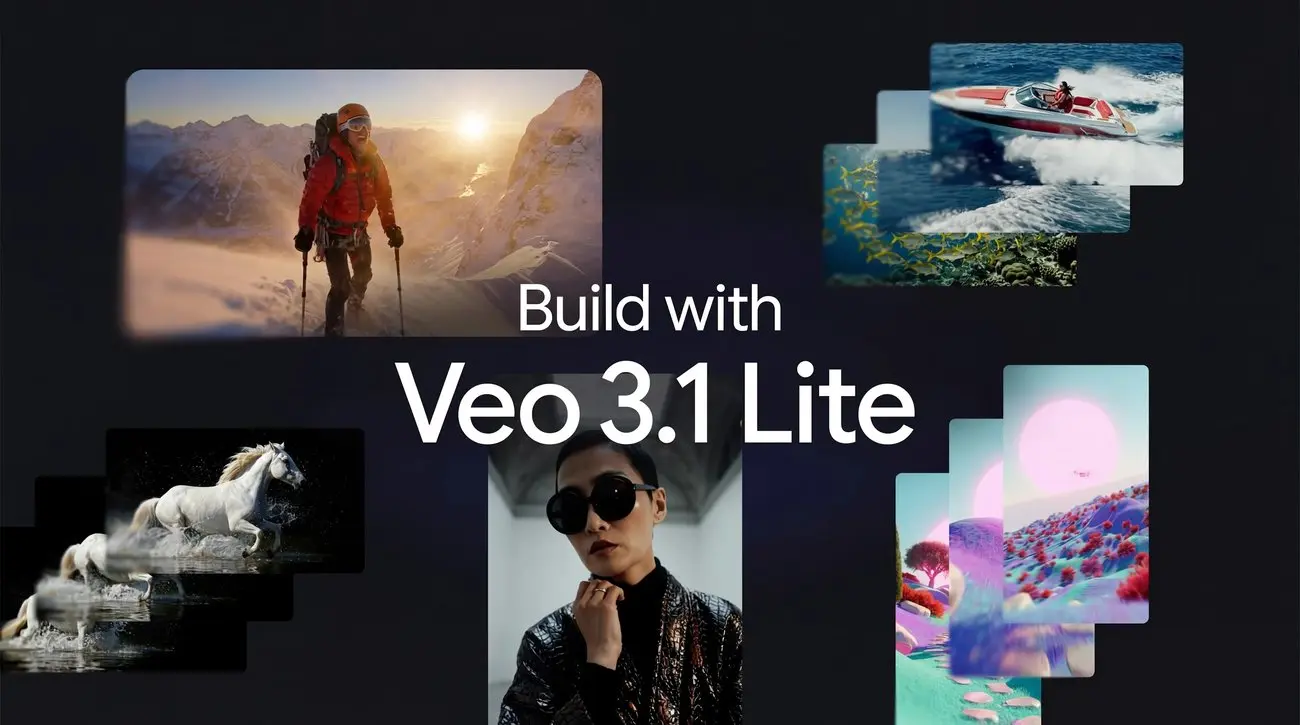
Veo 3.1 Lite 是什么?Veo 3.1 Lite 是 Google 面向开发者推出的最新具成本效益的视频生成模型,于 2026 年 3 月 31 日发布。它支持文本生成视频和图像生成视频,可输出带音频的视频,并面向大规模应用设计。Google 称,在保持相同速度的同时,其成本不到 Veo 3.1 Fast 的一半,并支持 16:9 和 9:16 输出格式以及 720p/1080p 分辨率。
如何免费获取 Grok Imagine:访问方式、定价和替代方案
Mar 25, 2026
grok-imagine-video

如何免费获取 Grok Imagine:访问方式、定价和替代方案

截至 2026 年 3 月,Grok Imagine Video 在 xAI/Grok 官方平台上并非免费(因需求旺盛和滥用顾虑,免费层已移除),但你可以通过 CometAPI 等第三方聚合平台以实惠价格——或使用免费入门额度——进行访问。CometAPI 仅以 $0.04 每秒(480p)的价格提供该模型,新用户注册时通常会获得 $1–$5 的免费额度。
如何使用 Veo 3.1 编辑视频
Mar 5, 2026
veo-3-1

如何使用 Veo 3.1 编辑视频

Google 在 2025 年 10 月中旬公开推出了 Veo 3.1(以及 Veo 3.1 Fast 变体),作为一款改进的文本到视频模型,可生成更高保真度的短
什么是 vidu Q3?它也许是 2026 年最好的 AI 视频模型。
Jan 31, 2026
vidu-q3

什么是 vidu Q3?它也许是 2026 年最好的 AI 视频模型。

在 2026 年初,Vidu Q3 作为迄今最明确的信号之一,显示出 AI 驱动的视频生成正从短小的新奇片段迈向真正具叙事性的多镜头故事表达。 在其广泛发布后的数月里,Vidu Q3 已成为创作者工作流程、研究试点与商业试点中的常备工具——理由充分:它在时长、视听融合与多镜头连贯性方面的能力超过了多数早期模型,同时提供面向开发者的 API,以支持编程式使用。