ModelsSolutionsEnterprisePricingBlogCommunityAffiliateCampaignsProduct Updates
Choose your path
For individualsBuild, learn, and create with simple usage-based access.
For businessScale teams, billing, governance, and model workflows.
GLM 4.7 部落格
Sep 3, 2026
GLM-5
GLM 4.7
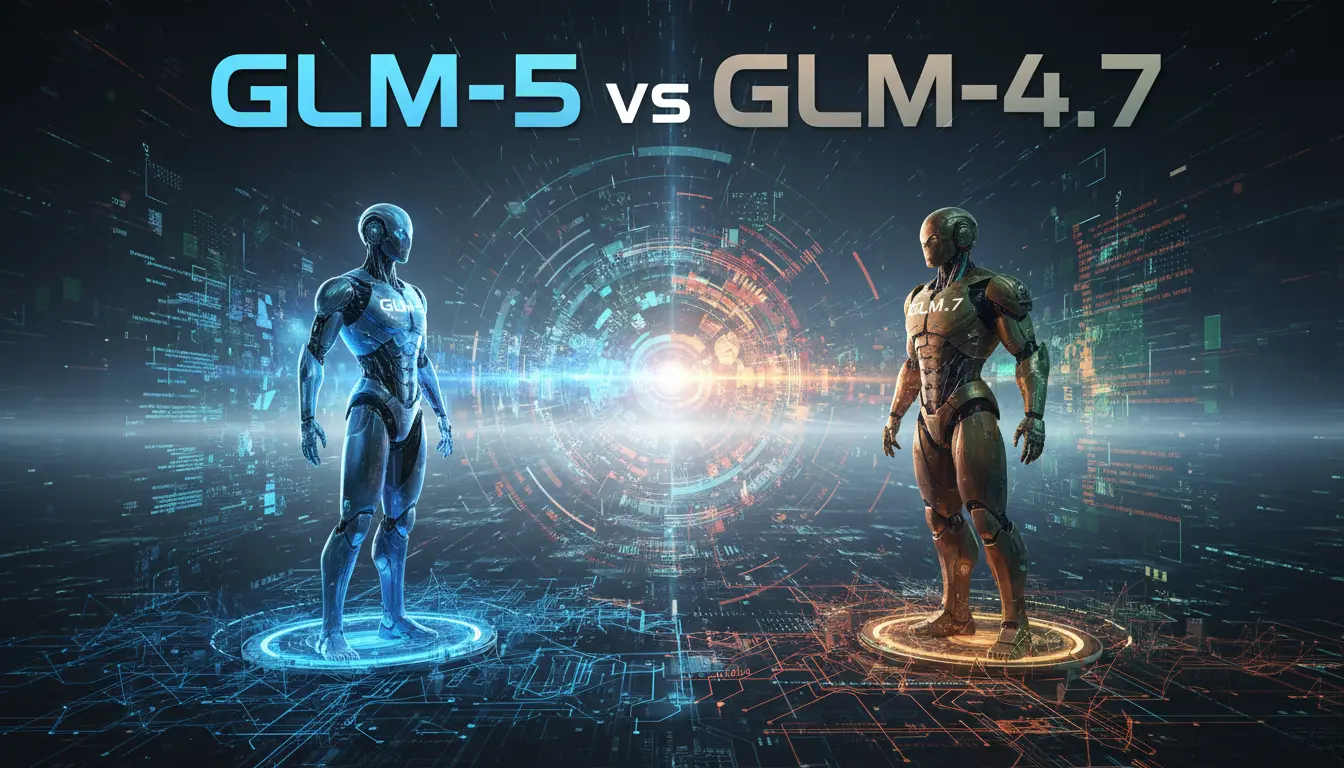
GLM-5 與 GLM-4.7:有哪些改變、重點是什麼,以及是否應該升級?
GLM-5,由 Zhipu AI (Z.ai) 於 2026 年 2 月 11 日發佈,相較於 GLM-4.7 在架構上有重大躍進:更大的 MoE 規模(≈744B vs ~355B 總參數量)、更高的活躍參數容量、更低的實測幻覺率,並在 agentic 與編碼基準測試上取得明顯提升—但以推理複雜度和(有時)延遲為代價。
![以下以「GLM-4-7B-Flash」(常見記法為 GLM-4-7B-Flash,您寫的 GLM-4.7-Flash 多半指此型號)為例,說明本機離線使用的常見方式。請先在 Hugging Face 或 ModelScope 找到對應的模型倉庫並接受授權,後續將 <model-id> 替換為實際倉庫名;GLM 系列通常需要 trust_remote_code。
一、環境與依賴
- 建議:Python 3.10+,CUDA 11.8+/12.x(若用 NVIDIA GPU),PyTorch 對應版本
- 可選加速:flash-attn(需符合 GPU 架構與 CUDA 版本)
- 安裝基本依賴
pip install --upgrade torch torchvision torchaudio --index-url https://download.pytorch.org/whl/cu118
pip install --upgrade transformers accelerate sentencepiece safetensors
pip install --upgrade bitsandbytes # 如需4-bit量化推理
pip install flash-attn --no-build-isolation # 可選(GPU 支援時)
二、使用 Transformers 直接推理
- 半精度/自動分配到 GPU
from transformers import AutoTokenizer, AutoModelForCausalLM
import torch
model_id = "<model-id>" # 例如:THUDM/glm-4-7b-flash(請以實際倉庫名為準)
tokenizer = AutoTokenizer.from_pretrained(model_id, trust_remote_code=True)
model = AutoModelForCausalLM.from_pretrained(
model_id,
torch_dtype=torch.bfloat16, # 或 torch.float16(依 GPU 支援)
device_map="auto",
trust_remote_code=True
).eval()
# 若模型提供 chat 介面(GLM 常見)
response, history = model.chat(tokenizer, "你好,給我一段 GLM 本機使用的示例。", history=[])
print(response)
# 或使用 chat template(通用方式)
messages = [
{"role": "system", "content": "You are a helpful assistant."},
{"role": "user", "content": "介紹一下 GLM-4-7B-Flash 的本機部署方法。"}
]
input_ids = tokenizer.apply_chat_template(messages, add_generation_prompt=True, return_tensors="pt").to(model.device)
with torch.no_grad():
outputs = model.generate(
input_ids,
max_new_tokens=512,
temperature=0.7,
top_p=0.9
)
print(tokenizer.decode(outputs[0], skip_special_tokens=True))
- 4-bit 量化(降低顯存佔用)
from transformers import AutoTokenizer, AutoModelForCausalLM, BitsAndBytesConfig
quant_cfg = BitsAndBytesConfig(
load_in_4bit=True,
bnb_4bit_use_double_quant=True,
bnb_4bit_quant_type="nf4",
bnb_4bit_compute_dtype="bfloat16"
)
tokenizer = AutoTokenizer.from_pretrained(model_id, trust_remote_code=True)
model = AutoModelForCausalLM.from_pretrained(
model_id,
quantization_config=quant_cfg,
device_map="auto",
trust_remote_code=True
).eval()
- Apple Silicon(MPS)簡述
import torch
device = torch.device("mps") if torch.backends.mps.is_available() else torch.device("cpu")
# 直接 .to(device) 或 device_map="auto" 由 PyTorch 分配(性能不及 CUDA,僅作輕量測試)
三、用 vLLM 跑本地 OpenAI 相容服務
- 安裝與啟動
pip install "vllm>=0.5.0"
python -m vllm.entrypoints.openai.api_server --model <model-id> --trust-remote-code --max-model-len 4096 --dtype auto
- 調用(curl)
curl http://127.0.0.1:8000/v1/chat/completions \
-H "Content-Type: application/json" \
-d '{
"model": "<model-id>",
"messages": [{"role":"user","content":"用要點說明如何本機使用 GLM-4-7B-Flash"}],
"temperature": 0.7
}'
- 調用(Python,openai 相容)
pip install openai
from openai import OpenAI
client = OpenAI(base_url="http://127.0.0.1:8000/v1", api_key="EMPTY")
resp = client.chat.completions.create(
model="<model-id>",
messages=[{"role":"user","content":"請示範本機推理指令"}],
temperature=0.7
)
print(resp.choices[0].message.content)
四、常見注意事項
- 模型倉庫與授權:到 Hugging Face 或 ModelScope 搜尋「GLM-4-7B-Flash」或相近名稱,閱讀說明並接受授權。不同倉庫可能提供原始、量化(如 GPTQ/AWQ/INT4)或「Flash/Long」等變體。
- trust_remote_code:GLM 系列常需設為 True 以載入自定義模型邏輯與 chat 介面。
- 顯存需求(粗略參考):7B FP16/BF16 約需 12–16GB;4-bit 量化約 6–8GB。實際取決於序列長度與張量並行策略。
- 加速:若安裝並啟用 flash-attn,需確保 CUDA/驅動/GPU 架構相容;否則請移除或改用預設注意力實作。
- 長文本與上下文:若為「Flash」或「Long」變體,請依倉庫說明設置 max_position_embeddings 或相應啟動參數(如 vLLM 的 --max-model-len)。
- Windows 使用者:建議 CUDA + WSL2 或原生 CUDA 環境;bitsandbytes 在某些 Windows/CUDA 組合上需額外配置。
五、快速故障排查
- ImportError/ModuleNotFoundError:升級 transformers、accelerate、safetensors;確認 trust_remote_code=True。
- CUDA OOM:嘗試 4-bit 量化、減小 batch/序列長度、關閉梯度計算(eval、no_grad)、或使用 vLLM+paged attention。
- 推理很慢:確認是否在 CPU 上;如可用,安裝 flash-attn;調整 max_new_tokens、temperature/top_p;或改用量化權重。
如您提供具體的模型倉庫名稱(<model-id>)與硬體環境(GPU/顯存/作業系統),可進一步給出精確的安裝與啟動指令。](https://resource.cometapi.com/How to Use GLM-4.7-Flash Locally.webp)
Sep 3, 2026
GLM 4.7
GLM 4.7
以下以「GLM-4-7B-Flash」(常見記法為 GLM-4-7B-Flash,您寫的 GLM-4.7-Flash 多半指此型號)為例,說明本機離線使用的常見方式。請先在 Hugging Face 或 ModelScope 找到對應的模型倉庫並接受授權,後續將 <model-id> 替換為實際倉庫名;GLM 系列通常需要 trust_remote_code。 一、環境與依賴 - 建議:Python 3.10+,CUDA 11.8+/12.x(若用 NVIDIA GPU),PyTorch 對應版本 - 可選加速:flash-attn(需符合 GPU 架構與 CUDA 版本) - 安裝基本依賴 pip install --upgrade torch torchvision torchaudio --index-url https://download.pytorch.org/whl/cu118 pip install --upgrade transformers accelerate sentencepiece safetensors pip install --upgrade bitsandbytes # 如需4-bit量化推理 pip install flash-attn --no-build-isolation # 可選(GPU 支援時) 二、使用 Transformers 直接推理 - 半精度/自動分配到 GPU from transformers import AutoTokenizer, AutoModelForCausalLM import torch model_id = "<model-id>" # 例如:THUDM/glm-4-7b-flash(請以實際倉庫名為準) tokenizer = AutoTokenizer.from_pretrained(model_id, trust_remote_code=True) model = AutoModelForCausalLM.from_pretrained( model_id, torch_dtype=torch.bfloat16, # 或 torch.float16(依 GPU 支援) device_map="auto", trust_remote_code=True ).eval() # 若模型提供 chat 介面(GLM 常見) response, history = model.chat(tokenizer, "你好,給我一段 GLM 本機使用的示例。", history=[]) print(response) # 或使用 chat template(通用方式) messages = [ {"role": "system", "content": "You are a helpful assistant."}, {"role": "user", "content": "介紹一下 GLM-4-7B-Flash 的本機部署方法。"} ] input_ids = tokenizer.apply_chat_template(messages, add_generation_prompt=True, return_tensors="pt").to(model.device) with torch.no_grad(): outputs = model.generate( input_ids, max_new_tokens=512, temperature=0.7, top_p=0.9 ) print(tokenizer.decode(outputs[0], skip_special_tokens=True)) - 4-bit 量化(降低顯存佔用) from transformers import AutoTokenizer, AutoModelForCausalLM, BitsAndBytesConfig quant_cfg = BitsAndBytesConfig( load_in_4bit=True, bnb_4bit_use_double_quant=True, bnb_4bit_quant_type="nf4", bnb_4bit_compute_dtype="bfloat16" ) tokenizer = AutoTokenizer.from_pretrained(model_id, trust_remote_code=True) model = AutoModelForCausalLM.from_pretrained( model_id, quantization_config=quant_cfg, device_map="auto", trust_remote_code=True ).eval() - Apple Silicon(MPS)簡述 import torch device = torch.device("mps") if torch.backends.mps.is_available() else torch.device("cpu") # 直接 .to(device) 或 device_map="auto" 由 PyTorch 分配(性能不及 CUDA,僅作輕量測試) 三、用 vLLM 跑本地 OpenAI 相容服務 - 安裝與啟動 pip install "vllm>=0.5.0" python -m vllm.entrypoints.openai.api_server --model <model-id> --trust-remote-code --max-model-len 4096 --dtype auto - 調用(curl) curl http://127.0.0.1:8000/v1/chat/completions \ -H "Content-Type: application/json" \ -d '{ "model": "<model-id>", "messages": [{"role":"user","content":"用要點說明如何本機使用 GLM-4-7B-Flash"}], "temperature": 0.7 }' - 調用(Python,openai 相容) pip install openai from openai import OpenAI client = OpenAI(base_url="http://127.0.0.1:8000/v1", api_key="EMPTY") resp = client.chat.completions.create( model="<model-id>", messages=[{"role":"user","content":"請示範本機推理指令"}], temperature=0.7 ) print(resp.choices[0].message.content) 四、常見注意事項 - 模型倉庫與授權:到 Hugging Face 或 ModelScope 搜尋「GLM-4-7B-Flash」或相近名稱,閱讀說明並接受授權。不同倉庫可能提供原始、量化(如 GPTQ/AWQ/INT4)或「Flash/Long」等變體。 - trust_remote_code:GLM 系列常需設為 True 以載入自定義模型邏輯與 chat 介面。 - 顯存需求(粗略參考):7B FP16/BF16 約需 12–16GB;4-bit 量化約 6–8GB。實際取決於序列長度與張量並行策略。 - 加速:若安裝並啟用 flash-attn,需確保 CUDA/驅動/GPU 架構相容;否則請移除或改用預設注意力實作。 - 長文本與上下文:若為「Flash」或「Long」變體,請依倉庫說明設置 max_position_embeddings 或相應啟動參數(如 vLLM 的 --max-model-len)。 - Windows 使用者:建議 CUDA + WSL2 或原生 CUDA 環境;bitsandbytes 在某些 Windows/CUDA 組合上需額外配置。 五、快速故障排查 - ImportError/ModuleNotFoundError:升級 transformers、accelerate、safetensors;確認 trust_remote_code=True。 - CUDA OOM:嘗試 4-bit 量化、減小 batch/序列長度、關閉梯度計算(eval、no_grad)、或使用 vLLM+paged attention。 - 推理很慢:確認是否在 CPU 上;如可用,安裝 flash-attn;調整 max_new_tokens、temperature/top_p;或改用量化權重。 如您提供具體的模型倉庫名稱(<model-id>)與硬體環境(GPU/顯存/作業系統),可進一步給出精確的安裝與啟動指令。
GLM-4.7-Flash 是 GLM-4.7 系列中輕量且高效能的 30B A3B MoE 成員,旨在實現面向程式設計、Agentic 工作流程與通用推理的本地與低成本部署。你可以在本地以三種實用方式運行它:(1) 經由 Ollama(簡單、受管理的本地執行時環境),(2) 經由 Hugging Face / Transformers / vLLM / SGLang(以 GPU 優先的伺服器部署),或 (3) 經由 GGUF + llama.cpp / llama-cpp-python(適合 CPU/邊緣環境)。
Sep 3, 2026
GLM 4.7
GLM-4.7 發布:這對人工智慧意味著什麼?
2025 年 12 月 22 日,Zhipu AI(Z.ai)正式發佈 GLM-4.7,作為其通用語言模型(GLM)家族的最新迭代版本,並在開源 AI 模型領域引發全球關注。該模型不僅在程式設計與推理任務方面取得進一步提升,還在關鍵基準測試中對 GPT-5.2 與 Claude Sonnet 4.5 等專有模型的主導地位構成挑戰。