
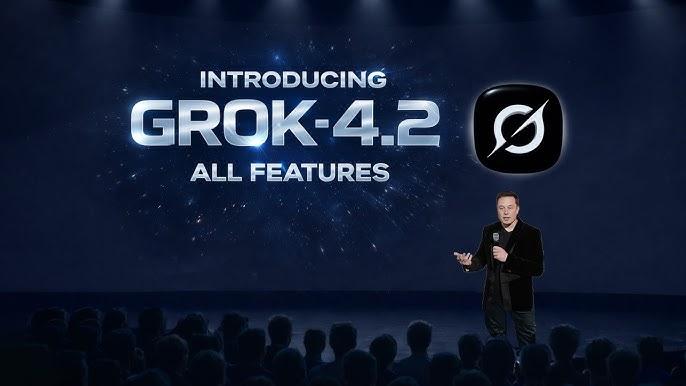
The rapid evolution of large language models (LLMs) has reshaped how software developers build intelligent applications. Among the latest entrants in the AI ecosystem is xAI’s Grok model family, a series of advanced generative models designed to compete with leading systems such as GPT-series and Gemini models. In early 2026, the emergence of Grok 4.2, an incremental yet powerful evolution of Grok 4, has generated significant interest in the developer community.
Grok 4.2 represents a shift toward agent-based reasoning architectures, enabling multiple AI agents to collaborate internally when solving complex problems. This approach is designed to improve reasoning accuracy, code generation quality, and long-context analysis—areas that have historically challenged large language models.
For developers and enterprises, one of the most important questions is not just what Grok 4.2 can do, but how to integrate it into production systems. Through APIs and middleware platforms such as CometAPI, developers can build chatbots, coding assistants, knowledge tools, or automation pipelines powered by Grok 4.2.
What is Grok 4.2?
Grok 4.2 is the latest public beta iteration of the Grok family — a reasoning-first large language model family offered by xAI. The 4.2 release emphasizes multi-agent collaboration (four internal agent threads that peer-review answers), expanded tool calling (server-side and client-side tools), and high-throughput inference modes intended for real-time and enterprise workloads.
Key things to remember:
- 4.2 builds on Grok 4’s reasoning focus but introduces agent coordination and “rapid learning” style iterative updates in beta.
- The API surface remains REST/gRPC compatible with chat/completions and structured responses endpoints (e.g.,
/v1/chat/completions,/v1/responses).
Quick technical specifications (table)
| Item | Grok 4.20 (family) |
|---|---|
| Developer / Provider | xAI. |
| Public beta availability | Announced March 2026 (beta in xAI Enterprise API). |
| Modalities (input / output) | Text + Image inputs → Text outputs (structured outputs & function/tool calling supported). |
| Context window (typical / expanded) | Standard interactive modes: 256k tokens; agent/tool/extended modes support up to 2,000,000 tokens in xAI’s documentation. |
| Model variants (examples) | grok-4.20-multi-agent-beta-0309, grok-4.20-beta-0309-reasoning, grok-4.20-beta-0309-non-reasoning. |
| Key capabilities | Multi-agent orchestration, function/tool calling, structured outputs, configurable reasoning effort, image understanding. |
Key features of Grok 4.2
Multi-agent collaboration
Grok 4.2 runs multiple specialized “agents” in parallel (authors report four) that independently propose answers and reconcile them to reduce hallucination and improve factuality. Early community writeups and vendor docs credit this design for improved real-world reliability on prediction and financial tasks.
Agentic tool calling (server & client)
Grok 4.2 extends the API’s tool/function calling: you can register local (client) functions or allow the model to call server-side/search/code tools managed by the provider. The flow is: define tools (name + JSON schema) → include them in request → model returns tool_call objects → your app executes and replies. This enables safe integration with DBs, search, or enterprise services.
Structured outputs, streaming & encrypted reasoning
- Structured JSON outputs for predictable parsing (ideal for apps).
- Streaming for low-latency UX (chat, voice agents).
- For certain reasoning content, the platform supports encrypted reasoning traces that can be requested back for auditing.
Long context & multimodality
Grok 4.2 supports high-token and extended context windows for reasoning and retrieval scenarios. Image understanding and TTS/voice interfaces are also part of the expanded capabilities.
Grok 4.2 multi-agent vs reasoning vs non-reasoning: What are the practical differences
Short answer: Grok 4.2 multi-agent , Grok 4.2 reasoning and non-reasoningthey are three purpose-tuned release variants of the Grok 4.20 Beta family from xAI — same core model lineage but different runtime behavior, tool & token trade-offs, and intended workloads:
- Grok 4.2 multi-agent(
grok-4.20-multi-agent-beta-0309) — multi-agent orchestration mode. Launches several cooperating agents (you can pick agent_count) that research, cross-check, debate, and synthesize a final answer. Best for deep research, long-form synthesis, multi-tool workflows where internal “thinking” / agent traces matter. Example features: built-in tools (web_search, x_search, code_execution),verbose_streamingfor streaming agent output, and reasoning effort control. - Grok 4.20 Reasoning(
grok-4.20-beta-0309-reasoning) — single-agent reasoning mode. Produces chain-of-thought / internal reasoning tokens (when enabled) and is tuned for more careful analytical tasks (math, code explanation, design tradeoffs). Normally higher per-call token usage (reasoning tokens + completion tokens) and slightly higher latency than the non-reasoning variant. Use this for tasks that benefit from deeper deliberation. - Grok 4.20 NonReasoning(
grok-4.20-beta-0309-non-reasoning) — low-latency, throughput-optimized non-reasoning variant for quick Q&A, short completions, or high-volume pipelines. This flavor avoids (or minimizes) long internal chain-of-thought outputs, reducing reasoning token consumption and cost/latency — especially useful when your app needs fast, concise answers or deterministic/structured outputs combined with server-side tools (search). Note: xAI has several “fast/non-reasoning” variants in its family and the non-reasoning style is explicitly offered as a separate variant for throughput cases.
Overview of Grok 4.20 Beta model variants
| Model | Type | Main purpose | Call Format |
|---|---|---|---|
| grok-4.20-multi-agent-beta-0309 | Multi-agent system | Deep research and complex tasks | OpenAI's Responses calls |
| grok-4.20-beta-0309-reasoning | Single-model reasoning | Math, coding, complex logic | OpenAI's Responses and Chat calls |
| grok-4.20-beta-0309-non-reasoning | Fast inference model | Simple chat, summaries, quick responses | OpenAI's Responses and Chat calls |
These are essentially different operating modes of Grok 4.20 optimized for different workloads. The Grok 4.2 model introduction will provide a detailed explanation and development process.
When should I choose multi-agent vs reasoning vs non-reasoning ?
Use multi-agent when:
- You need exploratory research (gather, compare, cite multiple sources).
- You want the model to call multiple tools autonomously (web_search, x_search, code execution) and synthesize findings.
- You need agent-level traces (to audit intermediate steps) or want to run multiple perspectives in parallel.
Trade-offs: higher token usage, more tool invocation cost, longer end-to-end time for deep queries.
Use reasoning when:
- Tasks require deeper logical chains, code reasoning, math, or careful stepwise explanations.
- You want the model’s internal reasoning available (encrypted or traceable where supported) for debugging or verification.
Latency is acceptable in exchange for higher fidelity answers.
Use non-reasoning when:
- Latency and throughput are the priorities (chatbots at scale, conversational UI, short factual lookups).
- You combine the model with server-side search tools so the model doesn’t need to “think long” to be accurate.
- You want to minimize cost per request and avoid returning internal reasoning.
| Feature | Multi-agent | Reasoning | Non-reasoning |
|---|---|---|---|
| Agents | Multiple | Single | Single |
| Speed | Slow | Medium | Fast |
| Accuracy | Highest | High | Medium |
| Cost | Highest | Medium-High | Low |
| Best for | Research | Logic / coding | Chat / summaries |
Performance comparison of grok 4.2
How do you use Grok 4.2 API via CometAPI? step-by-step
This section gives a practical integration route: use CometAPI as a stable gateway to call Grok 4.2 with a single REST pattern that works across models. CometAPI documents a consistent endpoint structure and auth scheme for Grok 4 (and analogous models).
Why use CometAPI: One API key to switch models, unified billing, simplified experimentation and cost comparisons. Great for teams that want to A/B models without code changes. Model API prices are typically discounted by 20%, saving developers development costs.
Authentication and endpoint basics (what you need)
You Need to log in to CometAPI and obtained the API key.
- API key: CometAPI requires a bearer token in the
Authorizationheader. Example from CometAPI docs:Authorization: Bearer YOUR_COMETAPI_KEY. - Base URL: CometAPI commonly exposes a chat/completion endpoint such as
https://api.cometapi.com/v1/chat/completionsorhttps://api.cometapi.com/v1/responses - Model selector: Specify the model id in your request body (e.g.,
model: "grok-4"or a Grok 4.2-specific endpoint if available via CometAPI’s model list).
Minimal Python example (reaponse format call Grok 4.2 Multi-agent)
Below is a practical Python example (requests + simple retry/backoff) that demonstrates sending a chat completion to Grok via CometAPI. Replace COMETAPI_KEY with the correct values for your account and the Grok 4.2 endpoint name in CometAPI
import os

from openai import OpenAI

# Get your CometAPI key from https://api.cometapi.com/console/token, and paste it here
COMETAPI_KEY = os.environ.get("COMETAPI_KEY") or "<YOUR_COMETAPI_KEY>"
BASE_URL = "https://api.cometapi.com/v1"

client = OpenAI(base_url=BASE_URL, api_key=COMETAPI_KEY)
response = client.responses.create(
    model="grok-4.20-multi-agent-beta-0309",
    input=[
        {
            "role": "user",
            "content": "Research the latest breakthroughs in quantum computing and summarize the key findings.",
        }
    ],
    tools=[{"type": "web_search"}, {"type": "x_search"}],
)

print(response.output_text or response.model_dump_json(indent=2))
Streaming, function/tool calling & multi-agent workflows
Function/tool calling pattern
- Define tools (name, description, JSON param schema) in your request or dashboard.
- Send prompt/messages and include tools.
- The model returns
tool_call(with tool name + parameters). - Your app executes the tool and sends back the result; model continues and composes final answer.
Streaming for low latency
Use streaming endpoints for word-by-word UX (chat apps, voice transcription). The provider supports streaming and deferred completions (create a job and poll result). This reduces perceived latency and is essential for real-time agents.
Case studies & scenario patterns
Scenario A — Customer support agent (multi-turn + tool calling)
Use Grok 4.2 to ingest user complaint → call CRM tool (tool_call) to fetch customer data → call billing APIs → synthesize final answer with structured steps. Benefit: model can call tools and continue with consolidated answer. (Architecture: streaming websocket chat + tool function endpoints + DB logging).
Scenario B — Financial forecasting + live search
Use agentic tool chain: web search tool (server-side), computations tool (client), and reason across results. Early tournaments show Grok 4.2 performs well at combined search+reason tasks. Benchmark before production.
Scenario C — Compliance auditing & encrypted reasoning
Capture encrypted reasoning traces per request for post-hoc auditing; use deterministic reasoning mode (temperature:0) when generating regulatory narratives.
Best practices when integrating Grok 4.2 into production
Using Grok 4.2 effectively requires a combination of engineering and operational discipline. Below are concrete best practices that reflect both general LLM integration wisdom and points specific to Grok 4.2’s beta behavior.
Design for behavioral drift during beta
Because Grok 4.2 is iterating weekly during the public beta, assume that subtle behavior changes will occur. Pin the model version (if provider offers version IDs), use canary releases, and implement automated regression tests that exercise critical prompts and API flows so you can detect behavior drift early.
Use function calling / structured outputs where possible
Prefer typed function calls or JSON outputs for business-critical integrations. Structured outputs reduce parsing errors and enable deterministic downstream processing. CometAPI / Grok support function-call style interactions, define your schema and validate responses on receipt.
Rate limits, batching, and cost controls
- Batch non-interactive queries to reduce per-call overhead.
- Set safe timeouts (e.g., 20–30s) and implement retries with exponential backoff for transient errors.
- Token budgets: control
max_tokensto avoid runaway bills; instrument average tokens per request. CometAPI and other aggregators document rate limits and pricing — check those pages.
Conclusion
Grok 4.2 — currently rolling as a public beta with weekly updates — is shaping up to be a major step in reasoning-focused and multimodal LLMs. It brings architectural changes (multi-agent reasoning, very large context windows, native multimodality) that enable new classes of product features, but also add operational complexity. Using a gateway like CometAPI provides a practical abstraction for rapid experimentation