

TL;DR
Bolt can generate the application interface, while CometAPI provides the video-generation API. Keep the CometAPI key on the server, submit Vidu tasks through POST /v1/videos, poll the returned task ID, and expose the completed video through authenticated preview and download routes. You will need a Bolt project, a funded CometAPI account with access to the selected model, and a server function runtime; the examples below teach the integration core, while authentication, quotas, ownership checks, and persistent job records must be implemented before launch.
Key Takeaways
• Bolt generates a responsive video studio UI from a natural-language app specification.
• CometAPI provides video inference through supported generation models, using a protected server-side API key.
• Start with text-to-video; extend to image-to-video after verifying the job lifecycle.
• Production readiness requires authentication, quotas, task ownership checks, retries, and durable output storage.
• Measure real value with completion rate, latency, accepted-clip cost, and prompt adherence.
What Are Bolt and CometAPI for AI Video Generation?
Bolt builds the interface, application logic, and publishing workflow. Bolt Cloud supplies project services such as database, hosting, authentication, storage, and server functions. CometAPI provides model API access, including supported video models and inference endpoints. Keep paid inference behind authenticated server functions, with persistent job records, ownership checks, and billing controls.
Is CometAPI OpenAI-Compatible?
CometAPI offers OpenAI-compatible interfaces for supported text and chat models. Configure the endpoint and model for the particular SDK and route you use; compatibility does not mean every model accepts the same request schema.
The Vidu video API is separate from the OpenAI-compatible chat interface. Video creation uses POST /v1/videos with multipart/form-data, so the application must call the video endpoint directly from a protected server-side function.
How Does the CometAPI Vidu Video API Work?
Create a video task
Create a task through POST /v1/videos using multipart/form-data. This tutorial uses viduq3; viduq3-turbo is another documented option. Confirm model access for your API key and retain the returned task ID. See the creation API reference.
POST /v1/videos parameters
The table below contains creation inputs. Send scalar form fields as strings. For seconds, use an integer-valued string from "1" through "16"; the application can validate a numeric duration before serialization. The tutorial’s 2,000-character prompt limit is an application policy.
| Parameter | Type | Example | Purpose |
|---|---|---|---|
| model | String | viduq3 | Generation model |
| prompt | String | Cinematic product shot | Text direction |
| seconds | String | 1 | Clip duration: integer-valued string, 1–16 seconds |
| size | String | 1280x720 | Output dimensions |
| input_reference | File | product.png | Optional image reference |
The server returns id as the task identifier; it is not a creation parameter. Save it with the requesting user’s job record and use it for subsequent status and content requests. The struck-through id row above is retained only to show the deletion.
- 540p tier: Use the API size value 960x528 for experiments.
- 720p tier: Use 1280x720 for web previews.
- 1080p tier: Use 1920x1080 for higher-quality delivery.
Server-side validation must reject unsupported combinations and prevent users from requesting unbounded paid generation.
Poll the task status
Check GET /v1/videos/{task_id} from the backend after verifying job ownership. Continue until the task reaches a terminal state; preserve the task ID so a page refresh or browser timeout can resume the same job.
Download the completed video
After completion, request GET /v1/videos/{task_id}/content through the backend and stream the result or persist it to controlled storage. The implementation walkthrough below shows how to connect these operations to Bolt.
How to Build an AI Video Generator Using Bolt + CometAPI
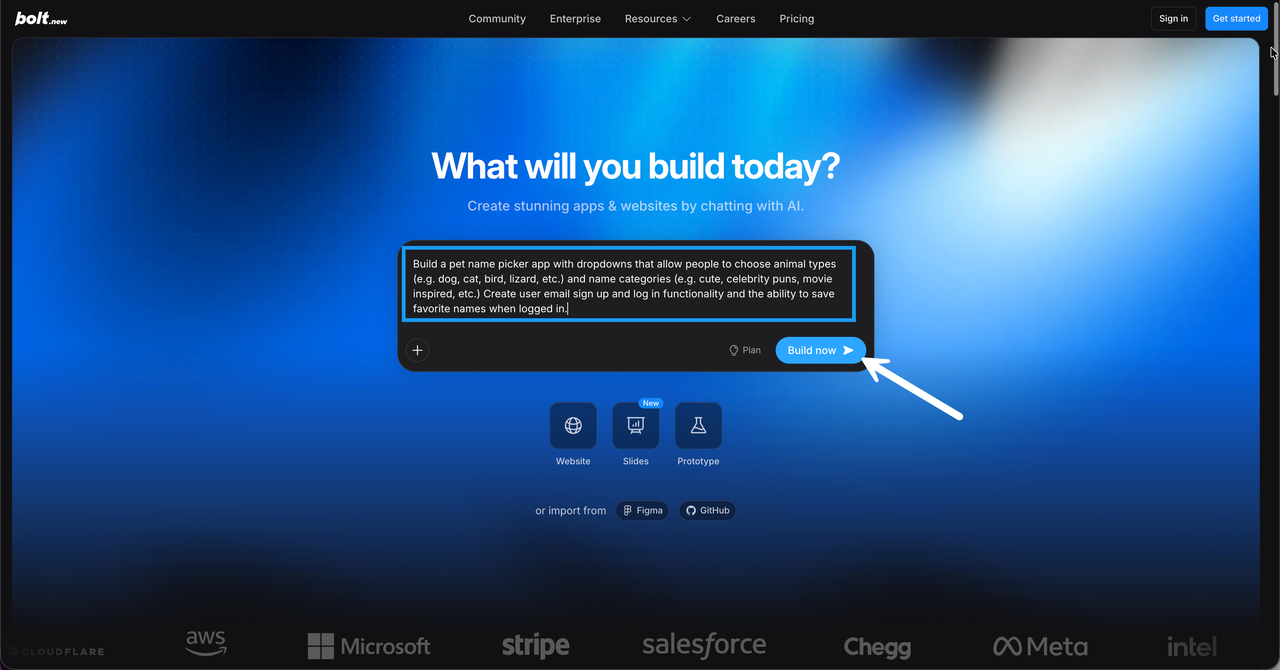
Step 1: Create the project in Bolt
Open Bolt and ask it to create a React + TypeScript project. Paste this specification into the prompt box, then review the generated interface before connecting paid generation:
Build a responsive AI Video Studio using React, TypeScript, and Tailwind CSS.
Use a dark-themed layout with prompt editing, example prompts, 5/10/15-second
choices, 540p/720p/1080p options, Generate Video button, job status,
video preview and download, and a recent-generations section.
Use Bolt Cloud authentication, database, and server functions.
Require sign-in before video creation. Store COMETAPI_KEY only in server secrets.
Create authenticated generate-video and video-status server endpoints.
Connect to real CometAPI tasks; poll status every 10 seconds.
Do not use mock videos in the production path.
Step 2: Configure the CometAPI API key
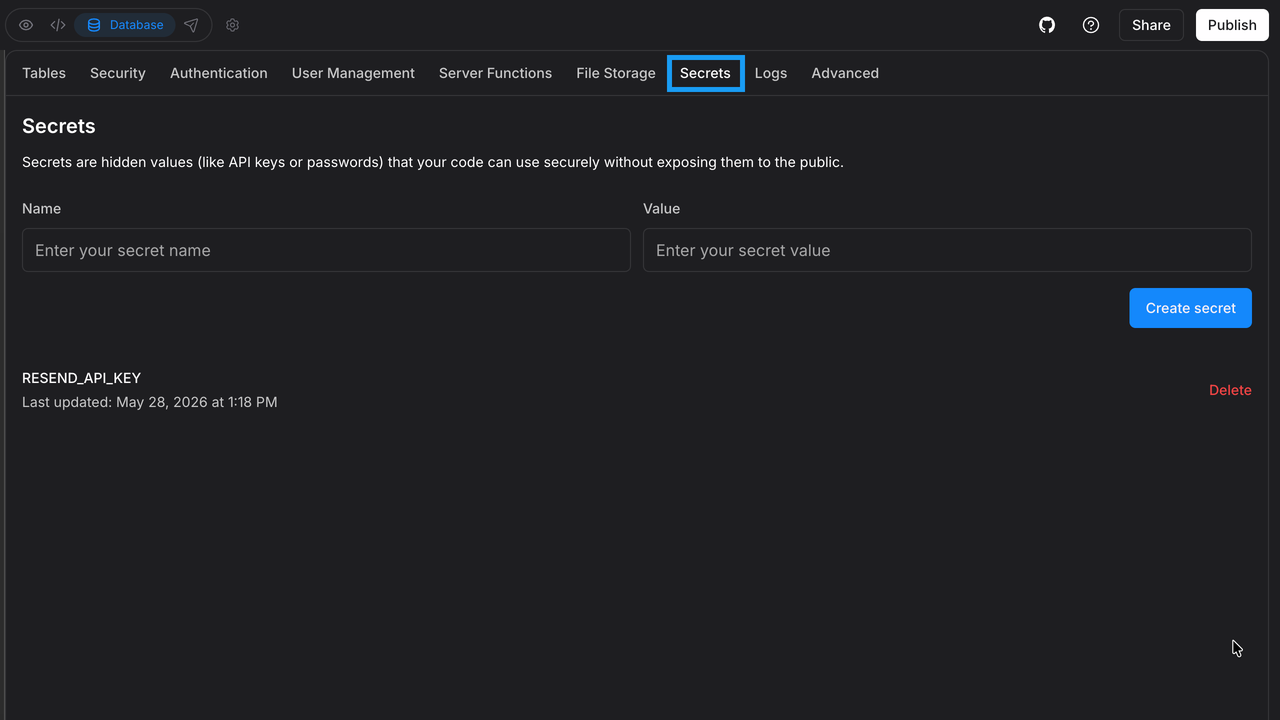
Create an API key in CometAPI, then add a backend secret named COMETAPI_KEY. Never store it in frontend source files, expose it to browser code, or use a VITE_-prefixed environment variable.
In your Bolt project settings, add COMETAPI_KEY through the project’s server-side secret management interface. Do not place it in frontend source code or expose it to browser JavaScript. Treat the following line as a naming example, not a frontend .env file.
COMETAPI_KEY=your_actual_cometapi_api_key
Step 3: Submit a video-generation task
The following Deno-style function provides the provider-request core. It must be wrapped with real session validation, quotas, and user-owned job records before deployment.
This example uses a Supabase-style Deno edge function layout. Ask Bolt to place it in the server runtime actually configured for your project. The authentication and persistence comments are integration points, not implemented protections: do not deploy this skeleton as a public paid endpoint.
// supabase/functions/generate-video/index.ts
import { serve } from "https://deno.land/std/http/server.ts";
serve(async (req: Request) => {
  if (req.method !== "POST") return Response.json({error:"Method not allowed"},{status:405});
  try {
    // Verify the signed-in user and enforce quotas here.
    const {prompt, seconds, size} = await req.json();
    const sizes = ["960x528", "1280x720", "1920x1080"];
    if (typeof prompt !== "string" || !prompt.trim() || prompt.length > 2000 ||
        !Number.isInteger(seconds) || seconds < 1 || seconds > 16 ||
        !sizes.includes(size)) {
      return Response.json({error:"Invalid options"},{status:400});
    }
    const key = Deno.env.get("COMETAPI_KEY");
    if (!key) throw new Error("Missing API key");
    const form = new FormData();
    form.append("model", "viduq3");
    form.append("prompt", prompt.trim());
    form.append("seconds", String(seconds));
    form.append("size", size);
    const response = await fetch("https://api.cometapi.com/v1/videos", {
      method: "POST", headers: {Authorization: `Bearer ${key}`}, body: form,
      signal: AbortSignal.timeout(60000)
    });
    if (!response.ok) throw new Error(`Provider status ${response.status}`);
    const result = await response.json();
    const taskId = result.id ?? result.task_id;
    if (!taskId) throw new Error("Task ID missing");
    // Persist taskId and owner ID in application database here.
    return Response.json({taskId, status: result.status ?? "queued"});
  } catch (e) {
    console.error(e);
    return Response.json({error:"Unable to create video"},{status:500});
  }
});
Step 4: Retrieve generation status
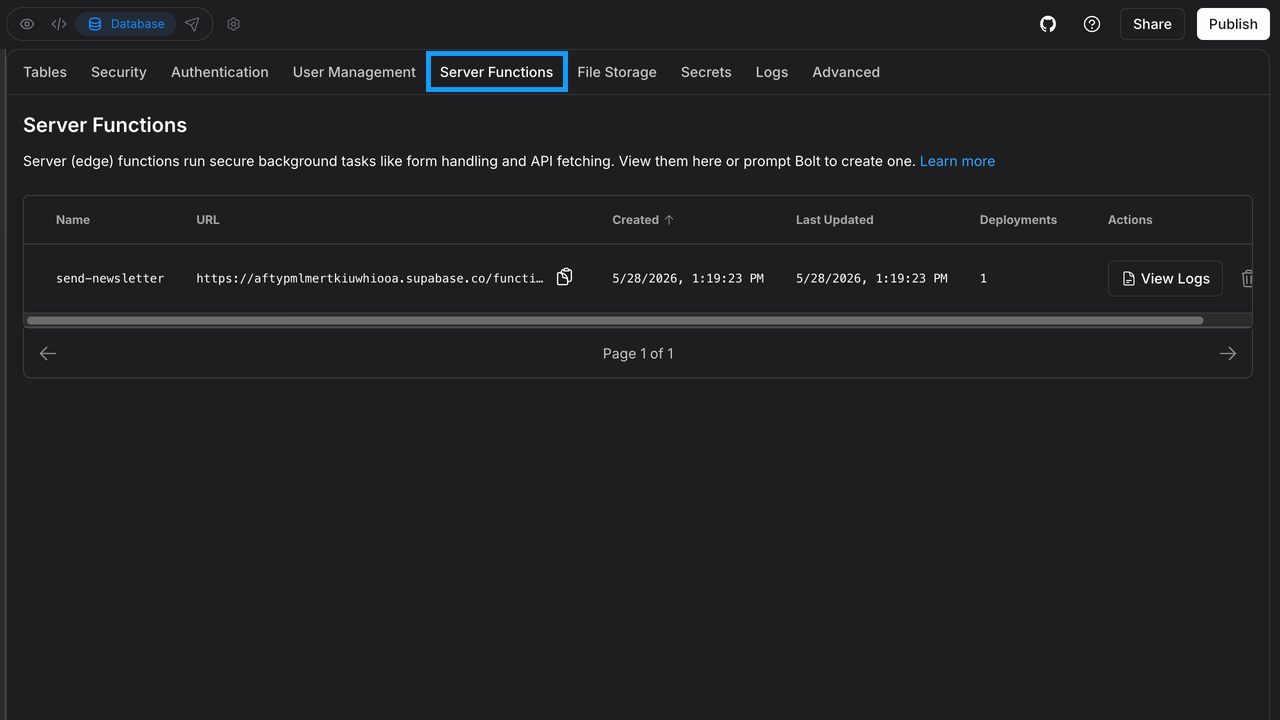
The submission returns an asynchronous job ID. Check GET /v1/videos/{task_id} through a server endpoint after verifying that the requesting user owns the job.
// Server-only helper
async function getVideoStatus(taskId: string) {
  const key = Deno.env.get("COMETAPI_KEY");
  if (!key) throw new Error("Missing API key");
  const response = await fetch(
    `https://api.cometapi.com/v1/videos/${encodeURIComponent(taskId)}`,
    {headers: {Authorization: `Bearer ${key}`}, signal: AbortSignal.timeout(60000)}
  );
  if (!response.ok) throw new Error(`Status ${response.status}`);
  const task = await response.json();
  return {taskId, status: task.status, progress: task.progress ?? null};
}
The task starts in queued, may move to in_progress, and ends in completed, failed, or error. Enable preview and download only after completed; show an error and allow a new request for terminal failure states.
Step 5: Connect the Bolt frontend
type VideoTask = {taskId: string; status: string; progress?: number | null};
async function startVideo(prompt: string, seconds: number, size: string): Promise<VideoTask> {
  const res = await fetch("/api/generate-video", {
    method: "POST", headers: {"Content-Type":"application/json"},
    body: JSON.stringify({prompt, seconds, size})
  });
  if (!res.ok) throw new Error("Generation request failed");
  return res.json();
}
async function checkVideo(taskId: string): Promise<VideoTask> {
  const res = await fetch(`/api/video-status?id=${encodeURIComponent(taskId)}`);
  if (!res.ok) throw new Error("Status request failed");
  return res.json();
}
async function waitForVideo(taskId: string, onUpdate: (task: VideoTask) => void) {
  const deadline = Date.now() + 20 * 60 * 1000;
  while (Date.now() < deadline) {
    const task = await checkVideo(taskId);
    onUpdate(task);
    if (task.status === "completed") return task;
    if (["failed", "error"].includes(task.status)) throw new Error("Render failed");
    await new Promise(resolve => setTimeout(resolve, 10000));
  }
  throw new Error("Polling paused; resume this task ID before submitting again");
}
The /api/ paths are application routes you must configure. For Bolt Cloud server functions, use the generated backend client and authenticated endpoint URLs. Cancel polling when the component unmounts and use bounded backoff for 429/5xx responses. A browser polling deadline does not prove provider failure: preserve the task ID and resume status checks before creating another paid task.
Step 6: Preview and download the result
When a job completes, the backend retrieves GET /v1/videos/{task_id}/content. Stream the data to the authenticated job owner or save it to controlled object storage and provide an authorized URL. Never expose the CometAPI bearer key in the browser.
Your application should expose a user-owned content route or an authorized storage URL for the preview component. A signed URL is accessible to anyone holding it until expiry; keep its lifetime short. For reliable downloads, use a same-origin route with an appropriate Content-Disposition header, since browsers may ignore the download attribute for cross-origin URLs.
type VideoPreviewProps = {videoUrl: string};
export function VideoPreview({videoUrl}: VideoPreviewProps) {
  return <div className="rounded-xl p-4">
    <video controls playsInline className="w-full rounded-lg" src={videoUrl}/>
    <a href={videoUrl} download="ai-generated-video.mp4">Download Video</a>
  </div>;
}
Step 7: Test and publish
Test a five-second 540p request first: “A cinematic close-up of a silver smartwatch on a dark desk. The camera slowly moves left to right. Soft morning light reflects from the metal.” Check that one request creates one task, status advances, the result plays, and the download succeeds. Test invalid prompts, expired sessions, rate limiting, task ownership, and provider failures before publishing.
Completion check: sign in as a second user and confirm that the first user’s job cannot be read or downloaded; refresh the page during rendering and confirm that the saved task can be recovered; inspect browser requests and built assets for accidental key exposure. Publish only after all three checks pass in addition to playback and download.
How Can You Add Image-to-Video Generation?
For image-to-video, add one validated image file as input_reference in the multipart body. The current route documents a maximum of 20 MB per image; enforce a smaller application limit if needed and validate content type and actual file contents on the server. Pass the image through the authenticated backend; do not send the CometAPI key with the browser upload.
const form = new FormData();
form.append("model", "viduq3");
form.append("prompt", prompt);
form.append("seconds", "5");
form.append("size", "1280x720");
form.append("input_reference", imageFile);
const response = await fetch("https://api.cometapi.com/v1/videos", {
  method: "POST", headers: {Authorization: `Bearer ${apiKey}`}, body: form
});
if (!response.ok) throw new Error(`API ${response.status}`);
const result = await response.json();
console.log(result.id ?? result.task_id);
For image inputs, describe desired motion and camera action rather than merely repeating the scene: “The character turns toward the window. Curtains move gently in the breeze. Preserve face, clothing, and lighting. Use a subtle forward camera motion.”
Vidu Q3 vs Other AI Video Models: What Should You Measure?
Compare models on the same prompts, duration, resolution, and acceptance criteria. This section defines a comparison method; it does not claim a tested winner. Record the model version, route, test date, and sample count for any published results.
- Completion rate: Divide successful jobs by submitted jobs to measure reliability.
- Latency: Track P50 and P95 processing time to understand the typical experience and slower requests.
- Prompt adherence: Use human review or standardized evaluation to assess how closely outputs follow the requested instructions.
- Temporal consistency: Check frame-to-frame continuity to assess visual stability.
- Audio sync: Review timing and intelligibility to evaluate dialogue and sound.
- Cost per accepted clip: Divide total spend by approved outputs to understand operating economics.
How Much Does the CometAPI Video Generation API Cost?
The table below provides reference pricing for Vidu Q3 and Vidu Q3 Turbo APIs in CometAPI. Actual costs may vary depending on the model, resolution, and generation settings. Check the latest pricing and model availability in your CometAPI account before estimating your video generation budget.
| CometAPI model | Resolution | Historical USD / second | Illustrative USD / 5-second task |
|---|---|---|---|
| Vidu Q3 | 540p | $0.056 | $0.280 |
| Vidu Q3 | 720p | $0.1232 | $0.616 |
| Vidu Q3 | 1080p | $0.1232 | $0.616 |
| Vidu Q3 Turbo | 540p | $0.028 | $0.140 |
| Vidu Q3 Turbo | 720p | $0.0616 | $0.308 |
| Vidu Q3 Turbo | 1080p | $0.0616 | $0.308 |
The Vidu Q3 Turbo API in CometAPI starts at $0.028 per second. Pricing may vary by resolution, generation mode, and model version. Check the current rates in your CometAPI account before generating videos.
The pricing examples above apply to standard text-to-video and image-to-video generation. Other generation modes or reference-image configurations may have different rates. Additional costs, including taxes, storage, bandwidth, and repeated generation attempts, are excluded.
Based on the reference rates, a five-second 720p video costs approximately $0.616 with Vidu Q3 or $0.308 with Vidu Q3 Turbo. At 540p, the corresponding estimates are $0.280 and $0.140. These figures are illustrative calculations rather than guaranteed charges. For accurate budgeting, compare estimated costs with actual API usage and billing records.
How Can You Migrate an Existing Video Generator to Bolt + CometAPI?
| Component | Migration action |
|---|---|
| Frontend | Rebuild/import the app in Bolt |
| Credentials | Move to server-side secret |
| Generation | Implement CometAPI adapter |
| Parameters | Map supported model fields |
| Job IDs | Normalize task identifiers |
| Status | Handle terminal states and retries |
| Downloads | Use controlled content endpoint |
| Storage | Persist completed results |
| Billing | Recalculate quotas and budget |
Migrate gradually behind a provider adapter. Validate requests and output behavior, start with a small share of users, compare success rates and latency, and retain a rollback route until performance is acceptable.
FAQ
How can I make an approved visual style repeatable across a series?
Treat an approved clip as a reproducible creative specification: save the exact prompt, model and route, duration, resolution, reference-asset version, and output identifier. Use a small set of reference images and a consistent description of lighting, lens, palette, and subject details. Change one major variable per iteration so you can identify what helped. A repeated prompt does not guarantee the same output; if the route exposes a seed, record it, but still review each clip for continuity before assembling a sequence.
How should a multi-shot story stay coherent when each generation is a short clip?
Break the script into shots with one clear action and a defined opening and closing composition. Maintain a continuity sheet for character appearance, wardrobe, props, lighting, and camera direction. Where supported, pass an approved frame into the next shot as an image reference rather than relying only on prose. Assemble, trim, and balance audio in a separate editing pass. Review transitions as a sequence: a clip that looks strong alone can still break continuity when placed next to another shot.
What should happen if the browser times out after a paid submission?
Treat this as an uncertain outcome until the saved provider task is reconciled. Keep a local application request identifier and its provider task ID, let the user reopen that job, and resume status checks. If submission itself timed out before returning an ID, inspect available request logs and usage records before offering another attempt. Do not promise that an HTTP timeout means no charge occurred. Make any new paid attempt explicit, and use an application-level request lock to prevent double-click submissions.
What should I review before accepting private customer reference images?
Decide which assets your application is allowed to accept, whether the uploader has permission to use them, and which downstream services will receive them. Check the current provider terms for retention, logging, deletion, and permitted use before promising confidentiality. Avoid personal or confidential reference material in shared demonstrations. Minimize what you store, isolate private objects by user, and define an expiry and deletion workflow for both uploads and generated files. A private application storage bucket does not by itself describe a model provider’s retention policy.
How can I keep the project portable if my backend or video provider changes?
Keep the interface dependent on an application-owned job schema, with provider-specific request fields and status mapping inside a separate adapter. Save both your internal job ID and the provider task ID, and retain references to the assets needed to regenerate a request. Keep the Bolt-generated application code and configuration under version control. When replacing a backend, migrate user and job records and test access boundaries, signed URLs, and historical downloads before switching traffic; a code export alone does not transfer a live database or its stored video files.
Conclusion
Bolt + CometAPI is a practical foundation for a video-generation application: Bolt accelerates web app creation, and CometAPI supplies supported video-model access. Start with a secure text-to-video workflow, prove that the job lifecycle and billing controls work, then add image references, generation history, model selection, and advanced creative tools. The separation of frontend interactions from paid server-side inference is essential to a safe and reliable product.