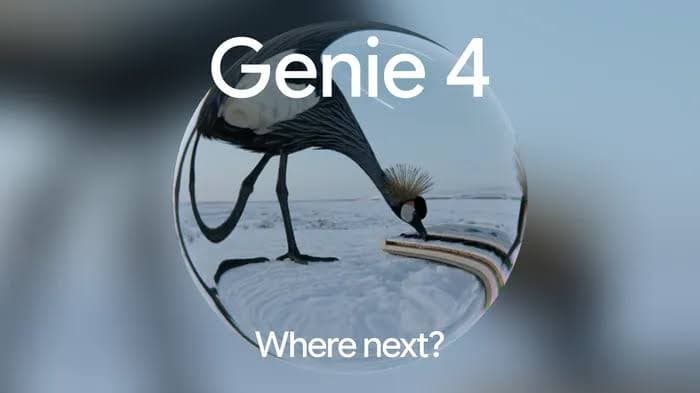
Google DeepMind announced Genie 4 on October 27, 2026. Its new world model adds native audio, interactive character dialogue, and Gemini-assisted scene control to the real-time visual environments established by Genie 3.
For developers, designers, and researchers, Genie 4 opens up richer ways to prototype a scene: you can explore an environment, change what happens, and hear characters respond. Its strongest appeal is interactive storytelling and early concept development. Access begins with a restricted research preview.
Key Takeaways
The main upgrade: Genie 4 adds sound, responsive characters, and more expressive scene control to the visual worlds established by Genie 3.
Genie 4 combines contextual scene steering with Gemini-assisted planning for sequences of events.
Reviewed for clarity, source attribution and current API terminology.
Interaction and reasoning:
Access: Genie 3 powers the existing Project Genie experience. Genie 4 starts with trusted testers, with broader access planned.
Practical uses: Genie 4 is promising for creative exploration and simulation research, while reproducibility and physical accuracy still require validation.
Genie 4 vs Genie 3: At a Glance
Here are the differences that matter when deciding what to explore, based on information available as of October 30, 2026.
Dimension
Genie 3
Genie 4
Announcement
August 5, 2025
October 27, 2026
Core output
Interactive visual environments
Interactive visuals with native audio
Scene control
Navigation and promptable world events
Contextual natural-language steering with Gemini assistance
Character dialogue
Not established in the cited launch materials
Interactive dialogue demonstrated
Physical behavior
Natural phenomena and environmental interactions
Expanded demonstrations of collisions, aerodynamics, and human movement
Reasoning integration
AI-agent interaction demonstrated
Gemini-assisted event planning and monitoring
Launch resolution and frame rate
720p at 24 FPS
Comparable figures not provided
Continuity
Several minutes in research demonstrations
A few minutes of continuous interaction; extended sessions are not supported
Consumer access
Project Genie rollout to eligible Google AI Ultra subscribers globally, aged 18+
Broader Project Genie access planned
General public API and pricing
Not established by the cited materials
Selected-partner access planned; public pricing not announced
Typical fit
What Is Genie 4 and How Does It Work?
Genie 4 is a world model that generates an interactive environment as events unfold. You can navigate with keyboard controls and guide the scene with text, rather than watching a fixed video from beginning to end. Its defining change is that the world can now respond through movement, sound, and conversation.
Gemini models help connect your instructions to the evolving scene. Gemini Omni supports its appearance and behavior, while reasoning models help interpret goals and maintain continuity. For a creator, this means working with an ongoing situation: introduce a character or change the weather, then explore the response.
Genie 3 and the Project Genie Experience
Google DeepMind introduced Genie 3 on August 5, 2025, establishing a major milestone in real-time world generation.
Google reported 720p output at 24 FPS, with largely consistent environments across several minutes of interaction.Google DeepMind's original Genie 3 collage shows varied environments with real-time navigation, from volcanic landscapes to urban waterways.
On January 29, 2026, Google introduced Project Genie, bringing world creation and exploration to eligible Google AI Ultra subscribers, initially in the United States.
On May 19, 2026, Google announced a gradual global rollout of Project Genie to eligible Google AI Ultra subscribers aged 18 and older. The expansion also introduced Street View grounding, initially using locations in the United States.
The initial Project Genie prototype capped generations at 60 seconds and omitted some research features, including promptable world events. That was a limit of the application at launch, rather than the longest interaction shown by the underlying Genie 3 model.
What’s New in Genie 4?
Gemini-Assisted Scene Control
Genie 4 lets you shape a world while it is running. Instead of starting over whenever an idea changes, you can use natural language to alter the weather, introduce a person or object, or redirect the camera. Gemini interprets these requests in the context of the scene, helping the change fit what is already happening.
The Gemini integration also supports sequences of events. Gemini Omni helps ground the world’s appearance and behavior, while Gemini 3.8 Flash observes the scene, breaks objectives into steps, and checks progress. The result is a creative workflow built around an evolving situation: give the world a direction, explore its response, and refine the next action.
Native Audio and Interactive Dialogue
Sound is part of Genie 4’s generated world. Ambient noise, music, and speech can accompany the visual environment, giving a scene an audible identity as well as a visual one. For creators, this makes it possible to explore the mood of an experience without first assembling a separate soundtrack.
Interactive dialogue adds another dimension: characters can respond to your input and to events as they unfold. A conversation can become part of exploring the setting, rather than a fixed recording attached to it. This is especially useful when sketching an interactive story or testing how a character might contribute to a scene.
Physics and Human Movement
Genie 4 puts more emphasis on how people and objects behave inside a scene. Its demonstrations include collisions, aerodynamic effects, and characters that move and react more naturally. Compared with simply navigating a convincing landscape, this gives creators more scope to explore action, physical comedy, or a character’s response to an unfolding event.
Movement also changes how a concept communicates. A person turning toward a sound, adjusting to an obstacle, or reacting to another character can make the purpose of a scene easier to understand.
Google also describes early robotics experiments in which Gemini 4 Argon supplies a multi-step plan to guide a Genie 4 simulation. This points toward environments for exploring agent behavior.
Visual Realism, and Physical Interactions
Genie 4 brings together more natural-looking people and richer physical events, including collisions and aerodynamic behavior. For a game concept or storyboard, this matters because movement and reaction help communicate the scene: a character responding to an event can convey more than a detailed background alone.
Genie 3 established a strong foundation for exploring generated landscapes. Genie 4 places more of the creative emphasis on what happens inside them. A useful concept review can therefore ask three questions: does the action read clearly, does the character respond convincingly, and does the scene remain coherent as you move?
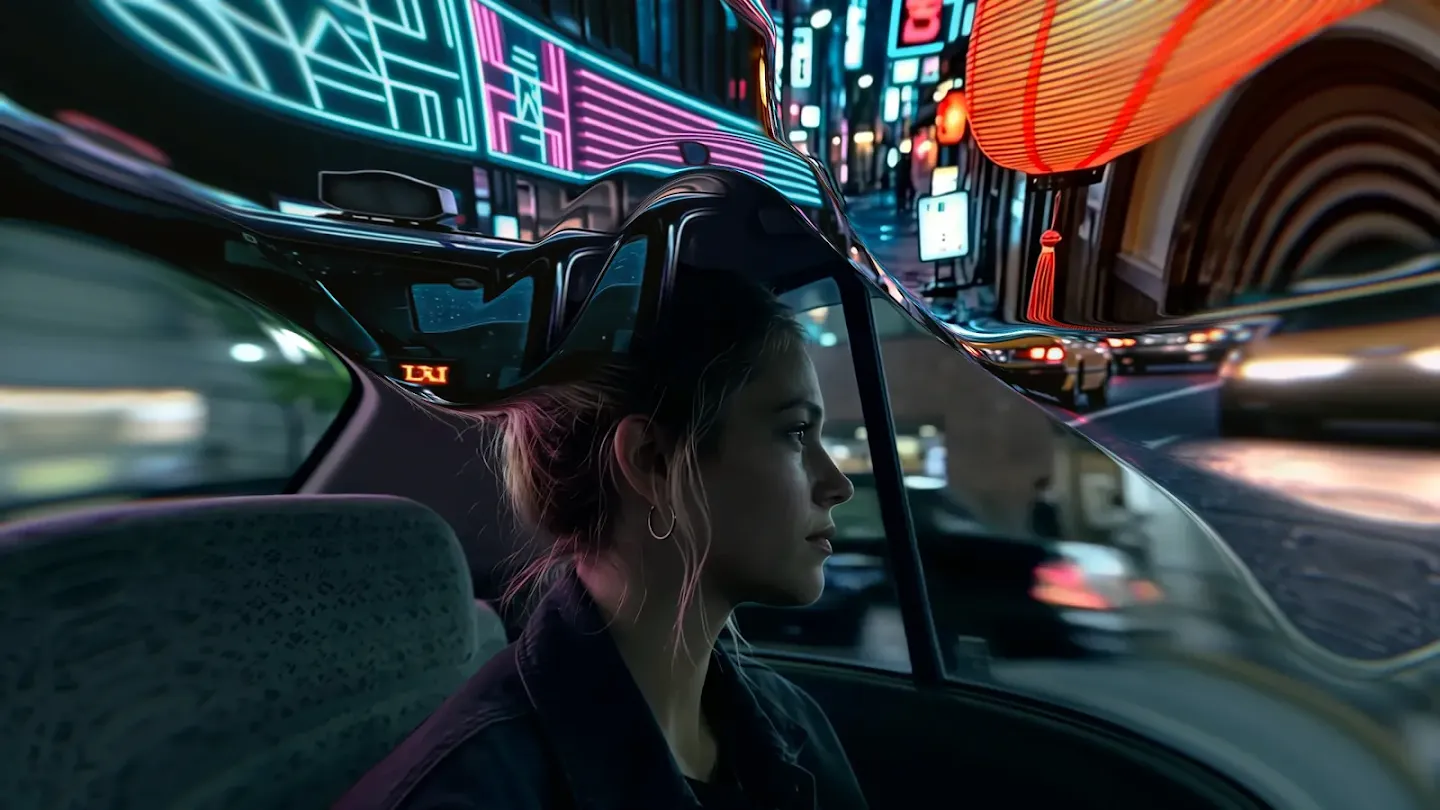
Genie 4 promotional imagery from Google DeepMind. Explore the accompanying interactive demonstrations to see movement and character response.
Consistency and Reliability
Google identifies object drift and long-term consistency as ongoing challenges. A scene can appear convincing while objects change after a camera move or several edits. Complex physical interactions, readable text, spatial accuracy, and real-time audio also remain research problems.
Genie 4 vs Genie 3: Frame Rate and Latency
Genie 3 launched with 720p output at 24 FPS. Comparable Genie 4 resolution, frame-rate, and interaction-latency figures are not supplied in its launch announcement, so a numerical speed or visual-quality advantage cannot yet be established.
Frame Rate and Interaction Latency
Frame rate describes how frequently the visual output updates. Interaction latency describes how long a user waits after moving, turning the camera, or issuing a scene instruction. A model can produce fluid frames while responding slowly to an edit, so the two measurements should be evaluated separately.
For an interactive prototype, record the delay from an input to the first relevant visible response, the frame rate during movement, and interruptions after scene changes. Use the same input sequence and comparable network conditions for both models.
Session Duration and Visual Memory
A session-length limit, the time a scene remains coherent, and the ability to recall an object after leaving it are different properties. Project Genie's initial 60-second product limit is not a direct measure of Genie 3's underlying memory or the longest research demonstration.
Genie 4 supports a few minutes of continuous interaction, rather than extended sessions. Plan short, focused explorations and review continuity after camera moves or repeated edits. A longer session alone does not show how well a model remembers objects.
Genie 4 vs Genie 3: Cost
Subscription Access and API Pricing
For access and budgeting, separate a consumer subscription from developer API usage. Project Genie is a route to exploring generated worlds; a subscription does not provide the same billing terms or integration options as a metered API.
Cost item
Genie 3
Genie 4
Consumer route
Project Genie for eligible Google AI Ultra subscribers globally, aged 18+
Broader Project Genie access planned
Standalone public API rate
Not established by cited materials
Not announced in launch materials
Per-session or per-minute charge
No comparable public rate established here
No comparable public rate established here
Self-hosting cost
Public weights not released in cited materials
Public weights not released in cited materials
For now, budget around the access route available to you. For an API integration, confirm the published rate, billing unit, and session controls before estimating project cost.
Cost per Usable Prototype
For creative work, define what makes a session usable before counting its cost: a required scene, a successful interaction, acceptable continuity, and an output the team can review. Track generation attempts, waiting time, manual correction, and discarded sessions.
When metered pricing becomes available, compare the total billed cost of all attempts with the number of prototypes that meet those criteria. For subscription access, report the subscription expense and staff time separately; avoid presenting a hypothetical per-minute price as an official rate.
Genie 4 vs Genie 3: Which Model Should You Choose?
Start with the experience you want to create and the access available to you.
Choose Genie 3 for accessible exploration: Project Genie provides an existing consumer experience for eligible Google AI Ultra subscribers. It is a practical starting point for exploring generated worlds.
Evaluate Genie 4 for richer interactions: Its native audio, responsive dialogue, and Gemini-assisted scene control make it promising for interactive storytelling, game concepts, and creative previsualization.
Evaluate Genie 4 cautiously for robotics research: Its demonstrations of physical interactions and multi-step events are interesting research developments, but they do not establish engineering-grade physical accuracy.
Use a conventional engine or validated simulator for deterministic production workflows: If your project requires repeatable physics, structured assets, precise collision behavior, or predictable game logic, a generated world model should not replace a validated simulation system without substantial testing.
Where Can You Access Genie 4 and Genie 3?
Official Access
Project Genie began its global rollout to eligible Google AI Ultra subscribers aged 18+ on May 19, 2026. Check your account’s eligibility and available features before subscribing specifically for world creation.
Genie 4 starts as a research preview for trusted testers. Google plans to broaden access through Project Genie and selected early-access partners of the Gemini API and Google AI Studio.
An Ultra subscription or an existing Gemini API key does not automatically grant immediate Genie 4 access. Check whether your account has received the preview.
Access Through CometAPI
The CometAPI links above concern supporting Gemini reasoning models. For a world-simulation integration, look for separate documentation covering Genie 4 access, the model identifier, request format, and session pricing.
Conclusion
Genie 3 established real-time exploration of generated visual worlds. Genie 4 expands that direction with responsive sound, dialogue, richer physical behavior, and reasoning-assisted events.
If you want to explore richer storytelling or interactive concepts, Genie 4 is the more interesting direction to follow as preview access expands. Project Genie remains a practical starting point for eligible subscribers who want to try world creation today. Begin with a short scene and one meaningful interaction, then decide whether the result helps your creative process.
FAQ
Is Genie 4 Available to the Public?
Genie 4 begins with a research preview for trusted testers. Wider access is planned through Project Genie and selected developer partners. You can join the waitlist, but existing Project Genie eligibility does not guarantee an immediate Genie 4 invitation.
Can Genie 4 Worlds Be Exported to Unity or Unreal Engine?
The cited launch materials do not document a scene-asset export pipeline for either engine. A navigable generated scene does not by itself provide editable meshes, materials, collision geometry, or game logic. If engine integration is essential, verify the actual export format and supported workflow before choosing a tool.
How Can a Genie 4 Evaluation Be Made Reproducible?
Keep the starting prompt or image, action sequence, timing, model version, and available generation settings. Run the scenario repeatedly and preserve both recordings and failure notes. Without documented deterministic controls, these records support comparison across trials but do not guarantee an identical regenerated world.
Can Genie 4 Demonstrate a Robot's Real-World Safety?
A generated simulation alone cannot establish real-world safety. Use it to explore scenarios or develop hypotheses, then validate important behavior with appropriate physical models, controlled hardware tests, and a task-specific safety process. Visual plausibility is not a substitute for measured dynamics or evidence of reliable transfer to a real robot.
What Does SynthID Mean for Genie 4 Outputs?
Google says Genie 4 video and audio will carry its SynthID watermark, which helps identify AI-generated material. Provenance marking does not certify physical accuracy, factual historical reconstruction, or the reliability of a simulated event. Those questions require separate checks of the content and its intended use.
Exploring generated visual worlds
Evaluating richer interactive concepts and scenarios