
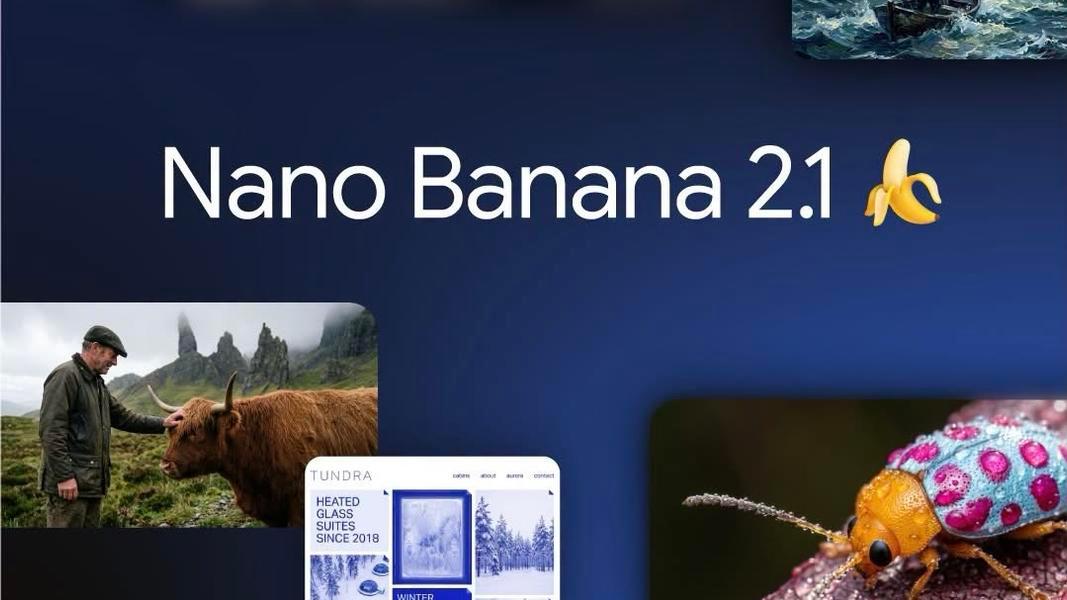
TLDR Nano Banana 2.1 (gemini-nano-banana-2.1) as the updated high-efficiency image generation and conversational editing model in the Gemini family. Built on Gemini 3.6 Flash, it delivers improved visual quality and realism (1K/2K/4K), fixed tiling artifacts on extreme aspect ratios, superior text rendering and infographic layout, multi-image fusion (up to 14 references with consistency for up to 4 characters and 10 objects), Google Search/Image Search grounding, and configurable thinking levels (minimal/medium/high).
It is positioned as the efficient counterpart to Nano Banana Pro while offering roughly half the per-image cost of its predecessor Nano Banana 2 at many resolutions. Official pricing starts at approximately $0.0336 per 1K image (Standard tier). Access it via the Gemini API (Interactions API preferred), Google AI Studio, or unified aggregators like CometAPI for a single OpenAI-compatible key, simplified integration, and competitive rates. This guide covers setup, code examples, advanced features, pricing comparisons, best practices, and production recommendations.
Key Takeaways
- Nano Banana 2.1 is Google’s latest high-efficiency image generation and conversational editing model, positioned as the efficient counterpart to Nano Banana Pro.
- Google’s own tests show it scoring 1050 Elo on overall text-to-image preference (vs. 990 for Nano Banana 2 and 935 for Pro) and strong gains in consistency and editing.
- Pricing starts at ~$0.0336 per standard 1K image via the Gemini API—about half of Nano Banana 2.
- Supports up to 14 reference images, 4 characters + 10 objects consistency, panoramic ratios without tiling artifacts, and real-time web/image search grounding.
- Nano Banana 2 is scheduled for retirement on October 29, 2026; migrate soon.
- For developers, platforms like CometAPI offer a single OpenAI-compatible endpoint to access Nano Banana 2.1 alongside 500+ other models with one key and competitive rates.
What Is Nano Banana 2.1?
Nano Banana 2.1 is Google DeepMind’s newest member of the Gemini 3 series of natively multimodal reasoning models. Officially based on Gemini 3.6 Flash, it specializes in high-quality image generation from text and conversational image editing.
It accepts text, images, video, and PDF inputs (context window up to ~1M tokens in some documentation, or 131,072 in API specs) and produces images (up to 4K) plus text. All generated images carry Google’s SynthID watermark.
Google describes it as an update to Nano Banana 2 (Gemini 3.1 Flash Image) that keeps Flash-level speed and cost while delivering significant improvements in visual quality, prompt adherence, multi-turn character consistency, and text rendering. It is explicitly positioned as “the more efficient counterpart” to the higher-end Nano Banana Pro (Gemini 3 Pro Image).
Nano Banana 2.1 Benchmark Performance
Google published internal side-by-side human preference (Elo) and factuality results as of October 2026. Note that independent third-party testing was limited at launch.
Text-to-Image Capabilities
| Capability Benchmark | Nano Banana 2.1 (Thinking) | Nano Banana 2.1 (No Thinking) | Nano Banana 2 (Thinking) | Nano Banana Pro |
|---|---|---|---|---|
| Overall Preference | 1050 ± 14 | 1015 ± 13 | 990 ± 7 | 935 ± 8 |
| Infographic Design | 1048 ± 17 | 1001 ± 17 | 961 ± 12 | 912 ± 12 |
| Infographic Factuality | 0.521 | 0.328 | 0.179 | 0.265 |
Editing Capabilities
| Capability Benchmark | Nano Banana 2.1 (Thinking) | Nano Banana 2.1 (No Thinking) | Nano Banana 2 (Thinking) | Nano Banana Pro |
|---|---|---|---|---|
| General Editing | 1026 ± 12 | 980 ± 15 | 938 ± 11 | 939 ± 10 |
| Single-Character Consistency | 1028 ± 14 | 1021 ± 14 | 981 ± 10 | 991 ± 9 |
| Multi-Character Consistency | 1106 ± 14 | 1068 ± 14 | 978 ± 10 | 1011 ± 10 |
| Mask/Ink-Based Editing | 1049 ± 15 | 1042 ± 16 | 965 ± 12 | 927 ± 12 |
| Product Consistency | 1024 ± 18 | 981 ± 18 | 955 ± 22 | 965 ± 14 |
| Stylization | 1062 ± 20 | 1036 ± 17 | 991 ± 12 | 990 ± 12 |
| Multi-Reference Editing | 1066 ± 22 | 1041 ± 20 | 988 ± 13 | 989 ± 12 |
Source: Google DeepMind Nano Banana 2.1 Model Card.
Higher Elo indicates stronger human preference. The factuality score (higher is better) shows a particularly large jump for accurate infographics. These results position Nano Banana 2.1 as Google’s strongest Flash-tier image model to date and competitive with (or superior to) Pro on many practical axes at lower cost and latency.
Nano Banana 2.1Official Pricing and Cost Considerations (as of Early October 2026)
Google’s Standard paid-tier reference pricing (per image output, before additional input/thinking/text tokens) is approximately:
| Resolution | Approx. Standard Price | Batch API (approx.) |
|---|---|---|
| 1K | $0.0336 | $0.0168 |
| 2K | $0.0504 | $0.0252 |
| 4K | $0.0756 | $0.0378 |
Input tokens are listed around $1.50 per 1M; text + thinking output around $7.50 per 1M in some breakdowns. There is no free API tier for this model. Final billed cost depends on prompt length, number of reference images, thinking level, resolution, and any additional text output.
Compared with Nano Banana 2, the per-image cost is roughly half at equivalent resolutions, making volume generation more economical. Nano Banana Pro remains significantly more expensive for maximum fidelity needs. Always verify the live Gemini API pricing page, as rates and token accounting can evolve.
CometAPI, for example, rapidly added support for gemini-nano-banana-2.1 and provides unified access with competitive rates and a single key across hundreds of models.
How to Access and Set Up the Nano Banana 2.1 API
Model ID: gemini-nano-banana-2.1
Use the modern Interactions API or generateContent endpoints with the google-genai SDK.
With reference image and higher resolution/thinking: Provide base64-encoded images in the input list and set response format options for aspect ratio and image size (1K/2K/4K). Enable tools for Google Search grounding when factual accuracy matters.
1. Official Google Gemini API (recommended for full feature parity)
- Create or use a Google AI Studio / Google Cloud project with billing enabled.
- Obtain an API key from Google AI Studio.
- Install the official SDK: pip install -U google-genai (Python) or the equivalent for JavaScript/Node (@google/genai).
- Preferred modern interface: Interactions API (client.interactions.create). Legacy GenerateContent remains available in some contexts.
- Base endpoint pattern: https://generativelanguage.googleapis.com/v1beta/interactions (or model-specific generateContent paths). Auth via x-goog-api-key header or SDK environment variable GEMINI_API_KEY.
2. Google AI Studio
Ideal for rapid prototyping, prompt testing, and visual inspection before coding. Select the model and experiment with references, resolutions, and thinking levels.
3. Unified Aggregators (CometAPI recommendation)
CometAPI offers a single OpenAI-compatible endpoint (https://api.cometapi.com/v1) and one API key for 500+ models, including Gemini Nano Banana series models. It supports pay-as-you-go pricing (often with savings versus direct vendor rates), usage dashboards, and drop-in SDK compatibility. This is especially valuable if you already use multiple providers or want to A/B test image models without managing separate credentials and billing. Sign up at CometAPI.com for free test credits, create a key, and point your OpenAI-compatible client at the CometAPI base URL. Model ID remains gemini-nano-banana-2.1 .
For CometAPI, swap the base URL and key while keeping an OpenAI-compatible or Gemini-compatible client structure. CometAPI uses GenerateContent endpoint pattern to access nano Banana 2.1.
Nano Banana 2.1 API Access Routes Compared
Choose the provider before copying code. Google offers the direct Interactions workflow used in the Python examples below. Nano Banana 2.1 API in CometAPI provides the gateway route used in the cURL example. Compare authentication, input fields, output handling and conversation state as a complete integration; the keys belong to separate accounts and billing systems.
| Integration detail | Google Interactions | CometAPI documented route |
|---|---|---|
| Host | generativelanguage.googleapis.com | api.cometapi.com |
| API path | /v1beta/interactions | /v1beta/models/gemini-nano-banana-2.1:generateContent |
| Key environment variable in this guide | GEMINI_API_KEY | COMETAPI_KEY |
| Text input field | input | contents[].parts[].text |
| Output configuration | response_format | generationConfig |
| Conversation handling | previous_interaction_id | Use the gateway’s documented history schema |
The Google examples below use the Interactions API. They are not requests for the CometAPI generateContent endpoint. Follow Google’s Interactions overview for interaction state and response handling. Examples were checked against published request schemas; no authenticated or billable API calls were performed for this guide.
Generate and Save an Image with Nano Banana 2.1 API
Google: Generate with Python
Install the Google Gen AI Python SDK in the project environment where you will run generate_image.py. The first request below asks for a 2K PNG with a 16:9 composition and a specific headline. Save the result and inspect it before adding editing or reference-image inputs.
python -m pip install -U google-genai
Save the following script as generate_image.py. It follows Google’s image-generation guide to create an interaction, check the returned image, decode its data and save a PNG. The product-ad prompt specifies the subject, lighting and exact headline so you can inspect whether the output meets the request.
import base64
import os
from pathlib import Path
from google import genai

MODEL = "gemini-nano-banana-2.1"
client = genai.Client(api_key=os.environ["GEMINI_API_KEY"])
image_format = {
    "type": "image",
    "mime_type": "image/png",
    "aspect_ratio": "16:9",
    "image_size": "2K",
}

def save_image(result, filename):
    image = result.output_image
    if image is None or not image.data:
        raise RuntimeError("No image returned; inspect the response before retrying")
    Path(filename).write_bytes(base64.b64decode(image.data))

interaction = client.interactions.create(
    model=MODEL,
    input=("Create a product advertisement for a white ceramic coffee mug. "
           "Use a warm studio background and soft side lighting. "
           "Include only the exact headline MORNING COFFEE."),
    response_format=image_format,
)
save_image(interaction, "mug-ad.png")
print("Saved mug-ad.png; interaction ID:", interaction.id)
python generate_image.py
The script saves mug-ad.png and prints an interaction ID. Use the response checks in Step 3 before accepting the image or continuing with an edit.
CometAPI: Generate with cURL
With COMETAPI_KEY configured in Step 1, run the following Bash request using CometAPI’s documented route. It saves the JSON response as comet-response.json; Step 3 extracts and saves the returned image.
curl --fail-with-body --silent --show-error \
  "https://api.cometapi.com/v1beta/models/gemini-nano-banana-2.1:generateContent" \
  -H "x-goog-api-key: $COMETAPI_KEY" \
  -H "Content-Type: application/json" \
  -X POST \
  -d '{
    "contents": [{"parts": [{"text": "Create a studio product image of a white ceramic mug."}]}],
    "generationConfig": {"responseModalities": ["TEXT", "IMAGE"]}
  }' \
  --output comet-response.json
Handle the Response
Google: Check the Saved Image and Interaction ID
The save_image helper in Generatation checks output_image, decodes the image data and saves mug-ad.png. Open that file and verify the mug, composition and exact headline. Keep the interaction ID for the next editing turn. A successful HTTP response alone does not establish that the requested image was returned.
The output_image convenience property returns the last generated image. If you need multiple images or interleaved text and visuals, process the interaction’s steps. Inspect missing-image or safety information before retrying.
CometAPI: Extract and Save the Image
This writes a JSON response, not a PNG. Confirm the actual response structure before building your image extractor. Do not pass previous_interaction_id or response_format to this route; gateway editing and output-size options must follow its own documented schema. Likewise, a Google interaction ID is not gateway conversation state.
If the gateway returns the native candidates → content → parts structure described in Google’s generateContent reference, save the inline image parts with this standalone script. It accepts camelCase and snake_case field names and preserves the returned image format:
import base64
import json
from pathlib import Path

payload = json.loads(Path("comet-response.json").read_text(encoding="utf-8"))
saved = 0
for candidate in payload.get("candidates", []):
    for part in candidate.get("content", {}).get("parts", []):
        if part.get("thought"):
            continue
        blob = part.get("inlineData") or part.get("inline_data")
        if not blob or not blob.get("data"):
            continue
        mime = blob.get("mimeType") or blob.get("mime_type")
        ext = {"image/png": "png", "image/jpeg": "jpg", "image/webp": "webp"}.get(mime)
        if ext:
            saved += 1
            Path(f"comet-image-{saved}.{ext}").write_bytes(base64.b64decode(blob["data"]))
if not saved:
    raise RuntimeError("No inline image found; inspect response schema and error details")
print(f"Saved {saved} image(s)")
Save the extractor above as save_comet_image.py in the same directory as comet-response.json, then run it with Python. Open each saved comet-image file and check its content. If no inline image is found, inspect the actual response and error details before changing the parser or retrying.
For both providers, verify the image format, dimensions, requested text and visual details. Keep provider-specific response handling separate and retain the original image before making edits.
How Do You Edit Image With Nano Banana 2.1 API?
Editing a Generated Image With Nano Banana 2.1
Append this block to the same script. It reuses the client, output format and interaction from the generation example. As shown in Google’s multi-turn editing example, previous_interaction_id supplies the conversation context. Specify the output format again to keep the file type, aspect ratio and size explicit.
edited = client.interactions.create(
    model=MODEL,
    previous_interaction_id=interaction.id,
    input=("Change only the mug color to matte black. "
           "Keep the headline, background, framing and lighting unchanged."),
    response_format=image_format,
)
save_image(edited, "mug-ad-edited.png")
print("Saved mug-ad-edited.png; interaction ID:", edited.id)
For a third turn, use edited.id as the previous interaction ID. Store the latest ID with your application’s editing session rather than in a single global variable shared by all users. Keep the original image as well: requesting an unchanged background does not guarantee pixel-perfect preservation.
Sending a Local Reference Image to Nano Banana 2.1
If you already have a product image, send it with the edit instruction instead of first generating a new asset. This block also uses the client and save_image helper from the generation example. The declared MIME type must match the actual file.
reference = base64.b64encode(Path("product.png").read_bytes()).decode("ascii")
from_reference = client.interactions.create(
    model=MODEL,
    input=[
        {"type": "text", "text": "Place this product on a clean studio backdrop. Preserve its shape and label."},
        {"type": "image", "mime_type": "image/png", "data": reference},
    ],
    response_format=image_format,
)
save_image(from_reference, "product-studio.png")
Controlling Nano Banana 2.1 Image Output and References
| Setting or input | Practical use |
|---|---|
| image_size | Use 1K for an initial draft; request 2K or 4K when the final asset needs more detail. Nano Banana 2.1 does not support 512px output. |
| aspect_ratio | Choose a ratio such as 1:1 for a square asset or 16:9 for a landscape banner. |
| mime_type | Choose the file format explicitly and save with the corresponding extension. |
| Reference images | Label the role of each reference: product identity, background, pose or style. |
| Edit prompt | State one requested change and name the elements to preserve. |
Use the reference-image capacity and consistency targets in the specification table above as the baseline. Those capacities do not guarantee flawless identity preservation. Begin with the fewest references needed, then evaluate the complete result. For diagrams and marketing assets, provide exact copy and verified figures rather than asking the model to invent them.
Advanced Features
- Thinking levels: Set to “minimal” for speed, “medium” (default) for balance, or “high” for complex compositions, text-heavy layouts, or precise multi-object adherence. Higher thinking increases latency and token cost but improves results on difficult prompts.
- Search grounding: Enable Google Search / Image Search tools so generations can incorporate real-world or current visual references (weather, products, events, accurate species, etc.).
- Video input: Supported for context-aware generation (e.g., extracting style or subjects from short clips).
- Batch API: Available for high-volume offline jobs at reduced rates.
- Resolutions & formats: 1K default; request 2K or 4K explicitly. Output typically PNG/JPEG depending on configuration.
Always respect Google’s Generative AI Prohibited Use Policy and ensure you have rights to any reference images.
Nano Banana Family (Approximate, Early October 2026 Data)
| Feature / Model | Nano Banana 2.1 (gemini-nano-banana-2.1) | Nano Banana 2 (gemini-3.1-flash-image) | Nano Banana Pro (gemini-3-pro-image) | Notes |
|---|---|---|---|---|
| Status | GA (Oct 6, 2026) | Prior gen; migration recommended | Premium available | 2.1 is the recommended efficient default |
| Base | Gemini 3.6 Flash | Gemini 3.1 Flash Image | Gemini 3 Pro Image | — |
| Resolutions | 1K / 2K / 4K | 1K / 2K / 4K | 1K / 2K / 4K | Extreme ratios improved in 2.1 |
| Approx. 1K image cost | ~$0.0336 | ~$0.067 | ~$0.134 | Standard tier; check live pricing |
| Max reference images | Up to 14 | Fewer / prior limits | Up to 14 | Character consistency up to ~4 in 2.1 |
| Text / Infographic quality | Significantly improved | Good | Highest | Major 2.1 strength |
| Thinking levels | Minimal / Medium / High | Supported | Advanced | Configurable depth |
| Search grounding | Yes (Web + Image) | Yes | Yes | Real-world accuracy |
| Best for | High-volume quality + cost balance, editing, text-heavy creatives | Legacy / migration testing | Maximum fidelity & complex reasoning | — |
Conclusion and Recommendation
Nano Banana 2.1 is Google’s strongest high-efficiency image generation and editing model to date — a practical upgrade that meaningfully improves visual quality, text fidelity, consistency, and aspect-ratio robustness while keeping Flash-tier economics. For most production workloads that need reliable, high-quality images with good prompt adherence and editing capabilities, it is the clear default choice within the Gemini family in October 2026.
To get started today:
- Prototype in Google AI Studio.
- Integrate via the official Gemini API for maximum control.
- Or accelerate development and simplify multi-model operations by using CometAPI’s unified, OpenAI-compatible platform — one key, competitive pricing, rapid access to the latest models including
gemini-nano-banana-2.1, and production-ready analytics.
Start experimenting today via the API, and migrate any remaining Nano Banana 2 workloads before the October 29 cutoff. The tools for high-quality, consistent, cost-effective AI imagery have never been more accessible.