TLDR
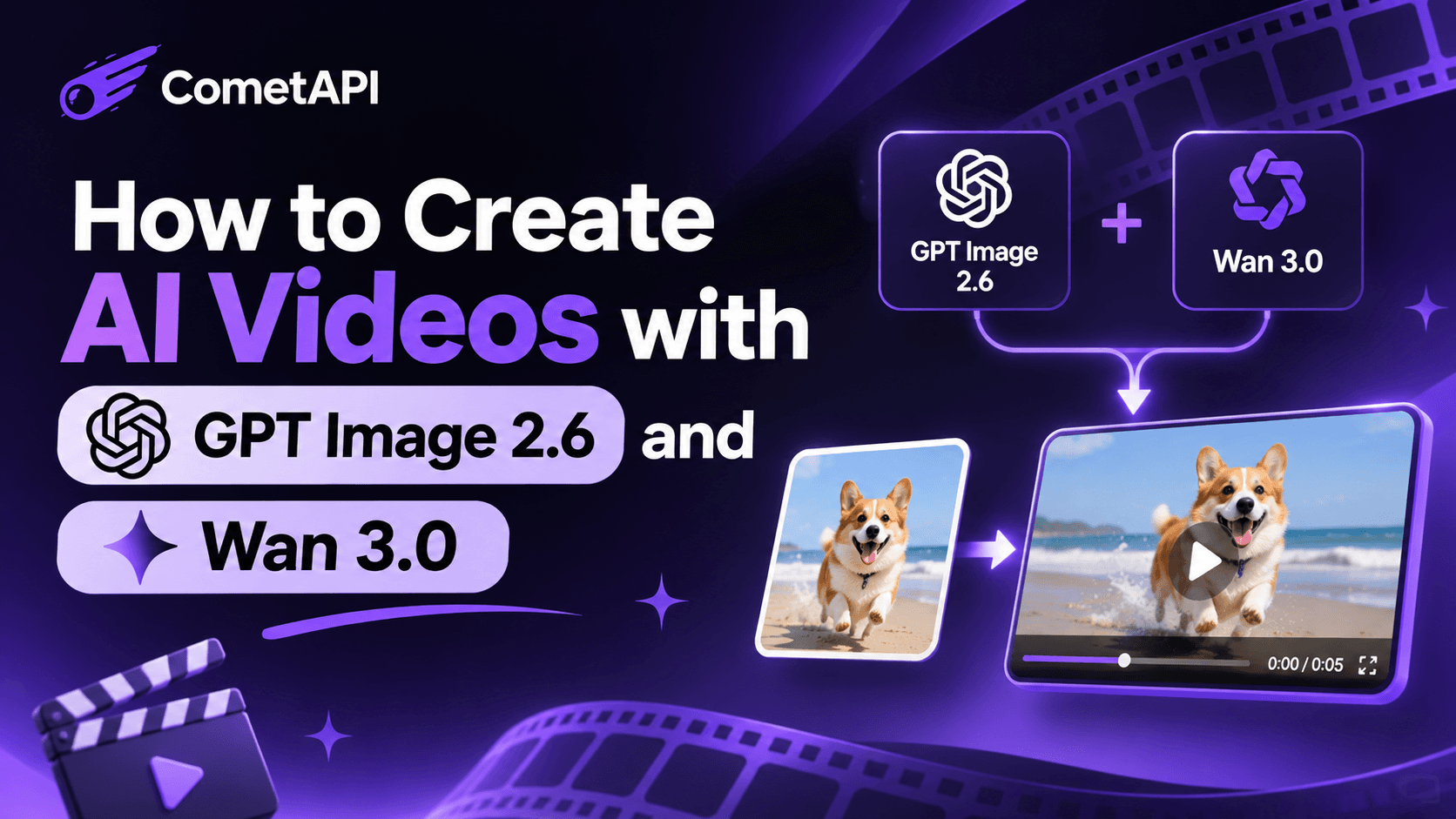
GPT-Image-2.6 provides two image-generation and editing models: Flare for fast iteration and Sunburst for detailed visual work. The update adds independent complexity control, markup-guided editing, SVG generation, and animated GIF output. Wan 3.0, Alibaba Cloud’s all-in-one video model, converts prompts and supported references into audiovisual clips at 480p, 720p, or 1080p and 30fps, with 2–30-second output when no reference video is supplied. Its reference mode supports up to 10 images, alongside supported video and audio references. Together, they provide a practical workflow from approved keyframes to motion and sound. CometAPI lists both model families under one account, with separate image and asynchronous video endpoints. [
Key Takeaways
- GPT-Image-2.6 Flare and Sunburst serve different production priorities: fast exploration and detailed visual production, respectively.
- Quality and complexity are separate controls. Complexity accepts
low,medium, orhigh; omitting it defaults tohighfor both models. - Wan 3.0 expands the video workflow: up to 30 seconds, 30fps, native audio, first/last-frame control, and multimodal references, subject to input-mode restrictions.
- A practical pipeline: plan the deliverable → create and approve stills → prepare compatible references → generate video → review, edit, and publish.
- CometAPI uses different model IDs and request fields from Alibaba Cloud. One API key simplifies access, but image and video requests still use different endpoints and schemas.
- Measure cost per approved asset. Image token rates, video resolution, reference-video billing, retries, and rejection rates all affect the actual production budget.
In 2026, a useful AI media workflow starts with visual decisions that can be reviewed before video generation. Creators can approve a product’s appearance, a character’s clothing, the lighting, and the opening composition as still images, then direct the action and sound in a video model.
GPT-Image-2.6 and Wan 3.0 fit these complementary roles. GPT-Image-2.6 helps create and revise keyframes and supporting assets. Wan 3.0 adds motion, audiovisual generation, multimodal references, and supported video editing or extension workflows. The result can support social ads, product demonstrations, branded short videos, storyboards, and creative prototyping.
This guide explains the workflow, the current model specifications, the handoff between the two systems, and practical implementation through CometAPI.
What is GPT-Image-2.6
GPT-Image-2.6 is OpenAI’s current image-generation and editing family in the reviewed model catalog. It accepts text and image inputs and offers two API variants: gpt-image-2.6-flare and gpt-image-2.6-sunburst. OpenAI’s documentation identifies complexity control, markup-guided edits, SVG output, and animated GIF output as supported through Images API and supported Responses API workflows.
The Two API Variants: Flare vs. Sunburst
- GPT-Image-2.6 Flare is designed for fast iteration. Use it to explore compositions, create draft product visuals, and test variations before committing to final assets.
- GPT-Image-2.6 Sunburst is designed for detailed visual work. Use it for demanding compositions and image editing where the details justify additional evaluation and rendering time.
Both variants have the same published token rates, but the cost of a finished image depends on token consumption and output settings. Flare’s speed-oriented positioning does not automatically make every request cheaper.
What Changes in the 2.6 Workflow?
1. Separate quality and complexity controls
The quality setting controls rendering quality. Supported options include low, medium, high, xhigh, max, and auto.
The separate complexity setting controls how much planning the image model performs before rendering. It accepts low, medium, and high, with high as the default when omitted. Lower complexity can suit a focused background or sign edit. Higher complexity can help with dense text, object relationships, and complicated layouts, but may increase latency or introduce unwanted changes. Complexity has no separate fee.
2. Markup-guided editing
Developers can supply a separate transparent PNG annotation layer to identify where an edit should happen. For example, circle a vase and request a color change while preserving the rest of the scene.
The markup layer must match the first input image’s dimensions after orientation. Keep it separate from the original image, and do not combine markup with mask in the same request. Markup-guided edits use the normal edit token rates without an extra markup fee.
3. SVG output
The Image API supports output_format: "svg" on the generation endpoint for editable vector graphics. SVG generation requires n=1; the image edit endpoint does not support SVG output. SVG pricing includes the generated reference image and the authoring model’s tokens used to produce the vector document.
4. Animated GIF output
Both generation and editing endpoints support output_format: "gif". GIF requests accept 2–16 frames, with a default of 9 frames, and 20–2000 milliseconds per frame, with a default of 200 milliseconds. Frame dimensions and frame count must fit the request’s pixel budget. [2]
This provides a lightweight option for simple loops. For longer scenes, camera movement, dialogue, and audio, continue the workflow in Wan 3.0.
Image Dimensions and Transparent Assets
The documentation supports custom raster dimensions with width and height in multiples of 16, aspect ratios from 1:3 to 3:1, neither edge above 3840 pixels, and a total of 655,360–8,294,400 pixels. Transparent backgrounds are available with PNG or WebP output.
For the video handoff, export a conventional raster image. Rasterize SVG assets and composite transparent cutouts onto their intended background: Alibaba Cloud’s Wan 3.0 input specification does not support transparent image channels.
Why GPT-Image-2.6 Matters for Media Pipelines
Keyframes make creative decisions visible before video generation. A team can review the product silhouette, label placement, scene layout, character appearance, and lighting while changes are still relatively easy to direct.
Use references and iterative edits to build an approved asset pack. Subject preservation still requires inspection: OpenAI’s guide notes that recurring characters, brand elements, precise text, and structured layouts can remain challenging. Treat the approved image as a reference to review against throughout production.
Wan 3.0: Longer Audiovisual Clips and Multimodal References
Wan 3.0 is Alibaba Cloud’s all-in-one video-generation model. The current API reference lists wan3.0-video and wan3.0-video-prime as native model IDs. It supports text-to-video, image-to-video, first/last-frame generation, reference-based generation, and supported editing and extension workflows. The API reference reviewed for this article labels the service as being in preview; availability should be checked for the target region and account.
Core Capabilities and Current Limits
| Parameter | Alibaba Cloud Wan 3.0 specification |
|---|---|
| Output resolution | 480p, 720p, or 1080p; default 1080p |
| Frame rate | 30fps |
| Output duration without video input | Integer from 2 to 30 seconds; default 5 seconds |
| Duration with reference video | Total input video duration plus output duration must not exceed 30 seconds |
| Automatic duration | Native API supports duration=-1 for smart duration selection |
| Aspect ratio | Adaptive, 21:9, 16:9, 4:3, 1:1, 3:4, or 9:16 |
| Image references | Up to 10 reference images |
| Video references | Up to 5 clips, totaling no more than 15 seconds |
| Audio references | Up to 5 clips, totaling no more than 15 seconds |
| Other reference inputs | One supported file or one public webpage link, subject to combination rules |
| Audio output | Enabled by default in the native API; can be disabled without changing pricing |
| Native prompt limit | 20,000 characters; Chinese and English supported |
| Processing | Asynchronous; documentation gives a typical generation range of 1–5 minutes |
These are provider specifications. A gateway may expose a narrower set of fields, formats, or input modes.
Choose the Right Input Mode
Text-to-video: Provide a prompt describing the scene, action, camera, and sound.
First-frame or first/last-frame generation: Provide the approved opening image and, optionally, an ending image. This mode is useful when the opening composition or final product reveal needs direct guidance.
Reference-based generation: Provide images to guide appearance, video to guide motion, and audio to guide supported sound or rhythm behavior. In the native API, references are addressed as “Image 1,” “Video 1,” and “Audio 1” according to their order within each media type.
Input modes have specific restrictions. First/last-frame inputs cannot be combined with reference-image, reference-video, reference-audio, file, or link inputs in the same native request. For an image-plus-audio workflow, use reference mode. A file and a link are mutually exclusive, although either can be combined with supported image, video, and audio references.
Native Audio and Production Review
Wan 3.0 supports audiovisual generation, including dialogue, music, and sound effects. Specify the desired sound in the prompt and review pronunciation, timing, clarity, and synchronization in the output. The seven-language lip-sync list from the previous model’s description should not be assumed to apply to Wan 3.0.
For exact brand narration, a fixed music track, or critical spoken claims, plan an audio review and finishing pass. Native sound is useful for drafts and suitable final clips, but it does not eliminate sound editing.
The Complete Media Generation Workflow
Stage 1: Concept, Prompt Engineering, and Asset Planning
Define the deliverable before generating assets: audience, message, runtime, aspect ratio, target resolution, mandatory product details, and required audio.
For a ten-second product ad, plan a manageable sequence: an opening hero shot, one product action, and a final hold with room for a call to action. Keep a shared style guide for both models, covering materials, color, lighting, wardrobe, and camera language.
Structure the image prompt around subject, composition, materials, lighting, constraints, and output requirements. Structure the video prompt around the approved image, movement, camera behavior, timing, sound, and details that must stay recognizable.
Stage 2: Generate and Refine Keyframes with GPT-Image-2.6
Start with Flare for exploration. Compare Sunburst when the final image needs more detailed work. Choose quality and complexity deliberately rather than assuming the highest settings always produce the best edit.
For example:
Create a portrait product photograph of a matte cobalt-blue insulated bottle on a pale stone pedestal. Soft studio lighting, a three-quarter view, realistic metal texture, and clear separation from the background. Leave empty space above the bottle for typography. No extra products or invented labels.
Use approved product photography as a reference when exact appearance matters. Refine one issue at a time:
Change only the background to a warm beige studio setting. Preserve the bottle’s silhouette, cap proportions, color, and label placement.
For a local correction, use markup-guided editing. Inspect the result for changes outside the requested area, and approve the final image before animation.
Export a PNG or JPEG with an opaque background. Match the intended video composition, leave room for captions, and avoid unnecessarily small text that may degrade during motion.
Stage 3: Animate with Wan 3.0
Choose a mode based on what needs control:
- A specific opening composition: use the still as a first frame.
- Specific opening and closing compositions: provide first and last frames.
- Multiple appearance, motion, or audio references: use reference mode, within the supported combination limits.
A practical motion prompt might be:
Ten-second product reveal. The cobalt-blue bottle remains upright on the pedestal. Begin with a slow camera push-in, then make a gentle quarter-orbit to show the metal surface and cap. Keep the bottle’s shape and color consistent. Use soft studio ambience and a restrained musical accent. End with a stable hero composition and clear space above the product. No additional objects or on-screen text.
Start with a short draft at an appropriate lower resolution to test the action. If audio references are essential, choose reference mode rather than trying to attach them to a first-frame request. If reference video is supplied through Alibaba Cloud, respect the combined input-plus-output duration limit.
Stage 4: Review, Iterate, and Post-Process
Review identity and product geometry, motion continuity, camera behavior, audio timing, and the final framing. Compare the video to the approved stills at several points, including the ending.
Return to the image stage if the composition is weak. Adjust the motion prompt if the still is correct but the movement is unsuitable. Use supported video editing or extension when appropriate, or finish in a conventional editor.
Add exact typography, prices, subtitles, logos, and required disclosures during finishing. Composite original brand assets where precision matters. Download completed videos promptly: Alibaba Cloud’s documented task-query and result-link validity is 24 hours.
Stage 5: Scale, Automate, and Publish
Store the brief, prompts, reference versions, model IDs, request settings, task IDs, costs, and approval decisions for each asset.
For asynchronous video generation, save the returned task ID immediately and poll the existing task. A local timeout does not prove that generation failed; submitting the same request again can create a second paid job.
Measure cost per approved asset, generated seconds per delivered second, rejection rate, and time to approval. Publish finished assets after creative review and platform-specific export checks.
Comparison Table: Complementary Roles
| Aspect | GPT-Image-2.6 Flare / Sunburst | Wan 3.0 | Combined workflow benefit |
|---|---|---|---|
| Primary output | Still images; supported SVG and GIF output | Audiovisual video | Approved visuals become directed motion and sound |
| Main role | Keyframes, asset creation, detailed edits | Scene generation, animation, supported editing and extension | Visual decisions can be approved before video generation |
| Control | Quality, complexity, references, markup-guided edits | Prompts, first/last frames, multimodal references | Separate control of appearance and movement |
| Reference support | Image-based generation and editing | Up to 10 image references; supported video/audio/file/link inputs | Reusable appearance and motion references |
| Audio | No audio generation | Native audio; optional in the native API | Sound can be included in video drafts |
| Output constraints | Format-specific image and animation limits | Up to 30 seconds, 30fps, 480p/720p/1080p; mode limits apply | Supports short-form production and iterative testing |
| CometAPI model IDs | gpt-image-2.6-flare, gpt-image-2.6-sunburst | wan3.0, wan3.0-prime | One account with explicit model selection |
Specifications are drawn from provider documentation and CometAPI’s catalog and API reference. Provider features do not automatically imply gateway support for every option.
Implementing the Workflow via CometAPI
CometAPI provides a unified API platform for accessing more than 500 AI models across text, image, video, and audio generation.
For developers building an image-to-video workflow, using a unified platform can simplify model discovery, API integration, usage tracking, and billing.
The CometAPI catalog lists GPT Image 2.6 and Wan 3.0 as available models and advertises access to more than 500 models through unified authentication and billing. For this workflow, use one API key with separate image and video routes.
| Operation | CometAPI endpoint or model ID |
|---|---|
| Generate an image | POST /v1/images/generations |
| Edit an image | POST /v1/images/edits |
| Image models | gpt-image-2.6-flare, gpt-image-2.6-sunburst |
| Create a Wan video | POST /v1/videos |
| Poll a Wan task | GET /v1/videos/{task_id} |
| Download video content | GET /v1/videos/{task_id}/content |
| Wan models | wan3.0, wan3.0-prime |
For supported image requests, configure the OpenAI SDK with base_url="https://api.cometapi.com/v1". The documented Wan creation route uses multipart form data, with an explicit integer seconds and a supported size such as 1280x720 or 1080x1920.
For reference images, repeat input_reference once per image, using either all URLs or all uploaded files within that field. For a precise opening frame, use first_frame, optionally with last_frame. Keep frame inputs separate from input_reference, reference_videos, and reference_audios.
How to Access GPT Image 2.6 and Wan 3.0 Through CometAPI
Step 1: Create a CometAPI Account
Visit CometAPI and create an account.
After signing in, open the model catalog and locate GPT Image 2.6 and Wan 3.0.
Step 2: Obtain Your API Key
Generate an API key from your CometAPI dashboard.
Keep the key secure and configure it in your development environment.
Step 3: Generate Images with GPT Image 2.6
Select the supported GPT Image 2.6 model ID from the catalog.
The currently listed Sunburst model ID is:
gpt-image-2.6-sunburst
Use the supported image generation or editing interface to submit your prompt and retrieve the generated image.
Step 4: Generate Videos with Wan 3.0
Select Wan 3.0 using the model ID:
wan3.0
Submit a video generation request through the supported video endpoint:
POST /v1/videos
Provide the required prompt, reference image or other supported inputs, and generation parameters.
The video workflow is asynchronous: create a task, check its status, and retrieve the completed video.
After generation, review the output and store the resulting video in your own storage system.
Developers should consult the current CometAPI model documentation for exact parameters, supported input combinations, and endpoint requirements.
Prompting Best Practices for Better Results
Good prompting is essential when connecting image generation and video generation.
Although both models accept creative instructions, their prompts should reflect their different responsibilities.
GPT Image 2.6 Prompting Tips
Describe the Final Image Clearly: Start with the intended output rather than a vague description. For example, specify whether the result should be a product advertisement, cinematic portrait, poster, or editorial photograph.
Separate Composition from Visual Style: Describe camera angle, subject placement, background, lighting, and materials independently.
Use References Deliberately: When generating product images or characters, provide references that establish the details that must remain consistent.
Make Targeted Editing Requests: Instead of changing multiple elements simultaneously, request one specific modification at a time.
Choose Appropriate Complexity: Use lower complexity for straightforward edits and higher settings when the scene involves many visual elements or constraints.
Wan 3.0 Prompting Tips
Describe Motion Explicitly: A video prompt should explain what the subject does, how the camera moves, and how the scene develops over time.
Define the Narrative Structure: For multi-shot videos, describe each shot and its intended timing.
Specify Audio Requirements: If dialogue, background music, or sound effects are important, describe them explicitly.
Assign Clear Roles to Reference Materials: Explain which image represents the character, which represents the product, and which provides environmental or motion guidance.
Use First-and-Last-Frame Control When Appropriate: For videos that need a defined starting and ending composition, provide suitable first and last frames.
Cost, Limitations, and Optimization Tips
Image Pricing
The reviewed GPT-Image-2.6 pricing is token-based:
| Token type | OpenAI, USD per million tokens | CometAPI listed rate, USD per million tokens |
|---|---|---|
| Text input | $5.00 | $4.00 |
| Cached text input | $1.25 | $1.00 |
| Image input | $8.00 | $6.40 |
| Cached image input | $2.00 | $1.60 |
| Image output | $30.00 | $24.00 |
The CometAPI page lists these rates for both Flare and Sunburst, a 20% reduction from the corresponding published OpenAI rates. Cache eligibility depends on the API path and implementation; a cached rate is not a guarantee that every repeated input receives that discount. SVG output also includes authoring-model usage.
Video Pricing
For Alibaba Cloud’s standard wan3.0-video model in Singapore, the reviewed list prices are $0.05/sec at 480p, $0.10/sec at 720p, and $0.20/sec at 1080p. These are regional provider list prices, excluding promotions.
Without reference video, a ten-second generation therefore costs $0.50, $1.00, or $2.00 at those respective rates. With a five-second reference video and ten-second output, Alibaba Cloud bills 15 seconds: $1.50 at the cited 720p rate. Input video also reduces the available output duration under the native API’s 30-second combined-duration limit.
Conclusion and Next Steps
GPT-Image-2.6 and Wan 3.0 provide complementary tools for an image-to-video workflow: create and revise the visual assets, then direct motion and audio using compatible references. The updated combination adds complexity control and expanded image formats on the image side, plus longer clips and broader reference inputs on the video side.
Start with one brief, one approved keyframe, and one short Wan 3.0 draft. Check the visual handoff, review the generated sound, finish exact brand elements in an editor, and record the total cost per approved clip. Use those results to choose settings and decide what to automate.
For CometAPI integration, begin with the current model IDs and endpoint documentation linked below. Confirm the Wan price applicable to your account and verify any feature whose gateway support differs from the provider’s API before scaling.
Sources and Further Reading
All sources accessed November 25, 2026.
- OpenAI — GPT-Image-2.6 Sunburst model: capabilities, model ID, and token pricing. Model documentation
- OpenAI — Image generation guide: GPT-Image-2.6, complexity, markup, dimensions, quality, GIF/SVG output, costs, and limitations. Image generation guide
- Alibaba Cloud — Wan3.0 Video Generation API Reference: updated November 23, 2026; input modes, media limits, duration, audio, async processing, and result retention. API reference
- Alibaba Cloud — wan3.0-video model information: updated November 19, 2026; regional list prices and input-plus-output video billing. Singapore pricing was selected for the examples in this article. Model information and pricing
- CometAPI — GPT Image 2.6: catalog availability, variants, token prices, endpoints, and SVG adaptation status. Model page
- CometAPI — Wan3.0: gateway model IDs, catalog capabilities, pricing display, and endpoint links. Model page
- CometAPI — Create a Wan video: multipart request schema, supported sizes, references, first/last frames, and task lifecycle. Create · Retrieve · Download