

TL;DR
Kimi K3 is open-weight but not workstation-scale: serving the native model requires data-center-class GPUs and distributed memory. Use vLLM for the most direct production path, or SGLang when topology, expert parallelism, and cache control matter. Community GGUF builds lower the hardware threshold, but still require roughly 500 GB to well over 1 TB of addressable memory and trade speed or quality for feasibility. For ordinary PCs and Macs, test through a hosted API first and self-host only when privacy, sustained utilization, or infrastructure control justifies the cost.
What Is Kimi K3?
Kimi K3 is Moonshot AI's open-weight, native multimodal flagship model for long-horizon coding, agentic knowledge work, reasoning, and visual understanding.
Moonshot describes it as the world's first open 3T-class model. Its architecture combines Kimi Delta Attention and Attention Residuals with a sparse MoE design that selects only a subset of experts for each token.
The scale is unusual even by frontier-model standards. Instead of activating all 2.8T parameters for every token, K3 selects 16 of 896 routed experts, plus shared experts. This reduces per-token computation substantially, although all model weights still need to be available somewhere in the inference system.
| Specification | Kimi K3 — official model specifications |
|---|---|
| Architecture | Mixture-of-Experts |
| Total parameters | 2.8T |
| Activated parameters | 104B |
| Experts | 896 |
| Selected experts per token | 16 |
| Context length | 1,048,576 tokens |
| Vision encoder | MoonViT-V2 |
| Native quantization | MXFP4 weights / MXFP8 activations |
| Formal model-card modalities | Text + image |
K3 also applies quantization-aware training from the SFT stage, rather than treating low-precision serving purely as a post-training compression step.
Its architecture is therefore optimized for very large-scale serving—but “sparse compute” should not be confused with “small memory footprint.” Only part of the network computes each token, but the complete expert pool still has to be accessible.
How Does Kimi K3 Perform?
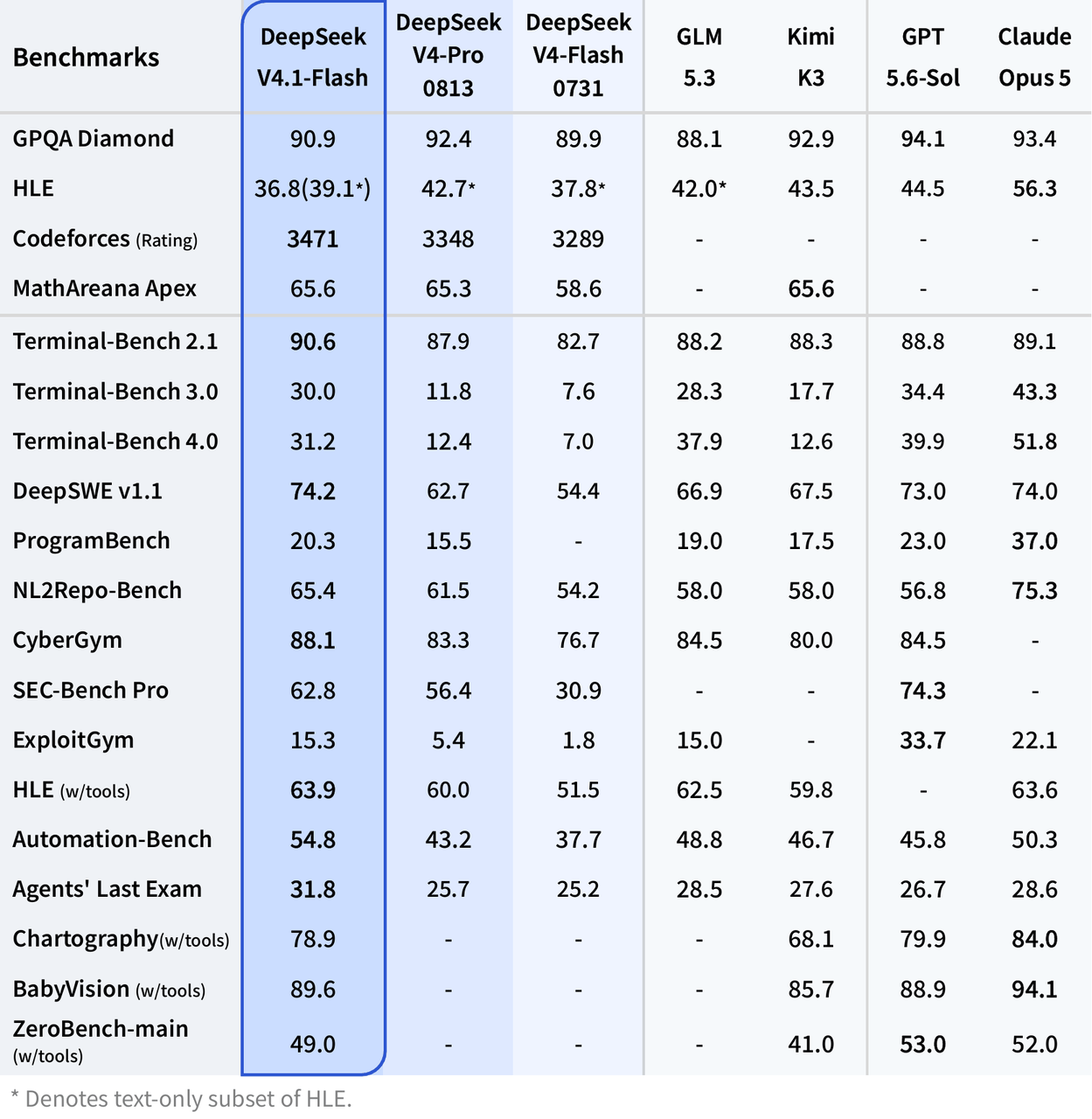
Moonshot's official Kimi K3 benchmark suite places the model close to the leading proprietary frontier models, particularly on long-horizon software engineering and agentic workloads.
The following selection covers reasoning, coding, agents, and vision. Higher is better for all scores shown.
| Benchmark — Moonshot official results | Kimi K3 | GPT-5.6 Sol | Claude Fable 5 | Claude Opus 4.8 |
|---|---|---|---|---|
| GPQA Diamond | 93.5 | 94.1 | 92.6 | 91.0 |
| ProgramBench | 77.8 | 77.6 | 76.8 | 71.9 |
| Terminal-Bench 2.1 | 88.3 | 88.8 | 88.0 | 84.6 |
| FrontierSWE | 81.2 | 71.3 | 86.6 | 66.7 |
| SWE-Marathon | 42.0 | 39.0 | 35.0 | 40.0 |
| BrowseComp | 91.2 | 90.4 | 88.0 | 84.3 |
| OmniDocBench | 91.1 | 85.8 | 89.8 | 87.9 |
| PerceptionBench | 58.5 | 59.7 | 57.2 | 47.2 |
The official scores place Kimi K3 near GPT-5.6 Sol, Claude Fable 5, and Claude Opus 4.8 across reasoning, coding, agent, and vision tasks. Treat these provider-reported results as capability context rather than a universal ranking; the detailed benchmark analysis is covered separately. For this guide, the operational point is that self-hosting offers frontier-class capability and infrastructure control, but not a low-cost desktop shortcut.
Can You Actually Run Kimi K3 Locally?
Yes, but there are two very different definitions of “local.”
Local server / private data center: realistic.
Normal desktop or laptop: technically experimentable with aggressively quantized community builds, but generally impractical for interactive use.
The current vLLM Kimi K3 recipe sets a very high baseline:
- NVIDIA: at least 8× GB300
- AMD ROCm: at least 8× MI355X or MI350X
- NVIDIA driver: R580+ for the current CUDA 13 K3 image
- Multi-node infrastructure recommended for real production traffic
The original vLLM day-0 guide also demonstrated an 8-GPU B300 or 8-GPU MI355X quick-start path. For a new production deployment, follow the newer recipe because it reflects the serving stack after launch-day optimizations.
This is the key point: K3 is open-weight, but it is not a consumer-scale open model.
Official Weights vs Community GGUF Quantizations
There is another way to reduce the hardware threshold: community quantization.
The current Unsloth K3 repository provides several GGUF variants that can run through llama.cpp-compatible software.
Consolidated comparison. Addressable-memory figures are planning estimates (download size plus roughly 10–15% runtime headroom), not guarantees; context, cache, vision, and offload settings can require more.
| Variant | Download | Suggested addressable memory | Vision support | Documented runtime | Purpose / quality evidence |
|---|---|---|---|---|---|
| UD-Q1_0 | 466 GB | ≥520 GB | Repository states vision support; verify the matching runtime path. | Unsloth llama.cpp PR fork; Ollama route documented, version not pinned. | Proof-of-concept; no independent variant-specific quality test cited. |
| UD-TQ1_0 | 509 GB | ≥570 GB | Same repository-level vision caveat. | Same documented runtime path. | Aggressive 1-bit-class experiment; no independent variant-specific test cited. |
| UD-IQ1_S | 594 GB | ≥665 GB | Same repository-level vision caveat. | Same documented runtime path. | Extreme local experiment; no independent variant-specific test cited. |
| UD-IQ1_M | 649 GB | ≥730 GB | Same repository-level vision caveat. | Same documented runtime path. | Higher-quality 1-bit compromise; no independent variant-specific test cited. |
| UD-IQ2_XXS | 711 GB | ≥800 GB | Same repository-level vision caveat. | Same documented runtime path. | 2-bit-class experiment; no independent variant-specific test cited. |
| UD-Q2_K_XL | 861 GB | ≥970 GB | Same repository-level vision caveat. | Same documented runtime path. | Large CPU/GPU server; no independent variant-specific test cited. |
| UD-Q4_K_XL | 1.51 TB | ≥1.7 TB | Same repository-level vision caveat. | Direct llama.cpp and Ollama examples are documented for this variant. | Quality-focused GGUF serving; no independent K3 quantization benchmark cited. |
| UD-Q8_K_XL | 1.56 TB | ≥1.75 TB | Same repository-level vision caveat. | Same documented runtime path. | Near-lossless community build; little storage advantage over Q4. |
This distinction also explains why some early local-deployment articles cite 594 GB: 594 GB now corresponds to the community UD-IQ1_S GGUF build, not a useful description of the complete current native checkpoint.
A 466–649 GB model is dramatically smaller than the original deployment footprint, but it is still enormous by workstation standards. You should also leave memory for runtime state, context, caches, the vision projector, operating-system processes, and other overhead.
Disk capacity is not the same as inference memory. Having a 1 TB SSD does not mean a 600 GB model will run quickly on a machine with 64 GB of RAM. SSD offloading can make extreme experiments possible, but token generation can become painfully slow.
How to Deploy Kimi K3 with vLLM
For serious self-hosting, vLLM is the most straightforward starting point.
Moonshot currently lists vLLM as one of its recommended K3 inference engines, and vLLM provides model-specific support for KDA, MXFP4 MoE, reasoning parsing, tool calling, prefix caching, and distributed deployment.
Check the prerequisites
For NVIDIA production deployment, the current tested recipe uses the vllm/vllm-openai:kimi-k3 container.
Check the GPUs:
nvidia-smi
Confirm Docker:
docker --version
Confirm NVIDIA Container Toolkit can see the accelerators:
docker run --rm --gpus all nvidia/cuda:13.0.0-base-ubuntu24.04 nvidia-smi
If the last command cannot see all GPUs, fix the host/container GPU runtime before downloading a multi-terabyte model.
Set your Hugging Face token
If authentication is required for the model repository, store the token in an environment variable instead of hard-coding it into scripts.
export HF_TOKEN="YOUR_HUGGING_FACE_TOKEN"
Pull the K3 vLLM container
docker pull vllm/vllm-openai:kimi-k3
The current recipe specifies a CUDA 13 build and an R580-or-newer NVIDIA driver.
Launch Kimi K3
Current Blackwell TP8 starting template (vLLM recipe updated 2026-09-10): use this as a baseline, then regenerate or benchmark the profile for your exact hardware and traffic.
docker run --rm \
  --gpus all \
  --ipc=host \
  -p 8000:8000 \
  -v ~/.cache/huggingface:/root/.cache/huggingface \
  -e HF_TOKEN="$HF_TOKEN" \
  -e VLLM_USE_V2_MODEL_RUNNER=1 \
  vllm/vllm-openai:kimi-k3 \
  --model moonshotai/Kimi-K3 \
  --tensor-parallel-size 8 \
  --gpu-memory-utilization 0.95 \
  --kv-cache-dtype fp8 \
  --attention-backend TOKENSPEED_MLA \
  --attention-config '{"use_prefill_query_quantization":true,"mla_prefill_backend":"TOKENSPEED_MLA"}' \
  --prefix-match-unit 128 \
  --enable-prefix-caching \
  --max-model-len 131072 \
  --enable-auto-tool-choice \
  --tool-call-parser kimi_k3 \
  --reasoning-parser kimi_k3
The current recipe requires the K3 CUDA 13 image and an R580-or-newer NVIDIA driver. FP8 KV cache must be paired with a compatible MLA prefill/decode backend; benchmark alternatives before changing the attention configuration.
Source: vLLM Kimi K3 recipe. This replaces the earlier day-0 command rather than presenting it as the current production recipe.
For a first validation run, consider limiting the maximum model length instead of immediately allocating around the full 1,048,576-token capability. The current vLLM recipe explicitly recommends adjusting max-model-len to the workload.
For example:
--max-model-len 131072
This does not change K3's architectural context limit. It simply gives the serving engine a more manageable operating envelope for your initial tests.
Test the local endpoint
vLLM exposes an OpenAI-compatible API on port 8000.
curl http://localhost:8000/v1/chat/completions \
  -H "Content-Type: application/json" \
  -d '{
    "model": "moonshotai/Kimi-K3",
    "messages": [
      {
        "role": "user",
        "content": "Explain the difference between tensor parallelism and expert parallelism."
      }
    ],
    "max_tokens": 512
  }'
Or use the OpenAI Python SDK:
python
from openai import OpenAI

 client = OpenAI(
    base_url="http://localhost:8000/v1",
    api_key="EMPTY",
    timeout=3600,
 )

response = client.chat.completions.create(
    model="moonshotai/Kimi-K3",
    messages=[
        {
            "role": "user",
            "content": "Write a Python function that validates a JSON schema.",
        }
    ],
    max_tokens=1024,
 )

print(response.choices[0].message.content)
The official vLLM recipe uses the same localhost OpenAI-compatible pattern, making it relatively easy to switch an application between local and hosted inference.
How to Deploy Kimi K3 with SGLang
SGLang is the other major deployment route officially recommended by Moonshot.
It is particularly relevant when you want deeper control over distributed serving, expert parallelism, hardware-specific kernels, or complex production topology.
Use the dedicated SGLang Kimi K3 Cookbook and select a hardware-specific topology. The following is the verified single-node 8×B300 Unified/Balanced profile from the cookbook; it was measured with SGLang v0.5.18 at commit 71de97b2.
Install a K3-capable build:
pip install --upgrade pip
pip install uv
uv pip install --prerelease=allow sglang
Launch the verified B300 TP8/DCP8 profile:
sglang serve \
  --trust-remote-code \
  --model-path moonshotai/Kimi-K3 \
  --tp-size 8 \
  --dcp-size 8 \
  --mem-fraction-static 0.85 \
  --mamba-full-memory-ratio <value-from-official-calculator> \
  --reasoning-parser kimi_k3 \
  --tool-call-parser kimi_k3 \
  --host 0.0.0.0 \
  --port 30000
--mamba-full-memory-ratio is workload-dependent: calculate it from average input-plus-output length in the official cookbook. Do not copy this B300 topology to H100/H200, GB200/GB300, AMD, or multi-node deployments; those profiles use different TP/PP/DCP/EP layouts.
Test the server:
curl http://localhost:30000/v1/chat/completions \
  -H "Content-Type: application/json" \
  -d '{
    "model": "moonshotai/Kimi-K3",
    "messages": [{"role": "user", "content": "Give me a five-step debugging plan for a distributed Python application."}]
  }'
For a real deployment, validate capacity, output quality, and failure recovery on the exact SGLang version, topology, context length, and traffic mix you intend to run.
vLLM vs SGLang vs llama.cpp
Choosing an inference engine depends primarily on your hardware and the purpose of the deployment.
| Deployment method | Hardware class | Official native weights | OpenAI-compatible API | Distributed production | Ease of setup | Best fit |
|---|---|---|---|---|---|---|
| vLLM | Data-center GPU cluster | Yes | Yes | Excellent | Medium | Default production choice |
| SGLang | Data-center GPU cluster | Yes | Yes | Excellent | Medium–High | Advanced distributed serving |
| llama.cpp + GGUF | Huge-memory workstation/server | Community quant | Yes | Limited compared with vLLM/SGLang | Low–Medium | Local experimentation |
| Ollama + GGUF | Huge-memory workstation/server | Community quant | Yes | Not the main target | Easy | Convenience-first testing |
| CometAPI | No local GPU required | Hosted | Yes | Managed | Very easy | Developers without K3-class hardware |
If you own an 8-GPU Blackwell/MI35x-class server, start with vLLM.
If you are designing a specialized distributed inference cluster and want more low-level serving controls, evaluate SGLang as well.assistant_message
If your goal is simply “I want to prove that K3 can execute on hardware I own,” GGUF plus llama.cpp is much more approachable—provided your machine has a truly exceptional amount of memory.
How to Run a Quantized Kimi K3 with llama.cpp or Ollama
The community Kimi K3 GGUF repository now provides llama.cpp-compatible variants.
This route lowers the entry barrier dramatically compared with a data-center native-weight deployment, but “dramatically” is relative: even the smaller builds are hundreds of gigabytes.
Install llama.cpp on macOS or Linux
The current GGUF model card provides:
curl -LsSf https://llama.app/install.sh | sh
On Windows:
winget install llama.cpp
Start an OpenAI-compatible server
The repository currently documents UD-Q4_K_XL as an example:
llama serve \
  -hf unsloth/Kimi-K3-GGUF:UD-Q4_K_XL
You can also run the CLI directly:
llama cli \
  -hf unsloth/Kimi-K3-GGUF:UD-Q4_K_XL
Those commands come directly from the current Kimi K3 GGUF model card.
However, UD-Q4_K_XL is about 1.51 TB, so it is not the variant most workstation users would start with. If your priority is reducing memory requirements rather than preserving as much quality as possible, investigate the smaller 1-bit and 2-bit variants first.
For example:
llama serve \
  -hf unsloth/Kimi-K3-GGUF:UD-IQ1_M
The current UD-IQ1_M directory is approximately 649 GB.
A 649 GB model is still not a normal laptop model. Ideally, the frequently accessed model state should reside in fast memory. Heavy SSD offloading may make an extreme experiment technically possible without making it useful for interactive work.
Run the Same GGUF Build with Ollama
Ollama is a convenience layer for the same GGUF deployment path, not a fourth independent self-hosting method.
The K3 GGUF repository also exposes an Ollama route.
For example:
bash
ollama run hf.co/unsloth/Kimi-K3-GGUF:UD-Q4_K_XL
Ollama simplifies model management and the API experience, but it does not remove K3's memory requirements.
Changing the launcher from llama.cpp to Ollama cannot turn a several-hundred-gigabyte quantization into a 24 GB GPU model. The underlying model data still has to be stored and accessed.
For this reason, Ollama is best viewed as a convenient runtime wrapper, not as a hardware workaround.
Which Kimi K3 Quantization Should You Choose?
For experiments, the choice is mainly a trade-off between model size and fidelity.
| GGUF quantization choices | Size | Relative memory pressure | Quality expectation | Recommended use |
|---|---|---|---|---|
| UD-Q1_0 | 466 GB | Lowest | Most aggressive degradation risk | Proof-of-concept |
| UD-IQ1_S | 594 GB | Very high | Aggressive | Extreme local experiments |
| UD-IQ1_M | 649 GB | Very high | Better 1-bit compromise | Large-memory experimental server |
| UD-Q2_K_XL | 861 GB | Extreme | Better fidelity | Large CPU/GPU server |
| UD-Q4_K_XL | 1.51 TB | Data-center class | Higher fidelity | Quality-focused self-hosting |
| Native K3 serving | Data-center class | Data-center class | Intended model behavior | Production |
Important Kimi K3 Serving Behavior
There is one K3-specific implementation detail that is easy to overlook.
K3 uses preserved thinking history. Moonshot says multi-turn conversations and tool-call workflows should send the complete previous assistant message back to the model, including reasoning_content and tool_calls, rather than preserving only the visible content.
A simplified application pattern looks like this:
messages = [
    {
        "role": "user",
        "content": "Inspect this project and propose a migration plan.",
    }
 ]

first = client.chat.completions.create(
    model="moonshotai/Kimi-K3",
    messages=messages,
    max_tokens=2048,
 )

assistant_message = first.choices[0].message

 # Preserve the whole message object, not just assistant_message.content.
 messages.append(
    assistant_message.model_dump(exclude_none=True)
 )

messages.append(
    {
        "role": "user",
        "content": "Now identify the riskiest part of that plan.",
    }
 )

second = client.chat.completions.create(
    model="moonshotai/Kimi-K3",
    messages=messages,
    max_tokens=2048,
 )
This becomes especially important for coding agents, tool loops, and long-running autonomous sessions.
K3 also keeps reasoning enabled and supports low, high, and max reasoning effort. When your serving layer exposes those parameters, treat reasoning effort as another latency/quality control rather than always maximizing it for every request.
How to Optimize a Local Kimi K3 Deployment
Do not allocate the full 1M context immediately
K3 supports 1,048,576 tokens, but maximum model capability and sensible server configuration are different things.
For development, begin at something such as:
--max-model-len 131072
Then increase context only after measuring available memory, time to first token, throughput, and expected concurrency.
Enable prefix caching
Coding agents frequently reuse repository instructions, tool schemas, system prompts, and long prefixes.
With vLLM:
--enable-prefix-caching
K3's hybrid attention architecture required special handling for prefix caching, and vLLM has implemented model-specific support for it.
Use the K3 parsers
For agent workloads, include:
--tool-call-parser kimi_k3 \
--reasoning-parser kimi_k3
This keeps tool calls and reasoning output aligned with K3's serving format.
Keep storage fast
A model at this scale places unusual pressure on local storage during first download, checkpoint loading, updates, and recovery.
NVMe storage is preferable to network-mounted slow disks. If multiple machines share model files, model-cache topology and network bandwidth become part of inference architecture rather than mere deployment details.
Monitor more than GPU utilization
Track:
- HBM/VRAM utilization
- CPU RAM
- cache hit rate
- time to first token
- decode tokens per second
- request queue depth
- inter-GPU communication
- inter-node bandwidth
- failed tool-call parsing
- model-loading time
At K3 scale, an apparently healthy GPU utilization figure does not tell you whether the serving topology is efficient.
Local Kimi K3 vs Hosted Kimi K3
Self-hosting gives teams maximum control over the data path, runtime, and model weights, while also making them responsible for GPU capacity, scaling, upgrades, monitoring, and recovery. Hosted access removes most infrastructure work and is generally the faster route for evaluation or variable demand.
For the full hardware and break-even analysis, read Kimi K3 Self-Hosting vs API. For token prices, caching, and K2.7 comparisons, use the Kimi K3 pricing guide. This article therefore keeps the comparison brief and concentrates on deployment commands, configuration, and troubleshooting.
Common Kimi K3 Local Deployment Problems
The model does not fit in GPU memory
This is the most predictable failure.
Do not calculate memory from the 104B activated parameters. That figure describes per-token computation, not the amount of expert weight data the serving system must make available.
Use a supported distributed topology, a smaller GGUF quantization, or a hosted service.
CUDA or NVIDIA driver errors
The current vLLM K3 image is based on CUDA 13 and requires an R580+ host driver.
If the host is still on an R575/CUDA 12.9 stack, update it or follow the build-from-source path described by vLLM rather than assuming the container will fix host-driver incompatibility.
The first request is extremely slow
Check whether the checkpoint is still loading, compiling kernels, warming caches, or pulling files.
With multi-terabyte-class assets, “server process started” and “model is ready for production traffic” are not equivalent states.
Tool calls fail intermittently
The current vLLM recipe notes that K3 can occasionally produce a tool-call form that its parser does not expect. Production systems should therefore validate tool-call schemas and implement retries rather than trusting every generated call blindly.
Long conversations become less stable
Make sure you are returning the complete assistant message—including reasoning and tool information—to subsequent K3 turns.
Dropping hidden reasoning-state fields can break the preserved-thinking-history pattern K3 was trained to use.
So, What Is the Best Way to Deploy Kimi K3 Locally?
For most organizations with suitable hardware, vLLM is the best first deployment path. It has dedicated K3 support, an OpenAI-compatible API, model-specific parsers, prefix caching, speculative decoding support, and current hardware recipes.
Choose SGLang when distributed inference engineering and fine-grained serving control are more important than the shortest setup path.
Choose llama.cpp plus a community GGUF quantization only when your objective is workstation/server experimentation and you understand that even the 1-bit versions remain hundreds of gigabytes.
For a conventional developer workstation, the most practical conclusion is different: do not buy hundreds of gigabytes of RAM solely to force K3 onto a desktop. Test Kimi K3 through CometAPI first, quantify its benefit on your own tasks, and move to self-hosting only when privacy, sustained utilization, or infrastructure control makes the economics worthwhile.
FAQ
Can Kimi K3 run on a single consumer GPU?
Not realistically. The model is far beyond the VRAM capacity of consumer GPUs. Community low-bit GGUF quantizations reduce the footprint substantially, but the smallest current variants are still hundreds of gigabytes.
Can I run Kimi K3 on a Mac?
Experimental CPU/Apple-Silicon execution with GGUF and storage offloading is possible in principle, but interactive performance and memory capacity are the limiting factors. A typical MacBook should not be treated as a practical K3 serving platform.
Does Kimi K3 support Ollama?
Community GGUF builds can be launched through Ollama. The runtime simplifies setup but does not change the underlying memory requirement.
Is vLLM or SGLang better for Kimi K3?
vLLM is the easier default for a new production deployment. SGLang is attractive for teams building sophisticated distributed serving topologies. Both are among Moonshot's recommended K3 inference engines.
How much context does Kimi K3 support?
The official model specification supports 1,048,576 tokens. A local server does not have to expose the entire context window; setting a lower max-model-len can be more practical for early deployment and higher concurrency.
Is Kimi K3 open source?
A more precise description is open-weight. Moonshot has released the model weights under the Kimi K3 License. Review that license directly before commercial redistribution or other use where license terms matter.
What is the easiest way to use Kimi K3 without local GPUs?
A hosted API is the simplest route. Kimi K3 is available through CometAPI with an OpenAI-compatible chat-completions interface, so the application code can remain close to what you would use against a local vLLM or SGLang server.