
TL;DR
You can use ChatGPT Images 2.5 without paying for a ChatGPT subscription. ChatGPT Images is available on the Free tier across web, iOS, and Android, subject to the image-generation limits shown in the product.
The important distinction is between ChatGPT Images 2.5 and the developer-facing GPT-Image-2.5 API family. The first can be used inside a free ChatGPT account, subject to image-generation limits. The API models — GPT-Image-2.5 Flare and GPT-Image-2.5 Sunburst — are usage-based developer products rather than an unlimited free API.
If you mainly create posters, product shots, social graphics, edited photos, or concept art, start in ChatGPT. Use Sketch, Templates, reference images, and targeted edits to learn what works; consider an API when you need repeatable automation or production volume.
Key Takeaways
- ChatGPT Images 2.5 launched on September 8, 2026, and core image creation is available to Free users.
- OpenAI reports up to 50% lower image-generation latency than Images 2.0, along with better reference-image preservation and more precise editing.
- Free image generation has its own usage limit, but OpenAI does not publish a permanent fixed number of free generations.
- Sketch, Templates, reference images, selection-based editing, comments, transparent backgrounds, and different aspect ratios make the free interface much more capable than a simple text-to-image generator.
- “Images with thinking” is different from standard ChatGPT Images and currently requires Plus, Pro, or Business.
- GPT-Image-2.5 Flare is optimized for speed and everyday generation, while Sunburst prioritizes editing precision and premium outputs.
- Independent Arena results currently put Sunburst at or near the top in image editing, text rendering, and photorealism, although the new-model scores are still marked preliminary.
- OpenAI API access should not be treated as permanently free. If you need developer access, CometAPI also provides GPT-Image-2.5 APIs and may offer trial credits for getting started.
What Is ChatGPT Images 2.5, and Why Does the Free Version Matter?
ChatGPT Images 2.5 is OpenAI's September 2026 upgrade to image generation and editing inside ChatGPT. It is not merely a sharper text-to-image model. The update focuses heavily on the workflow around image creation: references, localized edits, iteration, reusable layouts, and sharing.
OpenAI says Images 2.5 produces more natural lighting and richer textures, preserves subjects from reference photos more reliably, and has up to 50% lower latency than Images 2.0.
It also improves something that matters more in practical design work than raw image quality: what does not change during an edit. You can modify a product, background, piece of text, clothing detail, or another localized element while retaining more of the original composition.
That makes the free version useful for much more than experimenting with AI art. It can serve as a lightweight visual workspace for product mockups, posters, thumbnails, social posts, presentation graphics, reference-based transformations, and rapid design iteration.
OpenAI’s official launch assets provide the clearest visual references for Sketch, Templates, multi-turn editing, and reference-image fidelity.
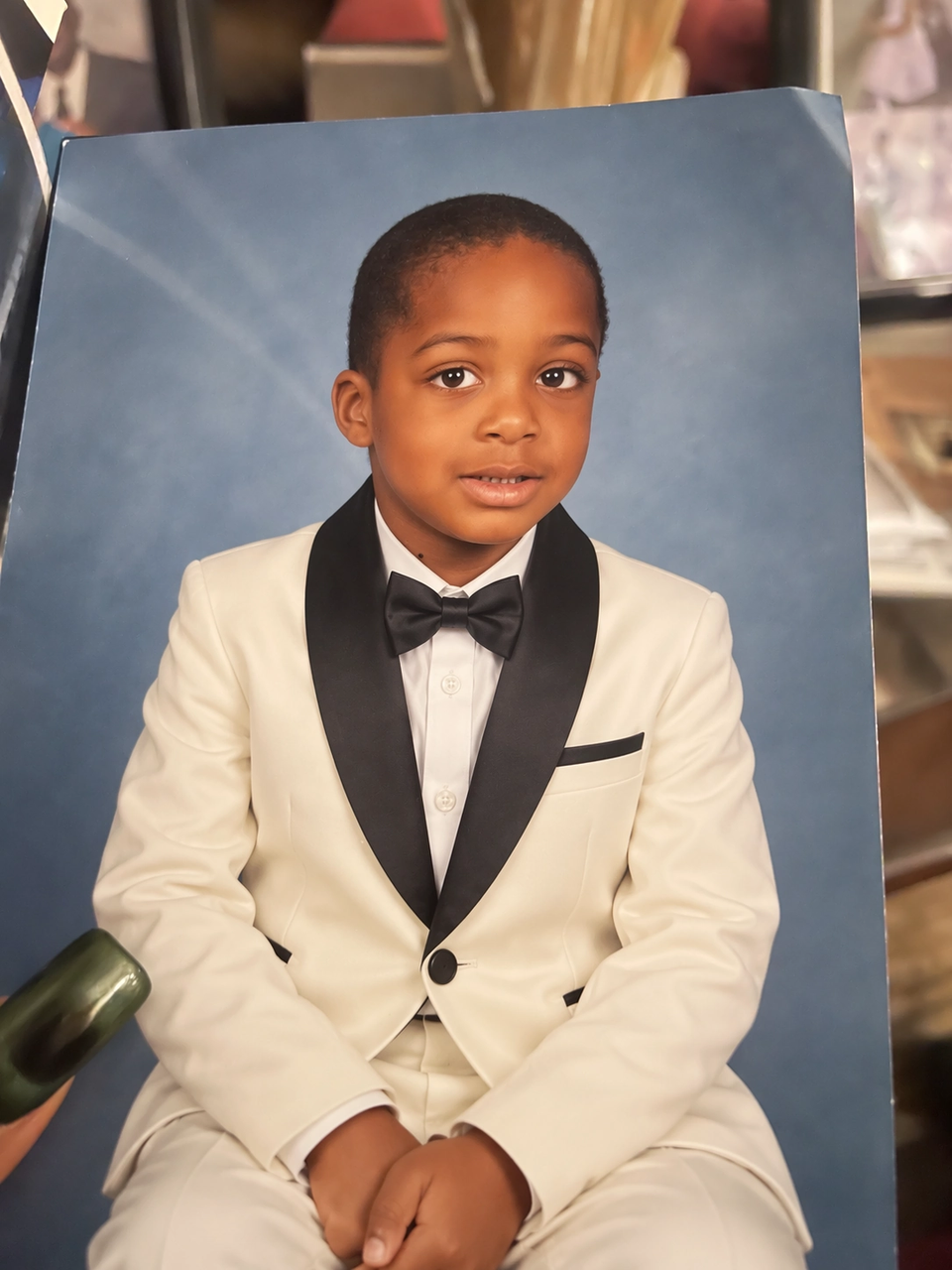
Official ChatGPT Images 2.5 reference-editing example from OpenAI.
A second naming detail is worth clearing up. ChatGPT Images 2.5 describes the image experience inside ChatGPT. Developers instead access the generation through two GPT-Image-2.5 API models.
| Specification | ChatGPT Images 2.5 | GPT-Image-2.5 Flare API | GPT-Image-2.5 Sunburst API |
|---|---|---|---|
| Primary use | Interactive creation in ChatGPT | Fast everyday API generation | Precision-focused API generation and editing |
| Input | Text and uploaded images | Text + image | Text + image |
| Output | Image | Image | Image |
| Image editing | Yes | Yes | Yes |
| Reference-image workflows | Yes | Yes | Yes |
| Quality controls | Managed through ChatGPT experience | low, medium, high, xhigh, max, auto | low, medium, high, xhigh, max, auto |
| Key API model ID | — | gpt-image-2.5-flare | gpt-image-2.5-sunburst |
| Transparent background | Yes | Supported | Supported |
| Positioning | Consumer creative workspace | Speed-first/default API choice | Maximum precision |
| ChatGPT Free access | Yes | API billing separate | API billing separate |
The distinction matters because a Free ChatGPT account does not turn into free API access simply because both products use the GPT-Image family.
How Can You Use ChatGPT Images 2.5 for Free?
Open ChatGPT and start with a normal Free account
Open ChatGPT on the web or mobile app. You can ask ChatGPT to create an image inside a conversation or open More → Images. This capability is available across ChatGPT tiers. There is no need to select “GPT-Image-2.5 Flare” or “Sunburst” from a model menu; those names primarily matter for API users.
Create a vertical promotional poster for a weekend coffee workshop. Use a warm cream and dark brown palette, soft natural shadows, a ceramic pour-over set in the center, and the headline “BREW BETTER COFFEE.” Keep the lower 20% visually clean for event details.
This works better than simply asking for “a coffee poster” because it defines the asset type, subject, composition, colors, text, and layout constraints in one request.
Use ChatGPT Images 2.5 Sketch when words are not enough
One of the biggest workflow additions is Sketch, which lets you draw a visual guide directly in ChatGPT. Instead of spending several free generations explaining where every element should appear, sketch the rough layout first.
Turn this sketch into a premium product advertisement. Preserve the placement shown in the sketch. Use realistic studio photography, a soft gray background, subtle shadows, and minimal typography.
This is particularly useful on a limited free quota because a rough sketch can communicate spatial intent before the first generation attempt.
Start from a ChatGPT Images 2.5 Template
Templates offer another way to reduce prompt trial and error. ChatGPT includes starting points for formats such as posters, merch, and product photography. Choose a format first, then focus your prompt on the content and brand direction rather than repeatedly describing the canvas structure.
Use this poster template for a minimalist AI developer conference. Headline: “BUILD WITH AI 2026.” Add September 26, Tokyo. Use a black-and-white editorial layout, one abstract 3D object, generous negative space, and no extra copy.
Templates are especially valuable when the goal is a usable asset rather than an open-ended illustration.
Upload a reference image instead of describing everything
Reference images are one of the strongest reasons to use Images 2.5. The model is better at preserving subjects from reference photos, making it more practical for product images, portraits, branded objects, pets, interiors, and other recognizable subjects.
Keep the product shape, material, logo position, proportions, and camera angle unchanged. Replace only the background with a warm Scandinavian living room at sunset. Add realistic contact shadows and shallow depth of field.
The reference-image workflow removes ambiguity and usually wastes fewer generations than trying to describe a complex object from scratch.
Edit only what needs to change
After generating a good image, avoid starting over. ChatGPT supports selection-based editing and conversational image editing. Open the image, select the region you want to modify, or describe a focused change directly in the editor.
Change only the mug from white to dark green. Preserve the table, hands, lighting, camera position, typography, and every other object exactly as they are.
The phrase “change only” plus a short preservation list is particularly useful for iterative work.
Change the aspect ratio instead of regenerating the concept
If you already like the visual concept, adapt it instead of rebuilding it. This is useful when turning one concept into website banners, social posts, vertical stories, or presentation images.
Convert this into a 16:9 hero image. Keep the product at the same visual scale and extend the background naturally to the left and right. Do not change the product or typography.
What Are the Free Limits of ChatGPT Images 2.5?
This is where many “free ChatGPT Images” guides become misleading. OpenAI confirms that image creation is available to Free users, but image generation has a separate Free-tier usage limit from ordinary text chat.
OpenAI does not publish a permanent figure such as “three images per day” for every Free account. The available limit can change with product policy, demand, account conditions, or future updates. When you reach the current limit, ChatGPT displays a notice and you must wait until image creation becomes available again.
Important:
Treat the limit shown inside your own ChatGPT account as authoritative. Do not rely on old community claims such as “2–3 images per day” or “10 images every three hours” as guaranteed Images 2.5 limits.
There is also another important distinction: standard Images 2.5 access and Images with thinking are not the same feature. OpenAI currently limits Images with thinking to Plus, Pro, and Business rather than the Free tier.
How Do You Get More from the ChatGPT Images 2.5 Free Limit?
When generations are limited, prompt efficiency matters almost as much as model quality. The easiest optimization is to put the critical constraints into the first prompt rather than discovering them after several failed generations.
A practical prompt structure is: Asset + Subject + Composition + Visual Style + Exact Text + Constraints + Preservation Rules
Use a short creative brief for each goal:
- Product image: Create a 4:5 premium product photo of the uploaded watch on dark stone, with soft side lighting and realistic metal reflections. Preserve the watch design exactly and add no extra objects.
- Poster: Create a vertical music-festival poster with the headline ?NIGHT SIGNAL,? futuristic typography, cobalt neon lighting, one central silhouette, strong negative space, readable text, and no additional copy.
- Reference edit: Preserve the person, pose, facial features, clothing, and framing. Change only the background to a snowy Tokyo street at night with realistic reflections.
- Transparent asset: Create a clean isolated 3D icon of a silver satellite on a transparent background, centered with soft studio lighting and no text.
Another useful rule is to separate generation from refinement. First, get the subject and composition right. Then make focused edits to typography, colors, objects, or backgrounds. Images 2.5 is specifically designed to maintain more consistency across multi-turn editing, so this workflow is usually more efficient than repeatedly regenerating from zero.
ChatGPT Images 2.5 Benchmarks
ChatGPT itself does not expose a “benchmark score” when you use Images 2.5, but the developer models give a useful indication of the capabilities behind the new family. Arena evaluations are helpful because they are based on human-preference battles rather than only vendor-reported internal benchmarks.
The important caveat is that both GPT-Image-2.5 models are new, and Arena currently marks their results as Preliminary. Their vote counts are also much lower than the older GPT Image 2 baseline, so small ranking differences should not be treated as permanent.
| Arena benchmark | GPT-Image-2.5 Sunburst | GPT-Image-2.5 Flare | GPT Image 2 |
|---|---|---|---|
| Single-image editing | 1520 ± 9 | 1491 ± 9 | 1461 ± 3 |
| Text rendering | 1481 ± 23 | 1434 ± 22 | 1427 ± 7 |
| Photorealistic / cinematic | 1423 ± 20 | 1406 ± 22 | 1381 ± 6 |
| Portraits | 1450 ± 32 | 1456 ± 35 | 1427 ± 8 |
Several patterns stand out. Sunburst is the stronger precision model in the displayed image-editing, text-rendering, and photorealism results. Flare remains extremely competitive and currently edges Sunburst in the portrait category. GPT Image 2 remains a useful baseline because its confidence intervals are narrower and it has far more votes.
For Free ChatGPT users, the practical takeaway is not that you need to choose between these API models. It is that the technology behind the new Images generation appears to be a substantive upgrade rather than merely a UI refresh.
ChatGPT Images 2.5 vs Images 2.0
| Dimension | Images 2.0 | ChatGPT Images 2.5 | Practical impact |
|---|---|---|---|
| Generation speed | Previous baseline | Up to 50% lower latency | Faster iteration |
| Reference preservation | Strong | Improved | Better product, portrait, and character workflows |
| Local editing | Capable | More precise preservation | Less unintended image drift |
| Multi-turn editing | Can accumulate changes | Better consistency | Easier iterative workflows |
| Creation tools | Prompt-centric | Sketch, Templates, comments, prompt sharing | Lower barrier for non-designers |
| Complex layouts | Strong | Improved layout handling and transparent backgrounds | Better design and production assets |
The biggest improvement may therefore be iteration cost rather than visual quality alone. If one image can survive four targeted edits instead of forcing four complete regenerations, the workflow becomes both faster and more useful—especially when you have a limited number of free generations.
Should You Use ChatGPT Images 2.5 Free, Flare, or Sunburst?
| Option | Cost model | Best for | Main limitation |
|---|---|---|---|
| ChatGPT Images 2.5 Free | $0 ChatGPT subscription | Personal creation, testing, one-off design work, editing | Separate image-generation usage limits |
| GPT-Image-2.5 Flare API | Usage-based | High-volume generation, interactive products, prototypes | Requires API billing |
| GPT-Image-2.5 Sunburst API | Usage-based | Premium assets, precision editing, demanding production workflows | Longer generation time |
| GPT-Image-2.5 through CometAPI | Usage-based; trial offers may apply | Developers wanting one API gateway and OpenAI-compatible workflow | Not the same as unlimited free ChatGPT generation |
Who is this for?
ChatGPT Images 2.5 Free suits students, marketers testing concepts, bloggers making article graphics, founders prototyping landing pages, sellers experimenting with product photography, designers exploring directions, and people editing personal images. It works best when creation is manual, iterative, and relatively low volume.
Choose Flare when speed and throughput matter most. Choose Sunburst when precise editing, reference fidelity, typography, or final campaign quality matters more than generation time.
When to upgrade
Stay with ChatGPT Free while the in-product limit does not interrupt your work. A paid ChatGPT plan becomes useful when you regularly hit the limit or need paid-only capabilities such as Images with thinking.
Move to an API when image generation becomes part of software: server-side requests, repeatable parameters, batch processing, automated editing, quality routing, usage tracking, or hundreds of calls. Start with Flare, then route only precision-critical requests to Sunburst.
GPT-Image-2.5 API Access and Developer Options
Is the GPT-Image-2.5 API Free?
No. ChatGPT Free access and OpenAI API billing are separate. The OpenAI API uses usage-based billing, and the official GPT-Image-2.5 Flare model page does not list Free-tier API support.
The official Flare model page publishes token-based rates for text input, image input, and image output. Promotional credits may exist for some accounts, but they should not be treated as a permanent entitlement.
A free ChatGPT account provides in-app image creation within its current limits; it does not guarantee free GPT-Image-2.5 API usage.
How Can Developers Try GPT-Image-2.5 Through CometAPI?
Developers can use GPT-Image-2.5 Flare API in CometAPI for fast everyday generation or GPT-Image-2.5 Sunburst API in CometAPI for precision-focused generation and editing. Check the current account offer instead of assuming trial credits are permanent.
Flare is the practical first test for most applications because it prioritizes speed.
curl "https://api.cometapi.com/v1/images/generations"
  -H "Authorization: Bearer $COMETAPI_KEY"
  -H "Content-Type: application/json"
  -d '{
    "model": "gpt-image-2.5-flare",
    "prompt": "Premium product photograph of a matte black wireless speaker on a light concrete pedestal, soft window light, realistic material texture, clean editorial composition, no text",
    "size": "1536x1024",
    "quality": "medium",
    "output_format": "png"
  }'
The request remains OpenAI-compatible; the main differences are the CometAPI credential, base URL, and model ID. Route only precision-critical edits or final campaign assets to Sunburst instead of using the most demanding model for every request.
How Should You Prompt ChatGPT Images 2.5 for Better Results?
A good Images 2.5 prompt behaves more like a compact creative brief than a collection of artistic adjectives.
Weak: Make a cool sneaker advertisement.
Better: Create a 4:5 studio advertisement for the uploaded sneaker. Keep the sneaker design and logo unchanged. Place it on a translucent acrylic platform with soft blue rim lighting and a dark charcoal background. Camera at product height, 70 mm commercial-photography look. Add the headline “MOVE DIFFERENT” in clean white sans-serif type at the upper left. No other text or objects.
The improved version defines the output format, reference preservation, environment, lighting, camera, typography, and exclusions.
When editing, invert the emphasis. Start by explaining what must remain unchanged, then describe the requested modification.
Preserve the face, hairstyle, pose, clothing, crop, lighting direction, and background. Change only the jacket color from black to burgundy.
What Are the Main Limitations of ChatGPT Images 2.5?
Images 2.5 is more capable, but it is not deterministic design software. Free usage remains rate-limited. A sophisticated prompt may still need several iterations. Selection-based edits can extend beyond the exact highlighted region, and extremely strict typography or pixel-level layouts may still require manual cleanup.
Arena scores should also be interpreted carefully. Sunburst and Flare are currently marked preliminary, and their early sample sizes are much smaller than those of GPT Image 2. The ranking direction is useful; a difference of a few points should not yet be treated as a permanent fact.
Generated images also retain provenance measures. OpenAI says Images 2.5 continues to use C2PA metadata and invisible watermarking to help identify content created with its image-generation systems.
For commercial work, the safest workflow remains to review important text, logos, product details, factual diagrams, branded elements, and any image that will be published at scale.
FAQ
Is ChatGPT Images 2.5 free?
Yes. Standard ChatGPT Images is available on the Free tier as well as paid tiers. Free accounts are subject to separate image-generation limits.
How many ChatGPT Images 2.5 images can I generate for free?
OpenAI does not publish a permanent fixed number for every Free user. ChatGPT notifies you when you reach the current image-generation limit and shows relevant reset information in the product.
Do Free users get the same ChatGPT Images 2.5 experience?
Free users receive access to ChatGPT Images, including the current Images 2.5 generation. However, usage limits and some premium functionality differ by plan. Images with thinking currently requires Plus, Pro, or Business.
Can ChatGPT Images 2.5 edit an existing photo for free?
Yes, within the Free tier’s applicable image limits. Upload an existing image and describe the changes, or use the editor to select the region you want to modify.
Can ChatGPT Images 2.5 create transparent backgrounds?
Yes. OpenAI’s current ChatGPT Images documentation states that the system can follow instructions to make an image background transparent.
Can I use Sketch with ChatGPT Images 2.5?
Yes. Sketch lets you draw a visual guide and combine it with written instructions. On supported experiences, type @ and select Sketch before drawing the rough composition.
Is GPT-Image-2.5 Flare better than Sunburst?
It depends on the task. Flare is OpenAI’s speed-oriented model and a strong default for everyday generation. Sunburst is designed for workflows where editing precision and final-image quality matter more than generation time.
Which GPT-Image-2.5 model performs best in benchmarks?
Current Arena results generally favor Sunburst in image editing, text rendering, and photorealism. Flare is very close and currently scores slightly higher in the portrait category. Both models are still marked preliminary.
Is the GPT-Image-2.5 API free?
There is no guaranteed unlimited free OpenAI API tier for GPT-Image-2.5. OpenAI uses usage-based API billing. Promotional or free credits may exist for some accounts or offers, but developers should not treat them as permanent entitlement.
Can I use GPT-Image-2.5 through CometAPI?
Yes. CometAPI provides both Flare and Sunburst through its API and supports an OpenAI-compatible request pattern. It is useful when you want to move from manual ChatGPT experimentation to automated image generation or editing.
Should I pay for ChatGPT just to use Images 2.5?
Not necessarily. If you create only a few images and rarely hit the Free-tier limit, start with Free. A paid ChatGPT plan becomes more useful when image-generation limits consistently interrupt your workflow or when you need paid-only capabilities such as Images with thinking.
What is the best way to save the free ChatGPT Images 2.5 quota?
Use reference images, Sketch, and detailed first prompts to reduce unnecessary generations. Once you get a strong base image, make targeted edits instead of regenerating the entire asset.