
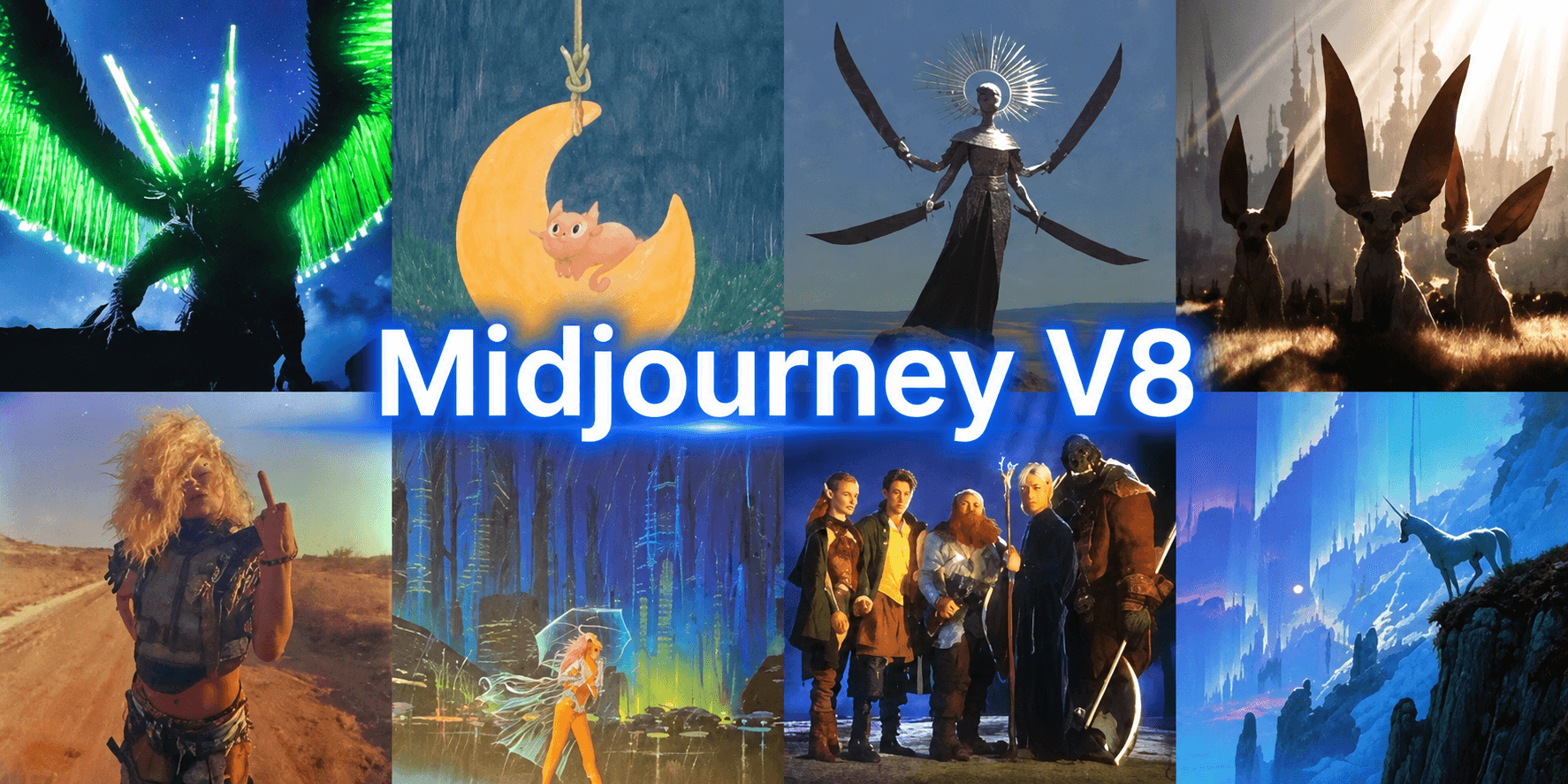
TL;DR
Midjourney’s eighth-generation image system is no longer a coming-soon product. The current default combines native 2K generation, much faster standard rendering, stronger prompt adherence, improved text rendering and personalization, and a new instruction-driven editing workflow. Its most important advance is not a single quality score; it is a shorter creative loop from broad exploration to high-resolution generation and multi-reference editing.
Key Takeaways
- The current default was released on July 24, 2026.
- Standard images render in about four seconds, while native HD images render in about 12 seconds under Midjourney’s published figures.
- Square HD output reaches 2048 × 2048 pixels, four times the pixel count of a 1024 × 1024 image.
- Draft Mode produces 24 lower-resolution ideas per prompt, making visual exploration much broader.
- The new Edit Model accepts natural-language instructions and up to four reference images.
- For most new projects, the current release is the strongest default; older versions remain useful when an established aesthetic or reference workflow must stay consistent.
What Is Midjourney V8
Midjourney V8 is an evolving image model family. The first public V8 Alpha launched on March 17, 2026 with native 2K HD support. V8.1 arrived on April 14 and made HD approximately three times faster and cheaper while further accelerating standard resolution. The aesthetics-focused V8.2 release became the default on July 24.
The generation combines image creation, personalization, Style References, Moodboards, Draft exploration, native HD output and a redesigned editing system. Midjourney does not disclose parameter counts or model architecture, so useful specifications are operational: resolution, latency, aspect ratio, GPU cost, candidate count and reference capacity.
| Specification | Published value | Practical meaning |
|---|---|---|
| Current default | July 24, 2026 release | Used unless another version is selected. |
| Standard square resolution | 1024 × 1024 px | Fast iteration and everyday generation. |
| Native HD square resolution | 2048 × 2048 px | Four times as many pixels as standard square output. |
| Maximum standard aspect ratio | 14:1 | Supports unusually wide or tall compositions. |
| Maximum HD aspect ratio | 4:1 | HD output has a narrower aspect-ratio limit. |
| Published standard latency | About 4 seconds | Designed for rapid iteration. |
| Published HD latency | About 12 seconds | Native 2K output without a separate upscale step. |
| Approximate standard GPU time | 0.8 minutes | Lower-cost generation path. |
| Approximate HD GPU time | 1.3 minutes | Higher cost in exchange for native resolution. |
| Draft output | 24 images at 512 × 512 for square prompts | Broad, low-cost exploration. |
| Edit references | Up to 4 images | Combines subjects, objects, styles or composition cues. |
The official showcase below demonstrates the range of aesthetics presented with the current release.
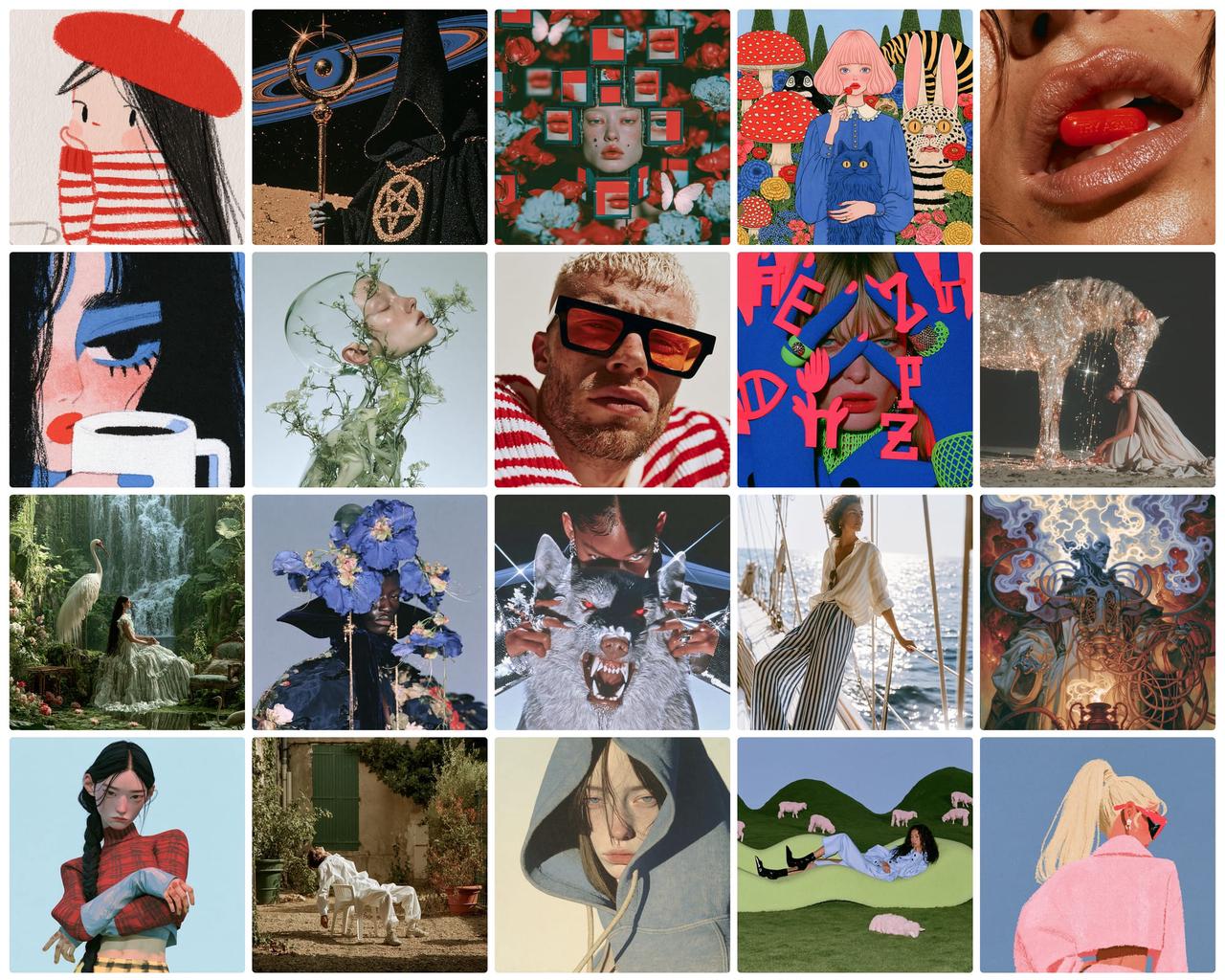
Official Midjourney current-generation image showcase
Directly embedded official image from the release announcement.
Midjourney publishes workflow specifications rather than architectural details such as parameter count. Claims about internal architecture should therefore be treated as unverified unless the company discloses them.
What Is New in Midjourney V8
Faster Standard and HD Generation
The April release made speed a defining feature. Midjourney reported four-second standard output and 12-second HD output. The company also describes standard jobs as approximately four to five times faster than earlier versions.
For a like-for-like Fast-mode comparison, Midjourney reported about 40 seconds for V7 Fast on May 2, 2025, then about 22 seconds after a May 29 optimization. It later reported about four seconds for V8.1 standard and 12 seconds for HD. Comparing the optimized V7 Fast figure with V8.1 standard gives roughly 5.5 times faster rendering; these published figures come from different releases and actual latency varies with mode, queue conditions and settings.
Native 2K HD
The native HD path produces a 2048 × 2048 square image rather than generating at standard resolution and relying only on upscaling. That provides more room for cropping and makes texture-heavy, fashion, product and environment concepts more useful earlier in the workflow.
HD generation is not permanent throughout every edit. Pan, Zoom Out and region editing can return an HD image to standard resolution, after which another upscale may be required.
More Literal Prompt Following and Better Text
The model retains secondary instructions more reliably, including wardrobe, camera angle, background elements, color constraints and scene composition. Raw mode remains useful when a user wants less default styling and more literal execution.
The Alpha announcement also highlighted improved text rendering when words are placed in quotation marks. This helps with poster concepts, packaging, signage and editorial mockups, but it does not turn the model into a deterministic typesetting tool. Final typography and brand marks should still be completed in design software.
Stronger Aesthetics and Personalization
The current release shifts emphasis from infrastructure to output quality. Midjourney says results should be more creative and sophisticated, while weak random generations should occur less often. The intended gain is a better quality distribution across a batch, not only a higher ceiling for the best image.
Personalization also plays a larger role. Profiles with substantial rating history should represent individual taste more accurately, and the pool used to build new profiles is broader. In practice, the final system is a combination of prompt, personalization, Style Reference and Moodboard rather than prompt text alone.
Twenty-Four Draft Ideas per Prompt
Draft Mode now returns 24 images at 512 × 512 for a square prompt and uses about 0.4 GPU minutes per prompt. The previous generation returned four candidates, so the current workflow offers six times as many exploratory directions.
A practical sequence is to explore broadly in Draft Mode, select one composition, refine it with Vary or Remix, and then rerender the chosen direction at standard or HD resolution.
A New Instruction-Driven Edit Model
The editing system supports natural-language edits, inpainting, outpainting and as many as four reference images. Multiple references can represent separate subjects, objects, styles or composition cues, providing more control than the earlier single-image Omni Reference workflow.
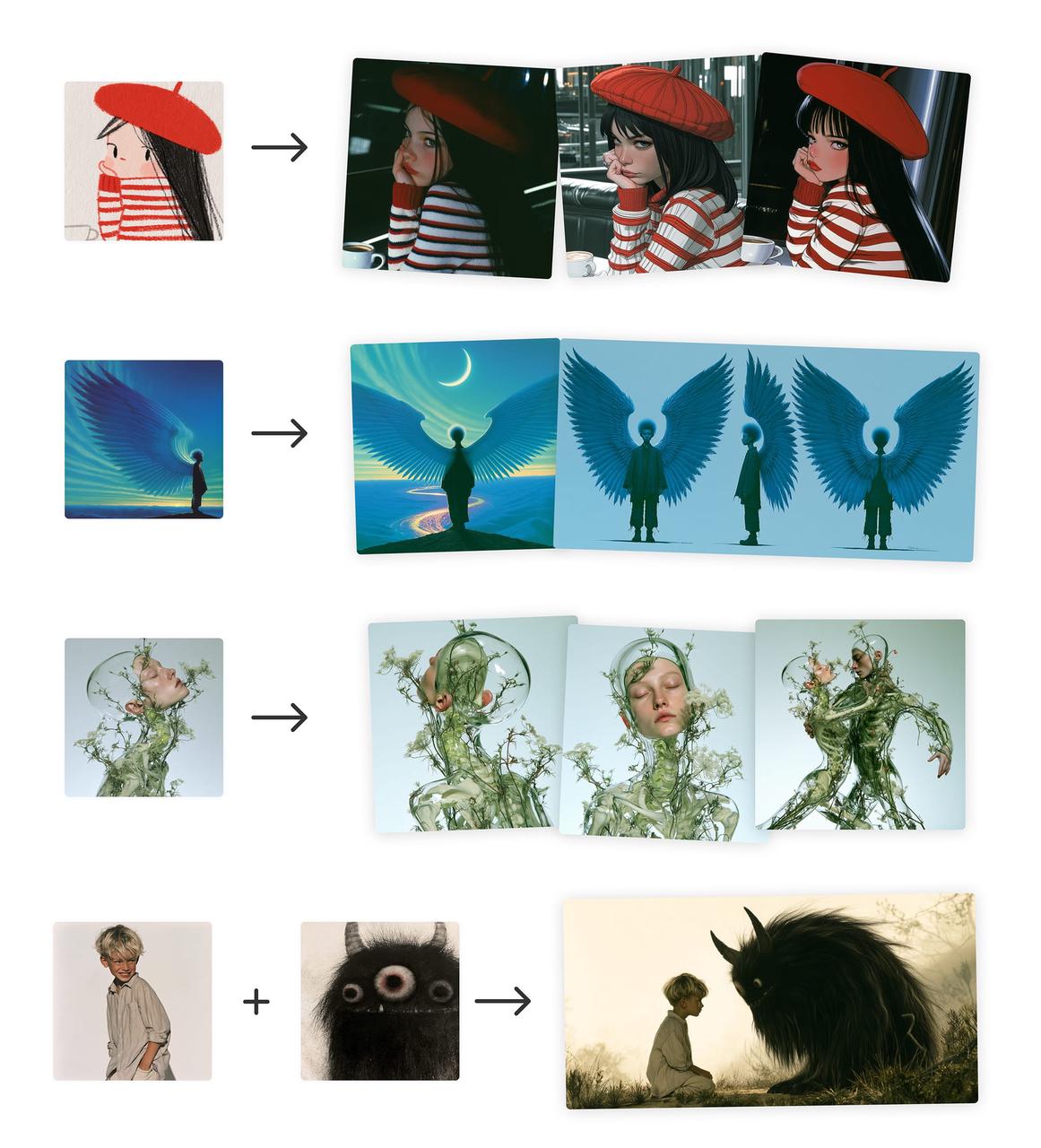
Official Midjourney editing and multi-reference examples
Directly embedded official image from the Edit Model announcement.
The Edit Model is evolving quickly. Production workflows should be tested against the current interface and behavior instead of assuming that early Alpha controls remain unchanged.
Midjourney V8 Performance
Its official measurements focus on workflow throughput, which is more directly relevant to creators deciding how many ideas they can explore and how quickly they can move to final resolution.
| Metric | Previous workflow | Current workflow — official figures | Result |
|---|---|---|---|
| Fast or standard render example | V7 Fast: about 22 seconds after May 29 optimization | About 4 seconds | Approximately 5.5× faster in the published comparison |
| Native square resolution | 1024 × 1024 px | 2048 × 2048 px in HD | 4× the pixel count |
| HD latency | No equivalent native path | About 12 seconds | Native 2K output in seconds |
| Draft candidates | 4 images | 24 images | 6× more concepts per prompt |
| Reference capacity | 1 Omni Reference image | Up to 4 Edit Model references | 4× the reference-image capacity |
| Standard GPU time | Varies by older mode | About 0.8 minutes | Lower-cost iteration path |
| HD GPU time | Not comparable | About 1.3 minutes | About 1.6× standard GPU time |
Performance result: the most defensible measurable improvement is creative throughput. The current workflow generates faster, offers a native high-resolution path, expands Draft exploration and accepts more reference information during editing. Image quality remains subjective, so teams should evaluate prompt adherence, usable-output rate and correction time on their own style requirements.
Midjourney V7 vs V8.1 vs V8.2
| Dimension | V7 | V8.1 | V8.2 |
|---|---|---|---|
| Primary emphasis | Coherence, Draft and Omni Reference | Speed, HD and prompt adherence | Aesthetics, consistency, personalization and editing |
| Default status | Previous generation | Default from June 10 to July 23, 2026 | Current default |
| Published render figure | About 22 seconds after optimization | About 4 seconds standard and 12 seconds HD | Uses the current-generation stack; no separate official latency claim |
| Native 2K HD | No | Yes | Yes |
| Draft batch | 4 images | 24 images | 24 images |
| Personalization | Major foundational feature | Compatible profile workflow | Stronger taste modeling and larger rating pool |
| References | One Omni Reference | Edit Model compatible; up to four image references | Edit Model compatible; up to four image references |
| Best reason to use | Consistency with an established older project | Historical projects built around the April release | Best overall choice for new work |
Comparison result: the current default is the best starting point for most new projects because it carries forward speed and HD improvements while adding stronger aesthetics, personalization and editing. The previous generation is still reasonable when a long-running project depends on a specific established look or its Omni Reference behavior.
Midjourney V8 Limitations
- The first Alpha is no longer selectable, so guides that present it as the current product are outdated.
- Editing tools can downscale HD source images to standard resolution.
- Better prompt adherence does not guarantee exact typography, product geometry or rigid layout placement.
- Creative variation remains part of the product, so identical prompts do not guarantee identical compositions.
- Editing controls and reference behavior may continue changing as the system matures.
Native 2K describes the generation path, not every downstream editing step. Check the final dimensions after inpainting, outpainting, Pan or Zoom operations.
Third-Party Midjourney V8 API Access via CometAPI
Midjourney’s primary first-party experience remains its web and Discord interfaces. For developers who need programmatic access, the preferred wording is Midjourney V8 API in CometAPI. CometAPI exposes Midjourney workflows through task-based API operations, and V8 behavior can be selected with the appropriate version parameter where supported.
Before production use, verify the live endpoint, supported operations, pricing, result polling and action-button behavior. A third-party API workflow should not be described as an official Midjourney API.
Who Should Upgrade?
Most new projects should use the current default, particularly when they need rapid iteration, native high-resolution concepts, detailed prompts, personalization, multi-image references, or natural-language editing.
An older version can remain preferable when a production series already depends on its characteristic look. Mid-project consistency may be more valuable than adopting a newer model immediately. Test both versions on a small set of representative prompts before migrating an established visual system.
Why Midjourney V8.2 Matters
The central change is a reduction in the cost of searching through visual possibilities. A creator can explore 24 draft candidates, move into a four-second standard loop, rerender a selected direction at native 2K, apply personal style controls, and then edit the result with several references.
Explore → select → control → edit → refine.
That connected workflow matters more than any isolated feature. The product increasingly resembles an AI-native visual workspace rather than a single text-to-image command.
Conclusion
Midjourney’s eighth generation is a released and actively evolving model family, not an upcoming experiment. Its strongest documented gains are faster generation, native HD output, broader Draft exploration, improved prompt and text handling, deeper personalization, and instruction-driven editing with multiple references.
For most creators, the current default offers the best balance of speed, quality and control. The right migration decision, however, should still be based on representative prompts, usable-output rate, consistency and total editing time rather than release recency alone.
FAQ
Is the eighth-generation model still in Alpha?
No. The first public Alpha began in March 2026, but the generation progressed through later releases and the July update is now the default.
What is the native HD resolution?
A square HD image is 2048 × 2048 pixels. Standard square output is 1024 × 1024 pixels.
How fast is generation?
Midjourney published approximately four seconds for standard generation and 12 seconds for HD under the April-release workflow. Actual latency varies.
How many images does Draft Mode produce?
It produces 24 lower-resolution images per prompt for the current-generation Draft workflow.
Does the Edit Model support multiple references?
Yes. It supports up to four reference images along with instruction-based editing, inpainting and outpainting.
Should every existing project upgrade immediately?
No. New projects should generally start with the current default, while established projects should compare output consistency before changing versions.
Is CometAPI the official Midjourney API?
No. It provides third-party programmatic access to Midjourney-compatible workflows. The distinction should be stated clearly in developer-facing content.