Midjourney is targeting V9 within 30 days of its November 11, 2026 Office Hours, according to GeniArt’s community recap. Expected improvements include more accurate prompt following, clearer text, stronger scene coherence, and a new upscaler. V8.2 remains the available choice for ongoing work; V9’s practical value will depend on how much it reduces retries and manual correction.
Key Takeaways
Timing: The reported window points to around December 11, rather than a fixed launch date.
Creative gains: Watch for better object placement, readable text, and more consistent detail within complex scenes.
A full-resolution base model and new upscaler are in development; exact V9 pixel dimensions are still to come.
Reviewed for clarity, source attribution and current API terminology.
Resolution:
Available options: Use V8.2 for creative production, an existing CometAPI workflow for automation, or a design editor for precise text and brand assets.
Upgrade decision: Compare the total time and cost needed to produce an approved image, including retries and corrections.
The V9 features below come from community reporting. Final specifications, availability, and pricing remain subject to an official release announcement.
What Could Change in Midjourney V9?
Prompt Adherence and Scene Coherence
Better prompt adherence could make complex compositions easier to direct. A useful test is a brief with explicit positions, lighting, and relationships between objects.
For example, consider this prompt:
A cinematic editorial photograph of a modern electric vehicle parked in front of a glass architectural building, with the vehicle positioned on the right side of the frame, a person standing on the left, warm sunset lighting, realistic reflections, and precise geometric composition.
For this brief, check whether the vehicle stays on the right, the person stays on the left, and the lighting and reflections agree. Test character continuity separately: arranging one scene correctly does not establish that the same face, outfit, or product will remain consistent across several images.
Text Rendering and Creative Controls
Posters, advertisements, and packaging need accurate words and controlled placement. The November 11 recap describes promising text results; the practical test is whether the requested spelling, line breaks, and layout survive repeated attempts.
The recap also describes an improved Weird mode, an unfinished SREF system, and a Thinking mode still being tuned to balance instruction following with aesthetics. Test familiar prompts and style references again when these controls become available. Transparency, HDR, and real-time features remain exploratory rather than promised launch features.
Full-Resolution Generation and a New Upscaler
The V9 base model reportedly works at full resolution, alongside development of a new upscaler. Exact output dimensions have not been disclosed, so “full resolution” should not be read as a promise of native 4K or 8K generation.
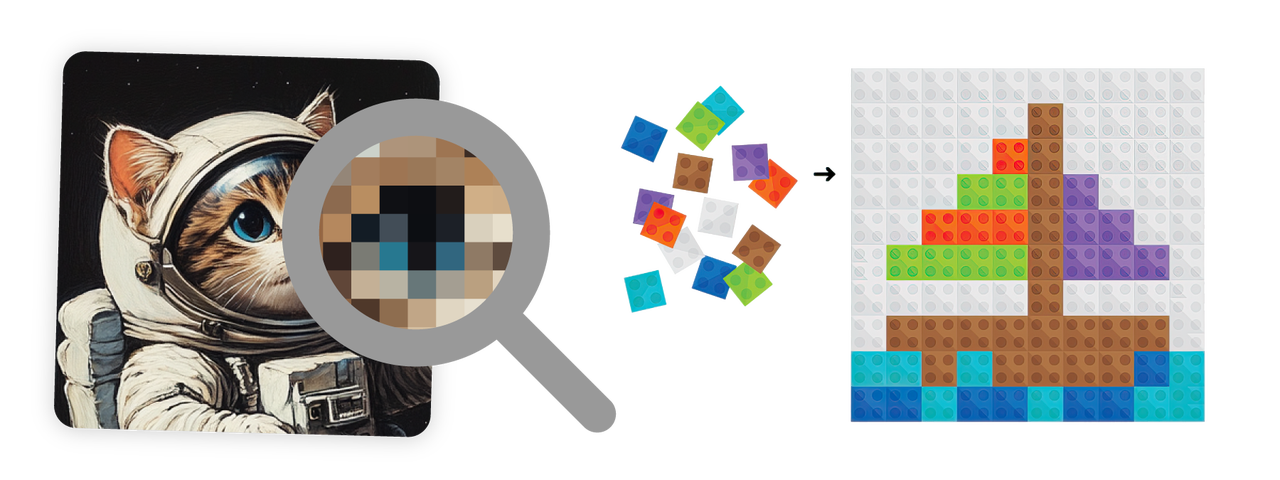
An upscaler enlarges an image while trying to preserve or improve detail, which matters when preparing artwork for posters, product displays, or larger digital formats.
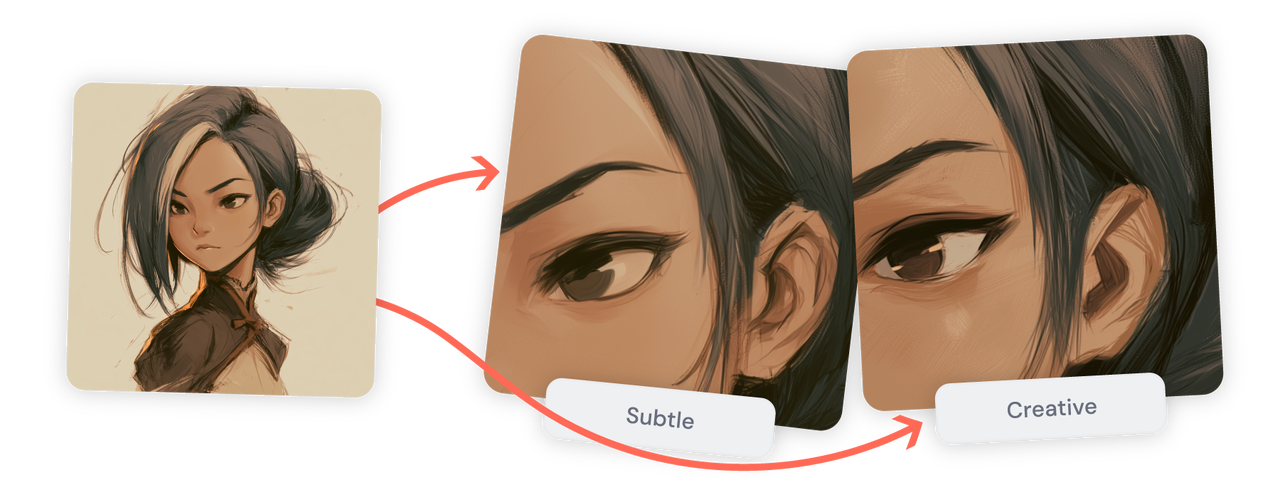
The illustration below shows Midjourney’s existing Subtle and Creative upscalers, not V9 output.
For a concrete reference, these are the current V8.2 dimensions listed in Midjourney’s upscaler documentation:
Aspect ratio
V8.2 SD resolution
V8.2 HD/upscaled resolution
1:1
1024 × 1024
2048 × 2048
4:3
1232 × 928
2464 × 1856
2:3
896 × 1344
1792 × 2688
16:9
1456 × 816
2912 × 1632
In this workflow, Subtle and Creative enlarge SD images. HD images are generated at the higher size directly and currently cannot be upscaled further using these options. Exact HD dimensions can vary slightly for some aspect ratios.
Pixel dimensions and print density answer different questions. More pixels can provide more detail at a given print size; changing a DPI setting without resampling does not create new image detail. Midjourney’s official guide explains how pixel dimensions relate to print size.
Midjourney V9 vs V8.2
Use V8.2 as the available baseline and V9’s reported priorities as a checklist for evaluation.
Dimension
V8.2 — official documentation
V9 — community report
Availability
Current default as of November 12, 2026; became the default on July 24
Targeted within 30 days of November 11
Creative priorities
Aesthetics, image quality, and personalization
Prompt adherence, text rendering, scene coherence, and detail
Resolution and enlargement
SD and HD output; Subtle and Creative enlargement for SD images
Full-resolution base model and new upscaler in development
Workflow and controls
Edit Model replaces Omni Reference, Character Reference, and Retexture
Work on Weird mode, SREF, and Thinking mode
The cited sources provide no verified V9-versus-V8.2 performance scores or V9 architecture and parameter specifications. The November 11 recap also discusses a possible doubling of per-image cost; it does not establish a subscription increase or an API price.
What Can You Use While Waiting for Midjourney V9?
You can continue creating with the tools available today. Midjourney V8.2 is the most direct choice for existing Midjourney projects, while GPT Image and FLUX offer alternatives for editing, text-focused designs, and controlled compositions. Choose according to the task you need to complete, then use the results as a baseline for evaluating V9.
Midjourney V8.2 for Creative Production
Continue with Midjourney V8.2 for visual concepts, illustrations, and campaign imagery when your existing workflow already meets the brief. Its interactive process lets you explore compositions, refine prompts, and select the strongest result.
For ongoing projects, keep the prompts, personalization settings, references, and approved images that define the visual direction. These provide a useful comparison when you test V9.
GPT Image and FLUX for Editing and Composition
Consider GPT Image 2.6 for image editing and text-focused designs, or FLUX 3 Image for reference-based compositions and object placement. Both are listed on CometAPI, allowing developers to explore alternatives within one platform.
A Hybrid Workflow for Text-Heavy Designs
For posters and advertisements with fixed copy or branding, generate the background first, then add final text and approved brand assets in a design editor. This lets you adjust typography and layout without regenerating the image.
CometAPI for Automated Workflows
For applications and repeatable generation tasks, CometAPI’s model catalog provides a place to explore image-generation and editing options. Select a model according to the workflow: creating a new image, editing an existing asset, or generating variations from references.
CometAPI also lists Midjourney-compatible services such as mj_fast_imagine and mj_turbo_imagine. These use an unofficial integration; their service names do not specify the underlying Midjourney version or confirm V9 support. Confirm version selection and billing before integration.
Should You Wait for Midjourney V9?
For work with a fixed delivery date, V8.2 remains the practical choice: it is available, and you can build on settings and outputs your team already knows. Keep a V9 trial separate from the delivery schedule until it can meet the same brief within the required time and budget.
V9 is worth evaluating first on projects that demand detailed composition, exact wording, or extensive correction. If stronger instruction following works well with Midjourney’s visual style, it could make those assignments easier to complete. Judge the upgrade by the effort required to reach an approved result.
How Should Creators Prepare for Midjourney V9?
Before an API trial, confirm version selection, supported parameters, returned task details, and billing with your provider. Use the following process to compare results:
Save the current baseline. Keep the prompt, version, aspect ratio, personalization settings, references, and approved output for representative V8.2 projects.
Test distinct requirements. Use separate briefs for object count and placement, exact text, scene detail, character identity, and enlargement. Record a failure when a required element is missing, even if the image looks attractive.
Compare like-for-like outputs. Keep the brief and target dimensions consistent where the versions support them, and record any settings that cannot be matched.
Measure usable work. Track attempts, generation time, enlargement, and manual correction needed to reach an approved result. Cost per accepted image is more useful than request price alone.
Adopt in stages. Start with a project that can tolerate experimentation and keep an established workflow available until the new version meets its acceptance criteria.
Conclusion
Midjourney V9’s most useful promise is greater control over the final image: where objects appear, how text reads, and how well detail holds up when enlarged. That could matter most on assignments where small errors currently create substantial revision work.
For now, V8.2 and existing production tools give you a workable starting point. The reason to move to V9 will be a smoother path from creative brief to finished asset, demonstrated on the work you actually produce.
FAQ
Will existing SREF codes work the same way in Midjourney V9?
Compatibility has not been established. When V9 documentation becomes available, check whether existing SREF codes are supported and compare their results with the original reference images.
Can a saved V8.2 seed reproduce an image in Midjourney V9?
The available reports do not establish cross-version reproduction from a seed. Do not make delivery depend on recreating an approved V8.2 image in V9; keep the approved output file available.
Should teams wait for Midjourney V9 before starting a client project?
For a fixed deadline, start with the workflow you can deliver with today. A flexible research or concept project can leave room for a V9 trial once access is available.
How should teams document a Midjourney V9 evaluation?
Keep one record per attempt: date, access method, model version, prompt, references, settings, original output, and the reason it passed or failed. Include unsuccessful attempts so the record reflects the effort needed to get a usable result.