
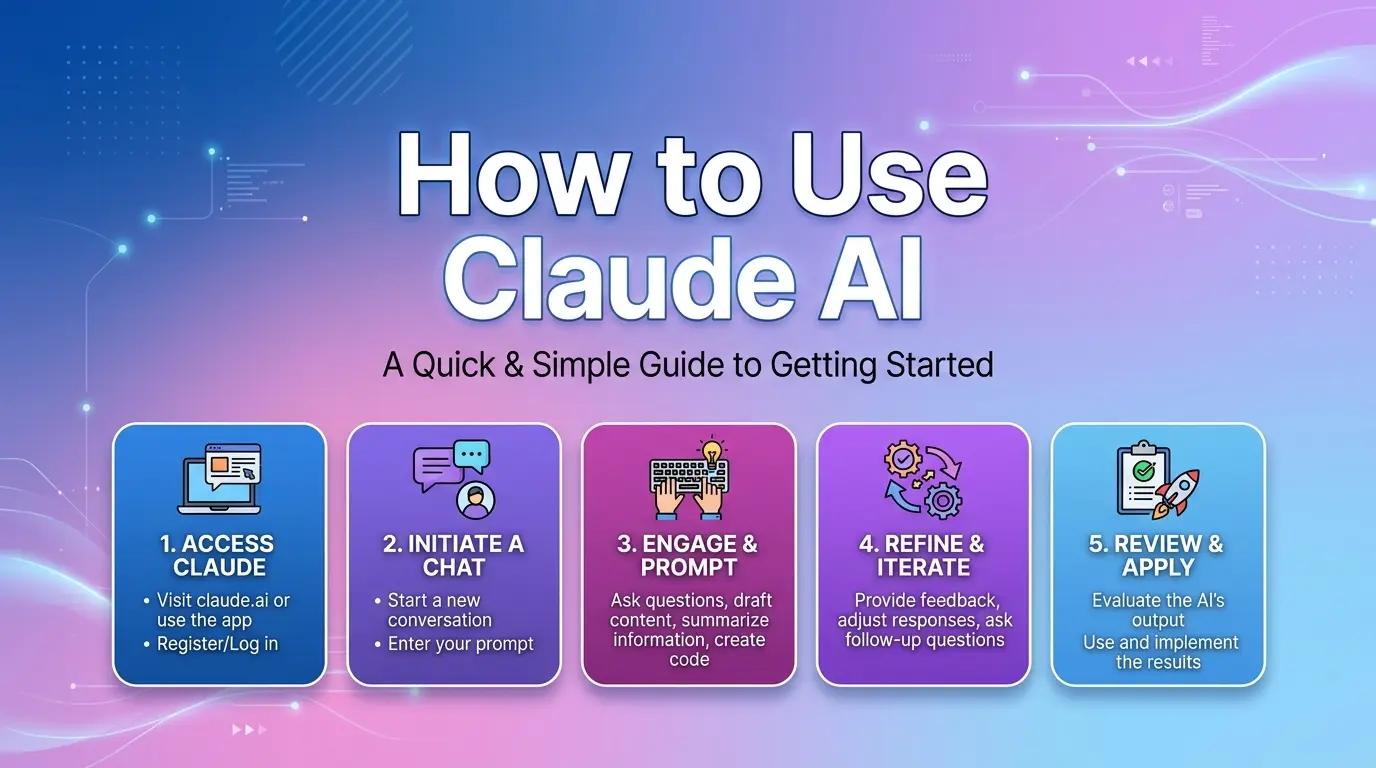
In April 2026, Anthropic dropped Claude Opus 4.7—its most powerful model yet—with massive gains in agentic coding, high-resolution vision (up to 2,576px), and creative design workflows via the brand-new Claude Design tool. Whether you’re a complete beginner or ready to scale into production, guide walks you through everything in one place: from signing up on claude.ai to mastering Projects, file analysis, prompt engineering, and API access.
By the end, you’ll go from zero to building real workflows in under 10 minutes. And for developers, we’ll show you how CometAPI delivers Claude Opus 4.7 and 500+ models through a single, cheaper, OpenAI-compatible key—saving 20-40% versus direct Anthropic pricing with zero vendor lock-in.
What Is Claude AI? How Does It Differ from ChatGPT in 2026?
Claude AI, built by Anthropic, is a family of frontier large language models (LLMs) trained with Constitutional AI for maximum helpfulness, honesty, and safety. As of April 2026, the lineup includes:
- Claude Opus 4.7 (flagship): Best for complex reasoning, long-horizon coding, and vision-heavy tasks. Tops SWE-bench Verified at ~80%+ and GPQA Diamond at 91%+. 1M token context.
- Claude Sonnet 4.6 (default for most users): Perfect balance of speed and intelligence. Excellent for coding, agents, and daily work.
- Claude Haiku 4.5 (fast & cheap): Ideal for high-volume, low-latency tasks.
The easiest way to think about Claude versus ChatGPT is this: both are general-purpose AI assistants, but Claude’s current product story leans hard into structured work, long-context workflows, projects, research, file handling, and developer access. OpenAI describes ChatGPT as a conversational AI assistant for everyday tasks like brainstorming, writing, studying, planning, math, coding, and analyzing images or files. Claude emphasize Projects, Research, memory, file creation, code execution, connectors, and plan-based workspaces.
| Area | Claude | ChatGPT |
|---|---|---|
| Core vibe | Structured work, long projects, analysis, and coding | Broad everyday assistant for writing, learning, planning, and multimodal tasks |
| Workspace model | Projects with reusable context and instructions | Projects and other chat-based organization tools |
| Current positioning | Strong emphasis on reasoning, files, code execution, and enterprise workflows | Strong emphasis on general assistant use, voice, apps, and broader consumer workflows |
| Best beginner use case | Long documents, research, repeatable workflows, API-driven automation | General conversation, brainstorming, voice-first use, broad consumer productivity |
Claude’s current product surface is especially attractive for users who want one place to keep context, files, and instructions together. ChatGPT emphasize breadth and accessibility, while Claude make Projects, Research, memory, and file/code workflows feel more central to the product. That difference matters for beginners choosing an AI tool for real work rather than casual experimentation.
Key 2026 differentiators vs. ChatGPT (GPT-5.x series):
| Aspect | Claude (2026) | ChatGPT (2026) | Winner for… |
|---|---|---|---|
| Coding & Reasoning | Opus 4.7 leads SWE-bench; adaptive thinking | Strong but trails in agentic tasks | Claude (developers) |
| Context Window | 1M tokens (Opus/Sonnet) | ~200K–1M (varies) | Claude |
| Safety & Honesty | Constitutional AI (fewer hallucinations) | Excellent but more “creative” | Claude |
| Multimodal | Text + high-res images; Claude Design | Images, voice, Sora video | ChatGPT (creatives) |
| Pricing (Pro/Plus) | $20/mo | $20/mo | Tie |
| API Cost (Sonnet) | $3 input / $15 output per M tokens | Slightly lower for some tiers | CometAPI + Claude (savings) |
| Agentic Features | Claude Code, Cowork, Projects, Routines | Custom GPTs + agents | Claude (power users) |
Bottom line: Choose Claude for precision, coding, long documents, and enterprise safety. ChatGPT shines for breadth and multimedia. Many professionals use both—Claude via CometAPI for cost efficiency.
Registration + Free Version vs. Paid Version Comparison
Best beginner workflow: from registration to mastery in 10 minutes
- Visit claude.ai.
- Click “Continue with Google” or “Sign up with email.”
- Verify email (phone optional in most regions).
- Accept terms → You’re in the free tier instantly.
The real mastery move is to stop treating Claude like a one-off chatbot and start treating it like a workspace. Once you do that, Projects, memory, files, and API access stop feeling like separate features and start behaving like one system. That is where Claude becomes genuinely useful for daily work.
Free vs. Pro vs. Max – 2026 Comparison Table
The Free plan already covers a lot: chat on web, mobile, and desktop; code generation; text/image analysis; web search; memory across conversations; file creation and code execution; desktop extensions; Slack and Google Workspace connectors; remote MCP connectors; and extended thinking for complex work. Pro adds more usage, Claude Code, Claude Cowork, unlimited Projects, Research, more models, and access to Claude for Excel, PowerPoint, and Word beta. Max sits above Pro with 5x or 20x more usage, higher output limits, early access to advanced features, and priority access during peak traffic.
| Feature | Free ($0) | Pro ($20/mo or $17 annual) | Max (from $100/mo) |
|---|---|---|---|
| Models | Sonnet 4.6 / Haiku 4.5 (limited) | All models incl. Opus 4.7 | All + priority + early access |
| Daily Messages | ~50–100 (resets daily) | ~100 every 5 hours + higher limits | 5–20x Pro usage |
| Projects | Limited | Unlimited | Unlimited + advanced Cowork |
| Claude Code / Cowork | No | Yes (limited) | Full + routines & computer use |
| File Uploads | Per chat (limited) | Persistent in Projects | Unlimited + higher limits |
| Context Window | 100K–200K | Full 1M tokens | Full 1M + extended thinking |
| Claude Design | Research preview (limited) | Full access | Priority |
| Best For | Testing & light use | Most individuals & professionals | Heavy coders & teams |
| Key included features | Chat, analysis, web search, memory, files, code execution, connectors, extended thinking | Everything in Free, plus more usage, Claude Code, Claude Cowork, unlimited projects, Research, more models, Excel, PowerPoint, Word beta | Everything in Pro, plus 5x or 20x more usage, higher output limits, early access, priority access |
Tip: Start free. Upgrade to Pro the moment you hit limits or want Opus 4.7—most users say it’s worth every penny for serious work. Projects are available to all users, including those on free accounts, but free users are capped at five Projects. That is a huge beginner-friendly feature because it lets you organize ongoing work without paying on day one.
Demonstration of Core Features (Conversations, Files, Projects)
A smart first-hour workflow looks like this: start in a normal chat, ask one well-scoped task, upload one file, create one Project for a recurring use case, then move one repeated prompt into that Project. That sequence teaches you Claude’s interface without overwhelming you. It also mirrors Anthropic’s own guidance to combine related tasks, provide upfront background, and reuse context instead of repeating it.
1. Conversations & Smart Prompting
Every chat starts simple. Type your request and hit Enter. Pro features in 2026:
- Memory: Claude remembers across chats in the same Project.
- Extended/Adaptive Thinking: Toggle for deeper reasoning (Opus/Sonnet).
- Web Search: Built-in for up-to-date info.
Example beginner prompt: “Explain Claude Opus 4.7 vs Sonnet 4.6 like I’m 5, then give a technical comparison table.”
2. Uploading and Analyzing Files
Click the + icon in the chat box → Upload PDFs, CSVs, images, code files (up to 30MB per file in Projects).
Real use case: Upload a 200-page PDF contract → “Summarize risks and suggest redlines.” Claude extracts text instantly and reasons across the entire document thanks to 1M context.
Supported formats (2026): PDF (multimodal), DOCX, TXT, CSV, images up to 8000x8000px, code files.
3. Projects – Your Personal Knowledge Base (The Game-Changer)
Projects turn Claude into a persistent workspace.
Step-by-step to create your first Project (60 seconds):
- Left sidebar → Projects → + New Project.
- Name it (e.g., “Q2 Marketing Campaign”).
- Add Description + Custom Instructions (e.g., “Always respond in British English, tone = professional yet friendly”).
- Knowledge tab → Upload files (brand guidelines, past campaigns, data sheets). These stay forever.
- Start chatting inside the Project—Claude references everything automatically.
Advanced Projects tips:
- Create one per client/project to avoid context bleed.
- Use Artifacts for live previews (code → rendered UI).
- Share Projects with Team plan.
Real user data: Power users report 3–5x productivity because they never re-explain context.
One of the most practical benefits is caching. Anthropic says content in Projects is cached and does not count against limits when reused, and similar prompts are partially cached too. That means a well-built Project can save both time and usage while also keeping the assistant’s responses more consistent across multiple chats.
Advanced Usage Tips: Prompt Writing & API Access
Prompt Engineering Mastery (2026 Edition)
Claude follows instructions extremely well. Use this framework:
- Role: “You are a world-class senior product manager…”
- Task + Constraints: “Analyze this CSV. Output ONLY a markdown table with columns: Insight, Evidence, Recommendation. No fluff.”
- Examples (few-shot): Give 1–2 input/output examples.
- Chain-of-Thought: “Think step-by-step before answering.”
- Iterate: Use “Improve this output by 30% on clarity and depth.”
- When the task is current or time-sensitive, recommending explicitly asking it to use web search. Free users have daily usage limits and that web search and fetch both count toward those limits. In other words, use web search when freshness matters, but do not turn it on casually if you are trying to conserve capacity.
API access: when you outgrow the chat window
If you are moving from chat to automation, the shortest route is: choose a model, send one Messages API request, then add prompt caching once your prompts become repetitive. Anthropic says prompt caching can significantly reduce processing time and costs for repeated prefixes, and it is eligible for Zero Data Retention arrangements. That makes caching particularly useful for workflows such as support automation, document pipelines, and recurring content generation.
For current models, Anthropic’s docs identify Claude Opus 4.7 as the most capable general-purpose model for complex reasoning and agentic coding, and the model overview says all current Claude models support text and image input, text output, multilingual capabilities, and vision.
Claude’s official API is powerful but requires separate keys and direct billing. Enter CometAPI.com—your one-stop unified gateway.
Why 100,000+ developers choose CometAPI for Claude in 2026:
- 20-40% cheaper than Anthropic direct (Opus 4.7 at ~$3 per million tokens).
- Single API key for Claude and 500+ models (GPT-5, Gemini, Grok, etc.).
- OpenAI-compatible endpoints → drop-in replacement.
- Real-time analytics, budget alerts, no vendor lock-in.
- Instant test credits on signup.
Step-by-step: Use Claude Opus 4.7 via CometAPI (Python example)
import anthropic
import os

# Get your CometAPI key from https://www.cometapi.com/console/token, and paste it here
COMETAPI_KEY = os.environ.get("COMETAPI_KEY") or "<YOUR_COMETAPI_KEY>"
BASE_URL = "https://api.cometapi.com"

client = anthropic.Anthropic(
    base_url=BASE_URL,
    api_key=COMETAPI_KEY,
)
message = client.messages.create(
    model="claude-opus-4-7",
    max_tokens=1024,
    messages=[{"role": "user", "content": "Hello, Claude"}],
)
print(message.content[0].text)
That’s it. Switch models by changing one word. No new SDKs. No separate billing dashboards.
Enterprise bonus: CometAPI supports prompt caching, batch API, and 99.9% uptime—perfect for scaling Claude-powered agents.
FAQ
Is Claude free?
Yes. Anthropic’s pricing page lists a Free plan at $0 and says it is free for everyone. The Free plan includes chat, analysis, web search, memory, file creation, code execution, connectors, and extended thinking, though usage is naturally more limited than paid tiers.
How many Projects can free users create?
Free users can create a maximum of five Projects. Pro users get unlimited Projects. That alone is a strong reason many beginners can test the product first and upgrade only when they hit organizational limits.
What is the best Claude plan for most beginners?
For most beginners, Free is enough to learn the interface and basic workflows. Pro becomes worth it when you want unlimited Projects, Research, more usage, more model access, and the deeper productivity tools that Anthropic bundles into the paid plan.
Should I use CometAPI for Claude?
Use CometAPI when your goal is multi-model development, faster switching between providers, or simpler API management across many AI tools. If your only need is direct Claude usage in Anthropic’s own app, the native route is simpler. CometAPI’s own positioning makes it most compelling for developers and product teams rather than casual chat users.
Conclusion: Your 10-Minute Path to Claude Mastery
You now have the complete playbook:
- Signed up and chose the right plan.
- Mastered conversations, files, and Projects.
- Learned pro prompting.
- Discovered how CometAPI.com makes API access faster and cheaper.
Next step: Head to CometAPI, grab your free API key and test credits, then try Opus 4.7 in your first project. Whether you’re writing blog posts, building agents, or analyzing financials, Claude + CometAPI is the 2026 stack that actually delivers ROI.
Bookmark this guide, share it with your team, and start building. The future of work isn’t coming—it’s already here.