Kling 4.0 and Seedance 2.5 generate video with synchronized audio, but they suit different production briefs. Start with Kling 4.0 when your storyboard requires explicit keyframes or prescribed camera moves. Consider Seedance 2.5 when you need a larger reference set, direct audio references, or timestamp-based audio-video editing. Both models support targeted video edits.
Updated November 5, 2026, this comparison covers official capabilities, published tests from CellCog and Fuser, and pricing from fal and CometAPI. Platform-specific settings are identified where they affect access, output, or cost.
Key Takeaways
Length and sound: Kling 4.0 and Seedance 2.5 both support up to 30 seconds per generation with audio.
Creative inputs: Kling offers up to 10 keyframes and 15 combined reference assets; Seedance supports up to 50 multimodal references. Input capacity alone does not establish output quality.
Reviewed for clarity, source attribution and current API terminology.
Published tests: CellCog scored Seedance 408/700 and Kling 401/700, while Fuser found Kling more reliable in several directed scenes. Both evaluations used small, single-take samples.
Budget: Kling was cheaper in the compared fal configurations. Prices and input-media charges vary by provider, so compare the route you will actually use.
API planning: Seedance 2.5 has a documented CometAPI workflow. Confirm account-level access and an executable route before scheduling Kling 4.0 production through CometAPI.
Kling 4.0 vs Seedance 2.5: Overview and Specifications
The table distinguishes published model limits from platform-specific output settings.
Dimension
Kling 4.0
Seedance 2.5
Developer
Kuaishou
ByteDance Seed
Release
October 15, 2026
July 31, 2026
Generation duration
3–30 seconds
4–30 seconds in CometAPI
Reference capacity
15 combined; up to 10 images and 5 videos
50 combined; up to 30 images, 10 videos and 10 audio clips
Directing controls
Up to 10 flexible keyframes; Omni Reference
Multimodal references; timestamp-level editing
Documented output settings
720p and 1080p on fal
480p and 720p in CometAPI
Audio
Native stereo audio
Native synchronized audio
Video extension
Up to 2 minutes announced; rollout-dependent
Multiple rounds; availability depends on the platform
Kling 4.0: Keyframes and Directed Motion
Developed by Kuaishou, Kling 4.0 is the fourth-generation flagship model in the Kling AI video generation family.
Following its September 30 announcement, Kling AI launched Kling 4.0 globally on October 15, 2026, with enhanced visual realism, dynamic motion, and multimodal creative control.
The official Kling 4.0 guide describes a native multimodal model with 3–30-second generation, up to 10 keyframes and a shared 15-asset reference budget. Its individual maxima are not additive: images, videos, subjects and voice references share that budget, and reference videos have a combined 30-second limit.
Instead of describing an entire scene in one prompt, creators can determine how characters, camera positions, and compositions should change over time.
For example, a 30-second advertisement could establish the product at the beginning, introduce a character at second 10, and transition into a final product reveal near second 25.
Treat those times as a directing brief to test, not a guarantee of exact execution. The official guide also separates the keyframe and Omni Reference workflows; their distinct controls cannot simply be assumed to work together in one request.
Kling advertises stereo audio and multilingual speech. Kling lists 720p, 1080p, and 4K output. Its release notes still mark 10-bit HDR at 1080p and 4K, and video extension up to two minutes, as coming soon.
Seedance 2.5: Reference Composition and Editing
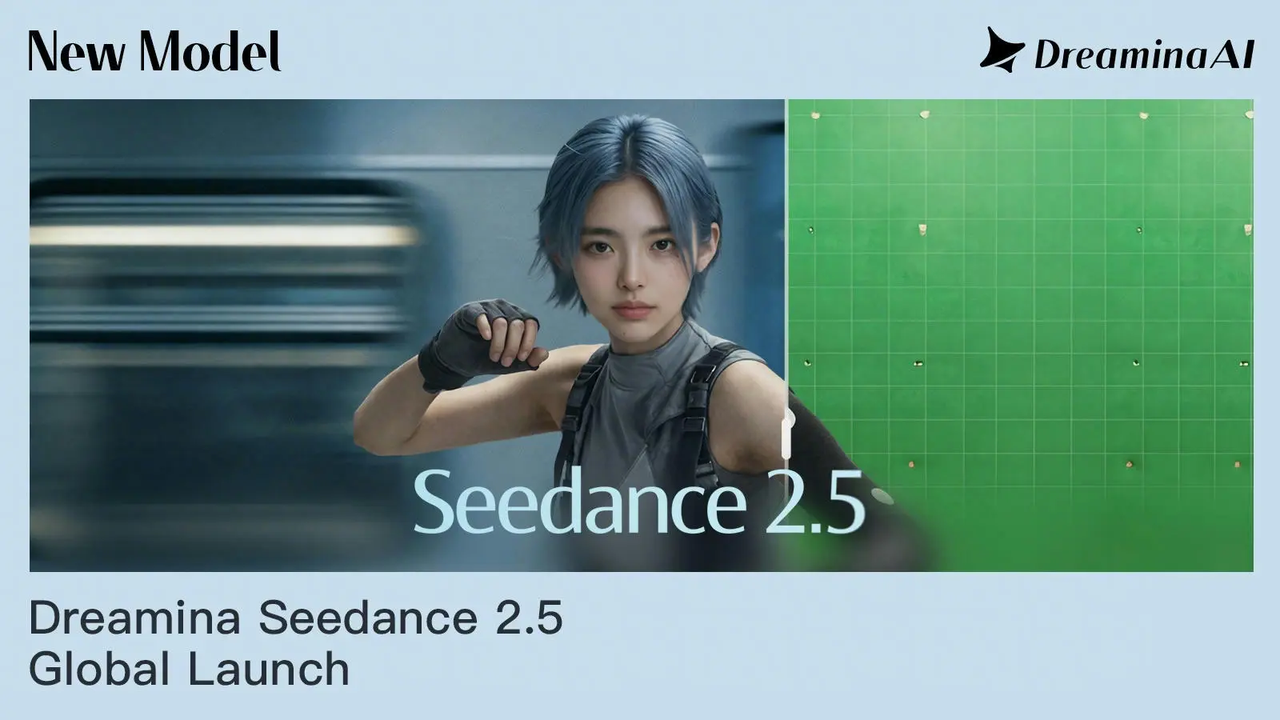
Seedance 2.5 is ByteDance's advanced multimodal video generation model, officially released on July 31, 2026.
ByteDance's release announcement describes a unified multimodal audio-video generation architecture, 30-second output and up to 50 references. It also documents timestamp-level editing, clay-render guidance and green-screen editing. These describe creative capabilities, not a guarantee that every integration exposes identical controls.
A filmmaker could provide character portraits, wardrobe designs, location images, movement references, and voice samples to guide a single scene.
The practical benefit is a broader set of inputs for defining the scene. It does not follow that using all 50 references will preserve every identity more accurately; begin with the assets that establish the subject, setting and action, then add only what the shot needs.
Kling 4.0 vs Seedance 2.5: Performance
The CellCog evaluation published on October 29, 2026 compared ten scenarios with matched references, prompts, duration and resolution, using one take per model. Seedance ran through CellCog's video agent; Kling used fal's reference-to-video endpoint. Most tests used 720p, 16:9 and sound; the 21:9 test used 1080p.
Each test was scored out of 70 across seven criteria, including identity, prompt adherence, dialogue, motion and physics, audio, a task-specific criterion and overall quality. CellCog discloses that its own video agent runs on Seedance, so this is a vendor-run evaluation, not a neutral certification or an official model benchmark.
In CellCog’s ten-scene test, Seedance scored 408/700 (58.3%) and Kling 401/700 (57.3%)—a gap of just one percentage point. Seedance scored higher in seven scenarios, including voice-reference lip-sync and motion transfer; Kling led in the pancake flip, text rendering and 21:9 framing tests. Use these results to choose scenes for your own trial: one take per scenario is too small a sample to establish a consistent winner.
CellCog's separate editorial preference favored Seedance in all ten. Those are different judgments, and neither establishes a statistically reliable win rate from one take per scenario.
In Fuser's October 23 comparison, four tests used five prompts, with one run per model per prompt, matched settings and 720p output. Kling followed camera direction and preserved subjects more closely in several examples; Seedance produced stronger atmosphere in the long take. Fuser offers both models, and its test is another small production sample rather than a general leaderboard.
Video Quality, Motion and Audio
Video quality involves more than resolution. Motion stability, subject consistency, believable physical interactions, sound design, and dialogue synchronization all influence how professional a generated clip feels.
The cited results support testing Kling first for tightly prescribed camera movements and fast interactions, and testing Seedance for lighting-led or reference-heavy scenes. They do not support an unconditional winner: Seedance scored higher in CellCog's start-to-end-frame test even though Kling exposes more explicit keyframe controls.
Audio deserves a separate check. Both systems generate synchronized sound, while Kling explicitly documents stereo output. Evaluate spoken words, timing, ambience and mix levels on the actual clip; a good visual result can still require audio post-production.
More reference slots are a capacity advantage, not evidence of better character consistency by themselves. Keep the same identity references and action brief when comparing outputs, and inspect faces, hands, props and interactions throughout the clip rather than judging a single attractive frame.
Creative Control and Production Constraints
Kling's explicit keyframes are useful when a brief specifies recognizable visual milestones. Seedance's larger reference budget and targeted editing are useful when a brief starts with substantial source material. This distinction concerns how you direct a shot; the output still needs review for motion, identity and prompt adherence.
For example, a fashion advertisement might use one reference for the model, several for clothing, another for the studio, and a video reference for camera motion.
Seedance then attempts to synthesize these inputs into a cohesive sequence.
A product reveal may instead benefit from a small set of deliberate keyframes. In either workflow, specify which reference controls identity, which controls movement and which controls the setting. Conflicting instructions can make a large reference set harder to manage.
Generation Speed and End-to-End Latency
For deadline-driven work, compare the time from submission to a downloadable, usable clip. Queueing, clip duration, resolution and the amount of reference media can change that wait. A fast first attempt offers little benefit if it needs several revisions before delivery.
Run the same shot brief through the routes you intend to use, and record queue time, generation time, retries and editing time. Report typical and slow-case completion times separately. Do not infer a production speed advantage from visual-quality scores.
Kling 4.0 vs Seedance 2.5: Cost
Compare both the model and the provider when budgeting. The rates below use the November 5 pricing snapshot cited in this article; CometAPI figures apply to its default discounted group. Ten-second estimates exclude input video references, retries and post-production.
Provider
Model
Resolution
Price per second
Cost per 10-second clip
Kling AI
Kling 4.0
720p
$0.157
$1.57
Kling AI
Kling 4.0
1080p
$0.235
$2.35
BytePlus ModelArk
Seedance 2.5
480p
~$0.1028
~$1.028
BytePlus ModelArk
Seedance 2.5
720p
~$0.2312
~$2.312
BytePlus ModelArk
Seedance 2.5
1080p
~$0.5686
~$5.686
CometAPI
Seedance 2.5
480p
$0.0824
$0.824
CometAPI
Seedance 2.5
720p
$0.1848
$1.848
At 720p, Kling 4.0 costs approximately 66.8% less than Seedance 2.5 under these pricing conditions.
At 1080p, the difference becomes even larger, with Kling costing approximately 79.8% less.
Seedance billing on fal is token-based; output dimensions and duration affect the final charge. Input video references change the rate and add billable input duration. Kling also uses different charging rules for video references, so the simple output-seconds calculation above does not apply unchanged to reference-video jobs.
For Seedance 2.5, CometAPI’s listed 720p rate works out to about $1.85 per ten-second clip, compared with about $4.73 on fal. Check your account’s rate and selected configuration before setting a production budget.
Cost Example: 1,000 Ten-Second Clips
Using the displayed 720p rates above and assuming no input video references, 1,000 ten-second generations represent 10,000 output seconds. The illustrative generation cost is $1,570 for Kling 4.0 on fal, approximately $4,730 for Seedance 2.5 on fal, or $1,848 for Seedance 2.5 in CometAPI's default discounted group.
These are separate provider configurations, not a comparison of Kling and Seedance within CometAPI. The estimates exclude retries and post-production; the fal Seedance figure uses an approximate per-second rate. A different output size, reference-video input or account rate can change the bill.
Cost per Approved Video
However, successful production also depends on the number of attempts needed to obtain an acceptable result.
A lower-priced model may require additional generations for some scenarios, while a higher-priced model may reduce revisions when its visual strengths match the task.
The most useful production metric is therefore cost per approved video, rather than the price of a single generation.
Where Can You Access Kling 4.0 and Seedance 2.5?
You can use Seedance 2.5 through CometAPI for 4–30-second videos in its documented 480p and 720p configurations. For implementation details, see the API guide.
For Kling 4.0, fal is the provider used in the comparisons above. If you prefer CometAPI, confirm Kling 4.0 access, supported settings and pricing for your account before planning production.
Should You Choose Kling 4.0 or Seedance 2.5?
Production brief
Starting point
What to validate
A fixed storyboard or prescribed orbit
Test Kling 4.0 first
Keyframe transitions, camera path and subject identity
A lighting-led fashion or narrative scene
Test Seedance 2.5 first
Material detail, continuity and reference conflicts
A product interaction or handling demonstration
Compare both
Grip, contact, object shape and action completion
A shot requiring localized revisions
Evaluate Seedance editing in the chosen platform
Whether the requested region changes without disturbing the rest
High-volume production
Compare approved output on the intended provider
Retries, usable-clip rate, processing time and total cost
A hybrid pipeline can use different models for different shots, provided the outputs can be matched in editing. Keep the same visual brief across the project and select each route on the basis of its approved footage, not its feature count.
Before committing, test both models on the same product interaction, moving character, camera move and dialogue scene. Keep references and output settings consistent, repeat each shot, and compare usable results, turnaround time and total cost—including rejected takes. Choose the option that delivers enough approved footage within your deadline and budget.
Conclusion
Kling 4.0 is the stronger starting point for storyboard-led work: it offers explicit multi-keyframe control and lower generation costs in the compared fal configurations. Seedance 2.5 is worth testing first for larger reference sets, direct audio references, and timestamp-based editing. Published examples favor Kling in several prescribed-action and camera-direction tasks, while Seedance often delivers richer atmosphere and texture. For recurring production, choose the provider-model combination with the lowest cost per approved clip.
FAQ
How should Seedance 2.5 references be uploaded to CometAPI?
Use input_reference for images, reference_videos for MP4 video and reference_audios for MP3 audio. Repeat a field for multiple assets instead of combining URLs with commas. The reference-input rules allow up to 30 images and distinguish video/audio limits for URLs versus uploads: up to 10 URLs or 5 files per media type. Pair audio with at least one image or video, and assign each reference a clear role in the prompt.
Can Kling 4.0 or Seedance 2.5 preserve an approved voiceover unchanged?
Do not treat a voice reference as a guarantee of verbatim audio playback. In CellCog's supplied-voiceover test, both models generated a rendition rather than copying the waveform. If a campaign requires an approved recording, retain that file as the final soundtrack and synchronize the selected visuals in post-production. Listen for timing changes even when the spoken words are correct.
Why might Seedance 2.5 reject a generated portrait reference?
A synthetic portrait can still trigger a platform's likeness checks. In Fuser's portrait-reference test, Seedance rejected images of an invented person, while Kling accepted the same brief. That observation concerns one test and platform, not a universal policy difference. Follow the provider's permitted reference workflow and use an eligible alternative when an input is rejected.
How can Kling 4.0 and Seedance 2.5 clips fit into one edit?
Define shared delivery settings and a visual reference before generating, then compare color, exposure, subject appearance, motion direction and audio levels across shot boundaries. Avoid placing two visibly inconsistent versions of the same face in consecutive close-ups. Establishing shots, object inserts and deliberate transitions can make a mixed-model sequence easier to assemble without requiring every shot to match pixel for pixel.