
TL;DR
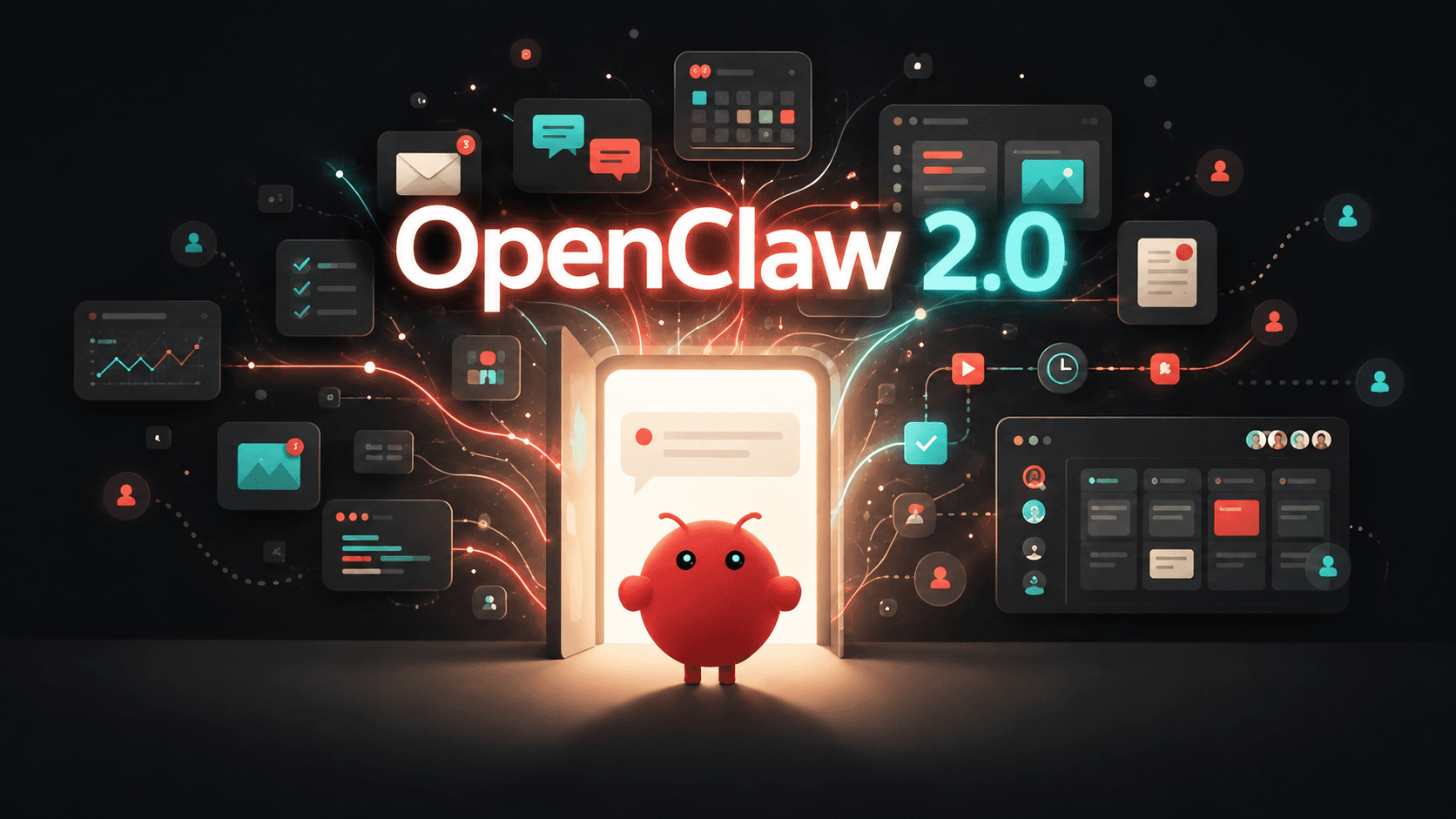
OpenClaw 2.0 is not a new large language model. It is the milestone name for OpenClaw v2026.8.1, released on August 30, 2026. The update turns OpenClaw from a mainly personal agent runtime into a more collaborative and persistent operating layer for AI agents.
OpenClaw 2.0 adds shared multiplayer sessions, a conversation-first Control UI, SQLite-backed storage, governed Skills, unified automations, and tighter permissions. Eligible personal Claws can also recall relevant information from other private conversations belonging to the same agent; shared sessions do not automatically share memory.
For most active users, the upgrade is meaningful. Teams should still create a verified backup and test critical plugins, permissions, and automations before moving a production installation.
Key Takeaways
- Platform, not model: OpenClaw supplies the runtime, tools, memory, channels, and permissions; the connected model supplies most reasoning capability.
- Multiplayer is the strategic shift: authorized people can collaborate inside a live agent session without discarding its context.
- SQLite strengthens persistence: sessions and transcripts move from file-backed storage to structured state.
- The browser app is measurably lighter: the official simulated test reports 140 to 45 JavaScript requests and about 1.6 seconds to 575 milliseconds at startup.
- Upgrade with care: SQLite migration and tighter permission boundaries deserve a backup and staged validation.
OpenClaw 2.0 at a Glance
OpenClaw remains an open-source, model-agnostic AI-agent runtime. The official launch story describes the largest update in the project’s history, while the release ledger records 16,977 pull requests, 698 direct commits, and 987 contributors.
| Specification | OpenClaw 2.0 |
|---|---|
| Release version | v2026.8.1 |
| Release date | August 30, 2026 |
| Product type | Self-hosted AI-agent runtime and gateway |
| License | MIT |
| Model architecture | Model-agnostic |
| Primary runtime | Node.js |
| Supported desktop systems | macOS, Linux, and Windows |
| Session and transcript storage | SQLite |
| Web interface | Conversation-first Control UI |
| Collaboration | Shared multiplayer sessions |
| Memory | Cross-conversation recall for eligible personal agents |
| Skill system | Skills, Skill Workshop, proposals, checks, and history |
| Automation | Unified Automations and Scheduling |
| Security model | Request-, session-, and person-bound approvals |
Current installations require a supported Node runtime. The Node installation requirements should be checked before an upgrade because supported minimums can change after the 2.0 milestone.
What Is OpenClaw?
A normal model API accepts input and returns output. OpenClaw adds the persistent execution layer around that exchange: conversations, tools, files, browser access, messaging channels, scheduled tasks, memory, Skills, and permissions.
That makes OpenClaw agent infrastructure, not a foundation model. Model benchmarks such as MMLU, GPQA, or SWE-bench do not measure “OpenClaw intelligence” directly. The useful platform-level measures are startup behavior, session durability, tool reliability, recovery, and how much context survives across people and conversations.
For readers starting from scratch, CometAPI’s OpenClaw beginner guide covers the basic architecture and initial setup. This article focuses on what changed in 2.0.
OpenClaw 1.x vs OpenClaw 2.0
The update is best understood as a coordinated platform shift rather than a collection of isolated features.
| Dimension | OpenClaw 1.x | OpenClaw 2.0 | Practical result |
|---|---|---|---|
| Primary usage | Mainly personal | Personal and multiplayer | Live collaboration and handoff |
| Onboarding | Configuration-first | Existing-access discovery | Faster path to a first conversation |
| Web interface | Control-panel oriented | Conversation-first | Less navigation friction |
| Session storage | File-backed | SQLite-backed | More durable structured state |
| Collaboration | Limited handoff | Shared sessions | Context can survive handoff |
| Memory | More fragmented | Cross-conversation recall | Better continuity |
| Skills | Separate mechanisms | Connected management loop | Easier authoring and governance |
| Automation | Cron-oriented concepts | Unified Automations | Clearer scheduling model |
| Browser access | Existing automation | Managed profile and shared tabs | Better scope control |
| Approvals | Less tightly scoped | Bound to request and session | Lower approval-reuse risk |
| Updates | More fragile recovery | Staged checks and recovery | Safer upgrade workflow |
The overall movement is from “configure a personal agent” toward “operate persistent agent work with other people.” SQLite, memory, Skills, and tighter approvals support that same direction.
What Are the Biggest User-Facing Changes in OpenClaw 2.0?
The Defining Change: Multiplayer Sessions
The release adds shared cloud sessions that let authorized collaborators enter live work with the session context intact. Instead of forwarding an answer after completion, a teammate can join the execution process while the agent still has its files, task history, and state.
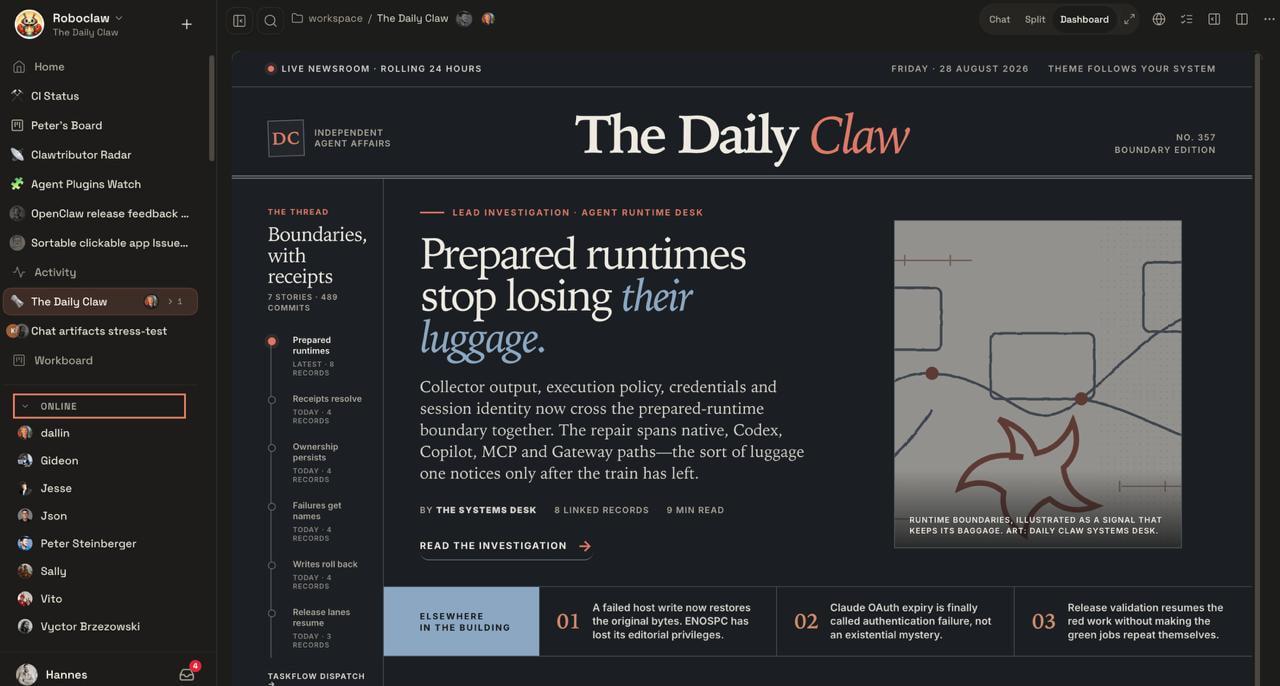
This is useful for project handoffs, specialist review, paired operations, and long-running work. It does not turn one Gateway into full hostile-tenant isolation. Unrelated or mutually untrusted users should still be separated at the deployment level.
A Rebuilt Conversation-First Control UI
The new browser application centres work on conversations. Files, approvals, settings, terminals, and live activity stay closer to the active session instead of being scattered across administrative views.
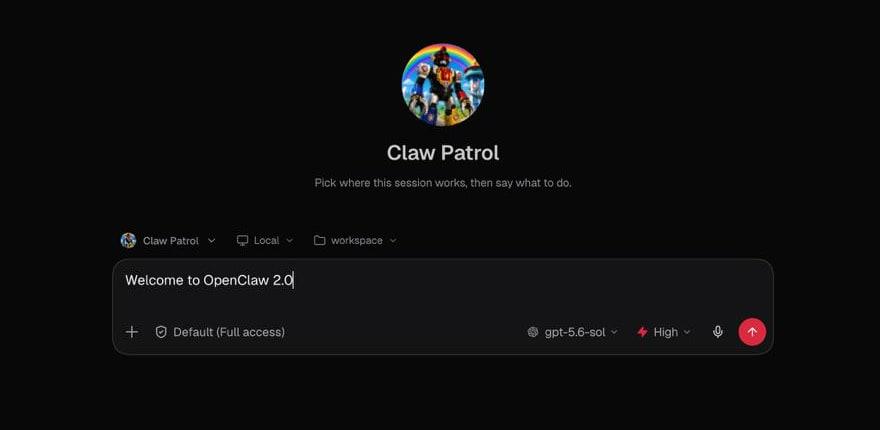
Sessions can be grouped by project, person, or custom category. The design matters because agent work repeatedly moves between conversation, execution, approval, file inspection, and follow-up. Keeping those surfaces around one persistent session reduces operational friction.
OpenClaw 2.0 Performance: What the Data Shows
Because OpenClaw is model-agnostic, the most credible 2.0 benchmark measures the runtime experience rather than reasoning quality. In an official simulated default-chat startup test with a mocked Gateway and 50 ms HTTP/1.1 latency, JavaScript requests fell from 140 to 45, while startup time fell from about 1.6 seconds to 575 milliseconds.
| Official startup test | Before | OpenClaw 2.0 | Calculated result |
|---|---|---|---|
| JavaScript requests | 140 | 45 | 67.9% fewer |
| Startup time | About 1,600 ms | 575 ms | 64.1% lower |
| Relative startup speed | 1.0× | About 2.78× | About 2.8× faster |
The percentages are calculated from the official before-and-after values. They describe the stated Control UI startup test, not arbitrary real-world agent completion.
This benchmark does not mean every OpenClaw workflow is 2.8× faster. Model latency, network calls, tool execution, browser actions, and long-running jobs remain separate bottlenecks.
Installation and Onboarding
Guided setup can discover supported subscriptions, API keys, and local models already present on a machine. It then verifies the selected model before saving it and can hand off directly to the browser application or terminal.
The product now tries to reach a working conversation before asking for optional configuration. This reverses the older configuration-first flow and makes the initial experience easier to diagnose.
SQLite and Persistent Session State
OpenClaw 2.0 moves sessions and transcripts into SQLite. Structured storage provides a stronger foundation for lookup, collaboration, history, recovery, and cross-conversation workflows.
The change is also the main upgrade risk. A package rollback does not automatically reverse the storage migration, and sessions created after migration do not simply appear in an older file-backed release.
Create a verified backup before upgrading. Review the SQLite downgrade procedure before returning to an older file-backed version.
openclaw backup create --output ~/Backups/openclaw --verify
The backup documentation explains how to include state, configuration, credentials, agent directories, sessions, and workspaces while verifying the resulting archive.
Memory and Skills Become More Operational
An eligible personal Claw can recall relevant context from the same agent’s other private conversations. The memory workflow also makes searching, inspecting, importing, and removing memory more visible.
Skills already existed before 2.0. What changes is the surrounding lifecycle. Skill Workshop connects creation, validation, discovery, installation, invocation, proposals, checks, decisions, and revision history.
The resulting loop is simple: execute, observe, propose an improvement, review it, and reuse it. That is more sustainable than accumulating every lesson in an oversized system prompt.
CometAPI’s OpenClaw memory guide covers memory controls in more detail.
Model Selection and CometAPI
OpenClaw controls the runtime; the model still comes from a provider. Version 2.0 can keep the session, memory, tools, and permissions stable while changing the model assigned to a conversation, an agent, or the shared default.
For example, GPT-5.6 Sol API in CometAPI can handle reasoning-intensive agent work while another model handles routine monitoring or summaries. The surrounding OpenClaw workflow does not need to be redesigned for each model route.
CometAPI’s OpenClaw configuration tutorial provides the provider-specific setup steps.
Automations, Browser Control, and Computer Use
OpenClaw 2.0 brings scheduled work together under one Automations and Scheduling model across the agent, Control UI, CLI, documentation, and supported native applications.
Browser access can use an isolated managed profile or exact Chrome tabs chosen by the user. Computer control remains platform- and permission-dependent.
| Computer-use area | OpenClaw 2.0 status |
|---|---|
| Managed Chromium browser | Supported |
| Selected signed-in Chrome tabs | Supported |
| macOS computer control | Supported |
| Windows computer control | Supported when explicitly enabled |
| Linux computer control | Experimental |
| View-only sessions that block input | Supported |
The important improvement is not merely that the runtime can click more things. Browser identity, device identity, approvals, and permissions are increasingly tied to the intended session and machine.
Security Becomes Session-Aware
An agent that can execute commands, access files, operate a browser, and call external services needs stricter boundaries than a text-only chatbot. In 2.0, approvals stay request-bound, and protected credentials can reach supported destinations without becoming ordinary model-visible text.
The design principle is that permission should travel with the task instead of becoming a reusable blanket approval. Per-session policies can also reduce the authority of one conversation relative to the broader installation.
Collaboration controls are not full hostile-tenant isolation. Businesses serving unrelated users should add deployment-level isolation around the runtime.
How to Upgrade Safely
Supported update paths inspect an installation before replacement. The CLI also offers a dry-run mode that previews planned actions without installing or restarting.
openclaw backup create --output ~/Backups/openclaw --verify
openclaw update --dry-run
openclaw update
openclaw doctor
openclaw health
Production users should run the same plugins, channels, browser permissions, automations, and recovery checks that matter in daily operation. A successful package installation does not prove that every persistent workflow survived the migration.
Should You Upgrade to OpenClaw 2.0?
| User type | Recommendation | Reason |
|---|---|---|
| New OpenClaw user | Download the current stable release | Best onboarding and UI baseline |
| Existing personal user | Generally yes | Better UI, memory, and state management |
| Team testing shared agents | Strong yes | Multiplayer is the defining 2.0 capability |
| Heavy automation user | Yes, after testing | Persistence improves, but migration matters |
| Production deployment | Stage first | SQLite and permission changes require validation |
| Heavily customized installation | Test in parallel | Plugins and integrations may need adjustments |
| User requiring easy rollback | Back up carefully | New SQLite sessions need deliberate downgrade handling |
For most active users, OpenClaw 2.0 is a meaningful upgrade. Its strongest value comes from how the changes reinforce one another: shared sessions need stronger state, stronger state enables better memory, persistent workflows make Skills more valuable, and collaborative execution makes scoped permissions more important.
Final Verdict
OpenClaw 2.0 is best understood as a maturity shift. The release does not replace the model layer; it makes the operating layer around that model more persistent, collaborative, understandable, and governed.
New users should begin with a current stable release. Existing users should upgrade after creating a verified backup and testing the integrations that matter. Teams gain the most from multiplayer sessions, SQLite-backed state, improved memory, and request-specific approvals.
For developers using CometAPI as the model layer, the architecture remains flexible: OpenClaw can own the workflow while GPT-5.6 Sol API in CometAPI or another suitable model supplies the reasoning.
FAQs
Is OpenClaw 2.0 a new AI model?
No. It is an AI-agent runtime and orchestration environment. The connected model determines most language, reasoning, and coding capability.
What version is OpenClaw 2.0?
OpenClaw 2.0 is the milestone name for v2026.8.1. Later releases build on that foundation, so new deployments should also evaluate the current stable version.
What is the most important new feature?
Shared multiplayer sessions are the largest strategic change because they let multiple authorized people collaborate around persistent agent work. For individual users, the rebuilt Control UI and simpler onboarding may be more immediately visible.
Is OpenClaw 2.0 free?
The source code remains MIT-licensed. Model API usage, infrastructure, storage, and external services can still create operating costs.
Does OpenClaw 2.0 make models faster?
Not directly. The published performance result concerns Control UI startup under a specific simulated test. Model inference and tool execution have their own latency.
Can I roll back after upgrading?
Yes, but before returning to a file-backed release, use the current OpenClaw CLI to restore the archived legacy conversation records. Sessions created after the SQLite migration will not appear in the older release. Create and verify a backup, then follow the official downgrade procedure.