
TL;DR
Seedance 2.5 Flash is ByteDance’s speed- and cost-focused video generation model for rapid creative iteration and batch production. According to BytePlus, it delivers results close to Seedance 2.5 at nearly twice the generation speed, with 720p text-to-video and image-to-video pricing about 34% lower. Choose Flash for testing ideas at 480p or 720p, and Seedance 2.5 when you need 1080p output or more reference assets.
You can access Seedance 2.5 Flash through CometAPI at 80% of the official price. For teams producing many candidate clips, this adds a further 20% saving to Flash’s lower-cost model tier.
Key Takeaways
- Seedance 2.5 Flash targets frequent prompt testing and batch video production.
- BytePlus’s international launch example is USD 0.152 per second for 720p text-to-video and image-to-video, approximately 34% below the flagship.
- Its announced limits are 30 seconds per clip, with up to 10 images, 5 videos and 5 audio clips as references.
- Flash offers 480p and 720p output; the documented flagship API adds 1080p and a larger reference budget.
- Seedance 2.5 Flash is available through CometAPI at 80% of the official price, a 20% discount.
What Is Seedance 2.5 Flash?
Seedance 2.5 Flash is a multimodal video-generation model developed by ByteDance’s Seed team. It belongs to the Seedance 2.5 family and is designed for creators and businesses that need a large number of video generations without paying flagship-level prices for every iteration.
The official Flash model description positions it as a speed- and cost-focused tier. Text prompts and visual or audio references help guide a shot, while editing capabilities support changes to an existing concept. For an advertising team, that makes it a candidate for testing product angles, camera movements and scene variations before choosing a final direction.
What Features Does Seedance 2.5 Flash Offer?
Faster creative iteration
According to BytePlus, Flash generates video at nearly twice the speed of Seedance 2.5, helping you explore more ideas in less time. For example, an e-commerce team can create multiple short product-video variations, review the results, and select the strongest concept before investing in a higher-resolution final render. Actual completion times vary with queueing, clip length and request complexity.
Longer connected scenes
Seedance 2.5 Flash supports a single video of up to 30 seconds. The 30-second limit gives creators room for a product demonstration, a short advertisement or a connected action sequence in a single generation.
Reference-led creative direction
A useful reference set gives each asset a clear role: a portrait for appearance, a room for the environment, and a motion or audio reference where needed.
The following images are input references from the official Seedance 2.5 tutorial. They illustrate character and environment guidance, rather than finished Flash output.

Official tutorial reference: character portrait. Use an appearance reference to define the subject you want the shot to preserve.
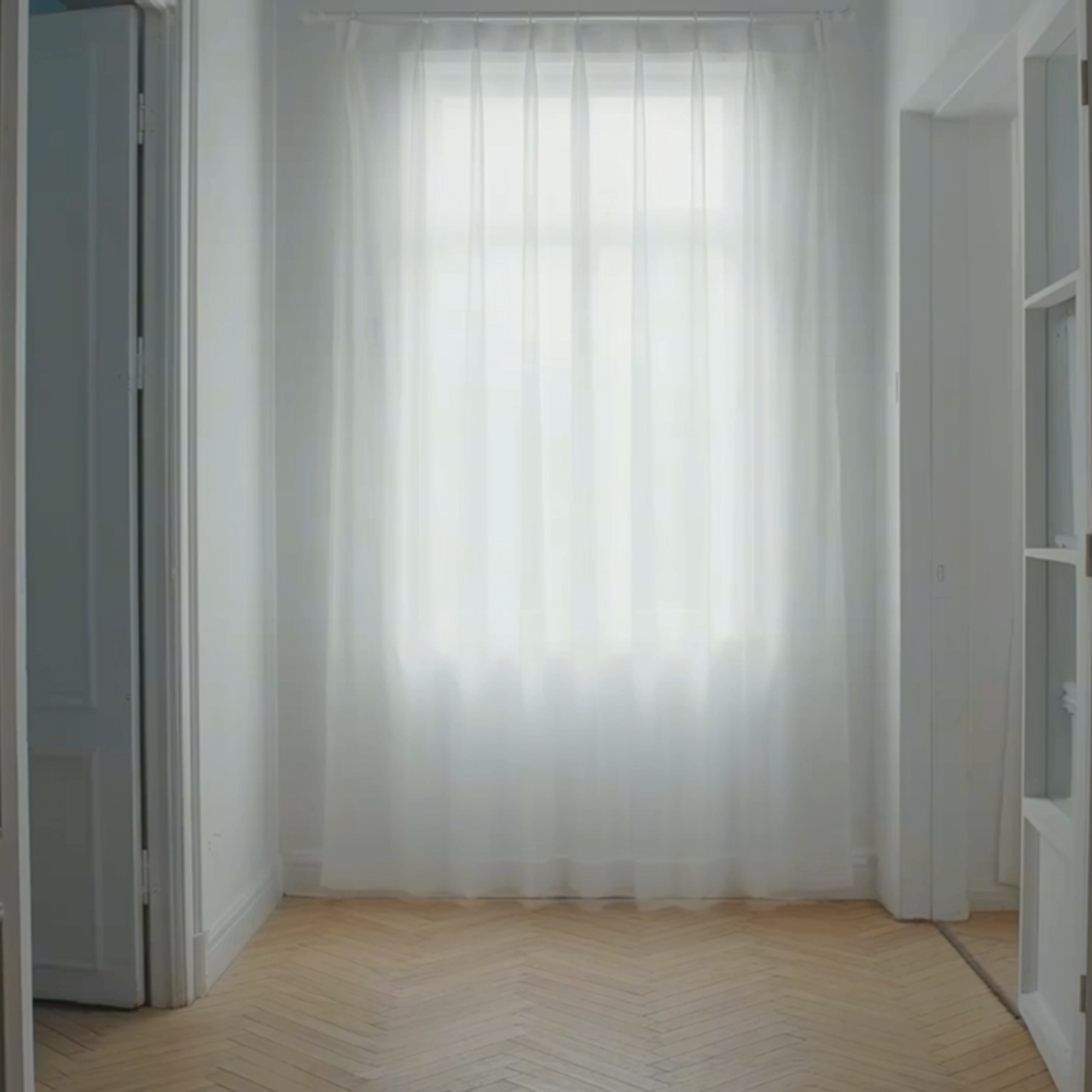
Official tutorial reference: room environment. A separate setting reference can communicate lighting, materials and spatial context.
Seedance 2.5 Flash vs Seedance 2.5
The two models serve different production priorities. Flash is the faster, lower-cost option for high-volume generation, while Seedance 2.5 remains the flagship tier for creators who need higher resolution and a larger multimodal reference budget.
| Capability | Seedance 2.5 Flash | Seedance 2.5 |
|---|---|---|
| Primary role | Speed and cost efficiency | Higher-resolution final production |
| Generation modes | Text-to-video; image-to-video; multimodal reference workflows | Text-to-video; image-to-video; multimodal reference workflows |
| Generation speed | Nearly twice the flagship speed, according to BytePlus | Reference tier |
| Maximum clip duration | 30 seconds | 30 seconds |
| Output resolutions | 480p, 720p | 480p, 720p, 1080p in the cited ModelArk API documentation |
| Image references | Up to 10 | Up to 30 |
| Video references | Up to 5 | Up to 10 |
| Audio references | Up to 5 | Up to 10 |
| Draft mode | Not listed for Flash | Supported |
| Relative 720p launch price | Approximately 34% lower | Baseline; approximately 51.5% higher than Flash by reverse calculation |
| CometAPI access | Available through CometAPI | Available |
| Best fit | Rapid iteration and batch production | Higher-resolution final production |
The comparison uses the announced Flash limits and the flagship’s ModelArk API specifications; available options may vary by service.
Model selection
- Choose Seedance 2.5 Flash for prompt testing, social-media variations, product-video batches, and workflows where cost per generated second matters.
- Choose Seedance 2.5 when the deliverable requires 1080P output, more reference assets, or the flagship Draft workflow.
A practical two-stage workflow is to use Flash for creative exploration, select the strongest concept, and then produce the final version with the flagship model when higher resolution or more detailed references are required.
What Are the Best Use Cases for Seedance 2.5 Flash?
Seedance 2.5 Flash is most useful when a project needs several creative options before committing to a final shot. The following workflows put that flexibility to work, with a clear review goal for each batch.
Advertising and social content
Build variations around one campaign brief: change the opening action, setting or camera movement while keeping the product and message consistent. Review whether viewers can identify the product and understand the offer quickly. Change one major element at a time and test the strongest candidates with your audience. Use consistent brand references across ads and social posts, then add captions, logos and calls to action during editing to suit each platform.
E-commerce product scenes
Use product references to create short listing-video concepts that place your product in lifestyle or seasonal settings. Before publishing, check labels, packaging, proportions and visible features against the real item. Use verified footage when a demonstration must accurately show how the product performs.
Storyboards and scene previsualization
Explore the staging, pacing and camera direction of a proposed scene before committing to a shoot or final render. A candidate clip can help a director, client or animator discuss where an action starts, how the shot develops and what needs to change.
How Much Does Seedance 2.5 Flash Cost?
BytePlus announced a 720p launch price of USD 0.152 per generated second for text-to-video and image-to-video, approximately 34% below Seedance 2.5. Seedance 2.5 Flash in CometAPI is priced at 80% of the official rate, giving you a further 20% discount on Flash.
| 720p planning example | Official Flash rate | CometAPI at 80% of the official rate |
|---|---|---|
| Per generated second | $0.152 | $0.1216 |
| One five-second clip | $0.76 | $0.608 |
| 100 five-second clips | $76.00 | $60.80 |
These estimates apply CometAPI’s 20% discount to BytePlus’s announced 720p text-to-video and image-to-video rate: $0.152 × 0.8 = $0.1216 per second. The 34% model-price reduction and CometAPI’s 20% discount use different baselines; they should not be added together.
For your budget, check the rate for your resolution and input type; reference-video requests may use a different tariff.
Cost per usable clip
Cost per accepted clip shows how far your budget goes. For example, if you spend $60.80 on 100 candidates and accept 20, the generation cost is $3.04 per accepted clip, before editing or higher-resolution finishing. Track your own acceptance rate alongside total spend.
Where Can You Access Seedance 2.5 Flash?
Seedance 2.5 Flash API in CometAPI
Developers can access Seedance 2.5 Flash API in CometAPI for video-generation workflows. CometAPI charges 80% of the official price, making it a lower-cost access route for prompt testing, creative variations and batch production.
Use the integration instructions for Seedance 2.5 Flash to configure your requests. If a project needs higher-resolution output or a larger reference budget, Seedance 2.5 API in CometAPI provides the flagship option. Keep model selection and generation settings configurable so each job can use the appropriate tier.
Volcano Engine ModelArk
Seedance 2.5 Flash is scheduled to open for online testing and API calls on Volcano Engine at 14:00 (UTC+8) on November 15, 2026.
ModelArk uses asynchronous video tasks: submit a request, receive a task ID, then poll for completion or use a webhook to retrieve the result. The video task API documentation describes request creation. Use the model identifier and supported parameters for the service you choose.
FAQ
Can a Flash draft be upgraded directly into a flagship result?
Treat the handoff as a new generation or editing step unless your service supports direct transfer. Save your prompt, references and selected clip to carry the creative brief forward; a Flash result is separate from the flagship’s Draft-mode task.
How should a team test Seedance 2.5 Flash before a large batch?
Use a small set of representative briefs: a product close-up, a shot with movement and a scene that depends on reference consistency. Hold prompt, duration and resolution constant where both models support them. Record completion time, billed cost and whether each clip meets the brief. That reveals whether faster generation also reduces the cost of approved work for your particular content.
Does a 720p Flash clip fit every social-media workflow?
Check the final delivery specification before choosing a model. A 720p candidate may be sufficient for reviewing a concept, while a campaign can require a higher-resolution master for cropping, reframing or reuse. Upscaling adds pixels but does not guarantee recovery of missing fine detail; judge the delivered result at its intended viewing size.
What should developers keep when switching video models?
Store the original prompt, reference files, requested duration, aspect ratio and returned task metadata. These records help you reproduce a brief and compare results. When switching, match these inputs to the destination model’s supported fields and limits.
Conclusion
Seedance 2.5 Flash is a practical choice for testing prompts, comparing creative directions and producing batches at 480p or 720p. Choose Seedance 2.5 when you need 1080p output, more reference assets or its Draft-to-final workflow.