generate(
    prompt=(
        "Create a studio product photograph of an unbranded teal "
        "ceramic travel cup on a warm cream background. "
        "Show one cup, a clean silhouette, and a soft contact shadow. "
        "No text or decorative objects."
    ),
    destination="cup.png",
    output_format="png",
)
generate(
    prompt=(
        "Design an original minimalist icon of a teal travel cup "
        "with a small leaf motif. Use simple closed vector shapes, "
        "two flat colors, and generous negative space. "
        "No text, gradients, photographs, or background scenery."
    ),
    destination="cup-icon.svg",
    output_format="svg",
)
實用的 SVG 驗收測試不僅是打開檔案:
在小尺寸與大尺寸下檢視圖示。
檢查形狀與顏色是否易於編輯。
確認結果符合預期的視覺系統。
在將外部提供的 SVG 嵌入應用程式前,檢查其 XML。
不要將 SVG 作為點陣編輯的輸入送回。將向量修訂與影像編輯的工作流程分開。
How Do You Create Transparent PNG Assets with GPT Image 2.6?
generate(
    prompt=(
        "Create a single teal ceramic travel cup as an isolated "
        "e-commerce asset. Center the entire cup with generous padding. "
        "Keep clean edges and a fully transparent background. "
        "No floor, backdrop, checkerboard pattern, or text."
    ),
    destination="cup-transparent.png",
    output_format="png",
    background="transparent",
)
驗證實際透明度:
from PIL import Image

with Image.open("cup-transparent.png") as image:
    alpha = image.convert("RGBA").getchannel("A")
    minimum, maximum = alpha.getextrema()

    if minimum == 255:
        raise RuntimeError("The output contains no transparent pixels.")

    if maximum == 0:
        raise RuntimeError("The output is entirely transparent.")

    print("The output contains visible content and transparency.")
這可抓出偽裝成剪裁圖的不透明影像。它不評估邊緣品質;請在淺色與深色背景下檢視資產。
How Do You Edit Images with Multiple GPT Image 2.6 References?
為每個參考指定明確角色。本例中,第一張影像提供產品識別,第二張影像提供預期場景。
with (
    open("product.png", "rb") as product,
    open("setting.png", "rb") as setting,
):
    response = requests.post(
        f"{BASE_URL}/images/edits",
        headers=HEADERS,
        data={
            "model": "gpt-image-2.6-sunburst",
            "prompt": (
                "Use the cup in the first image as the exact product "
                "reference. Use the second image only for the setting. "
                "Place the cup naturally in that setting. Preserve its "
                "silhouette, lid, color, and printed details. "
                "Do not copy other products from the second image."
            ),
            "quality": "high",
            "complexity": "medium",
            "output_format": "png",
        },
        files=[
            ("image[]", ("product.png", product, "image/png")),
            ("image[]", ("setting.png", setting, "image/png")),
        ],
        timeout=(15, 300),
    )

save_result(response, "product-in-setting.png")
with (
    open("product-oriented.png", "rb") as source,
    open("markup.png", "rb") as markup,
):
    response = requests.post(
        f"{BASE_URL}/images/edits",
        headers=HEADERS,
        data={
            "model": MODEL,
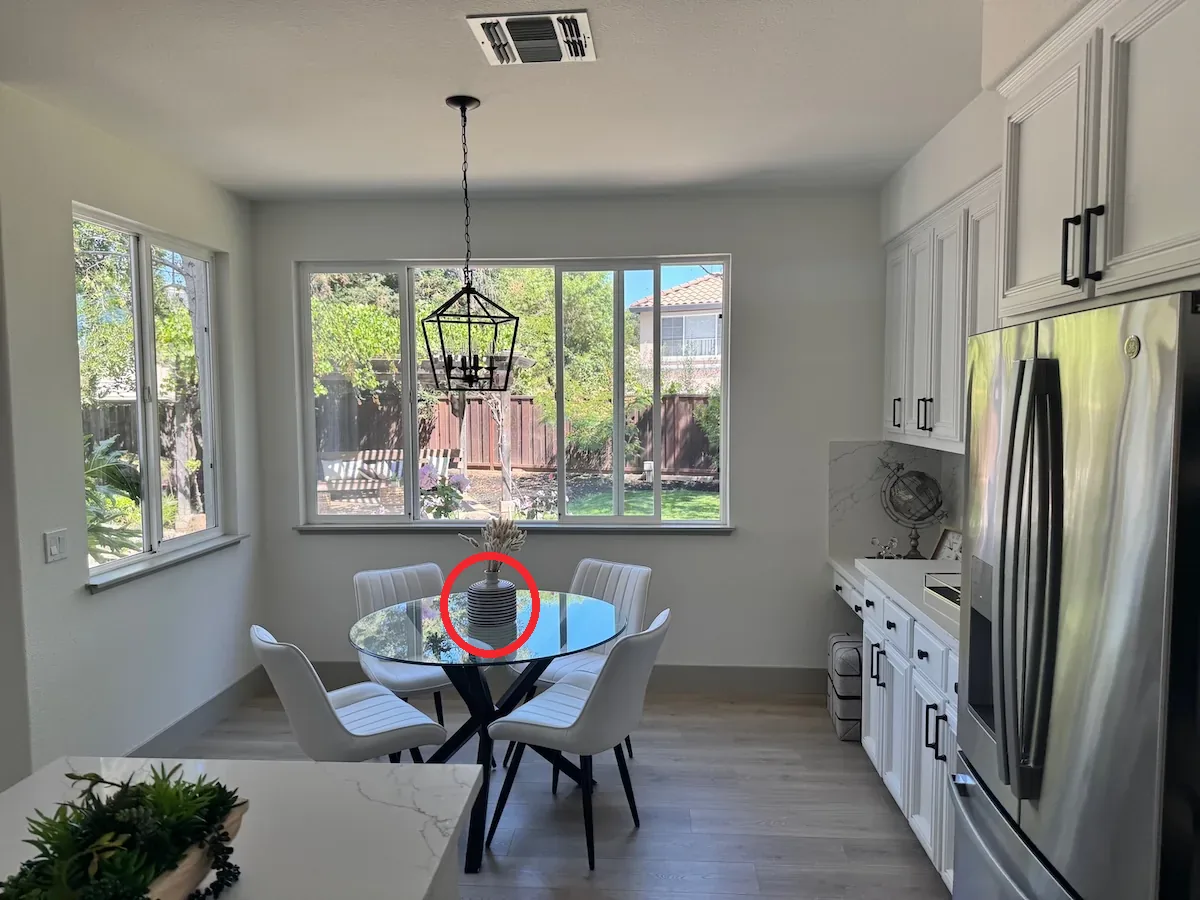
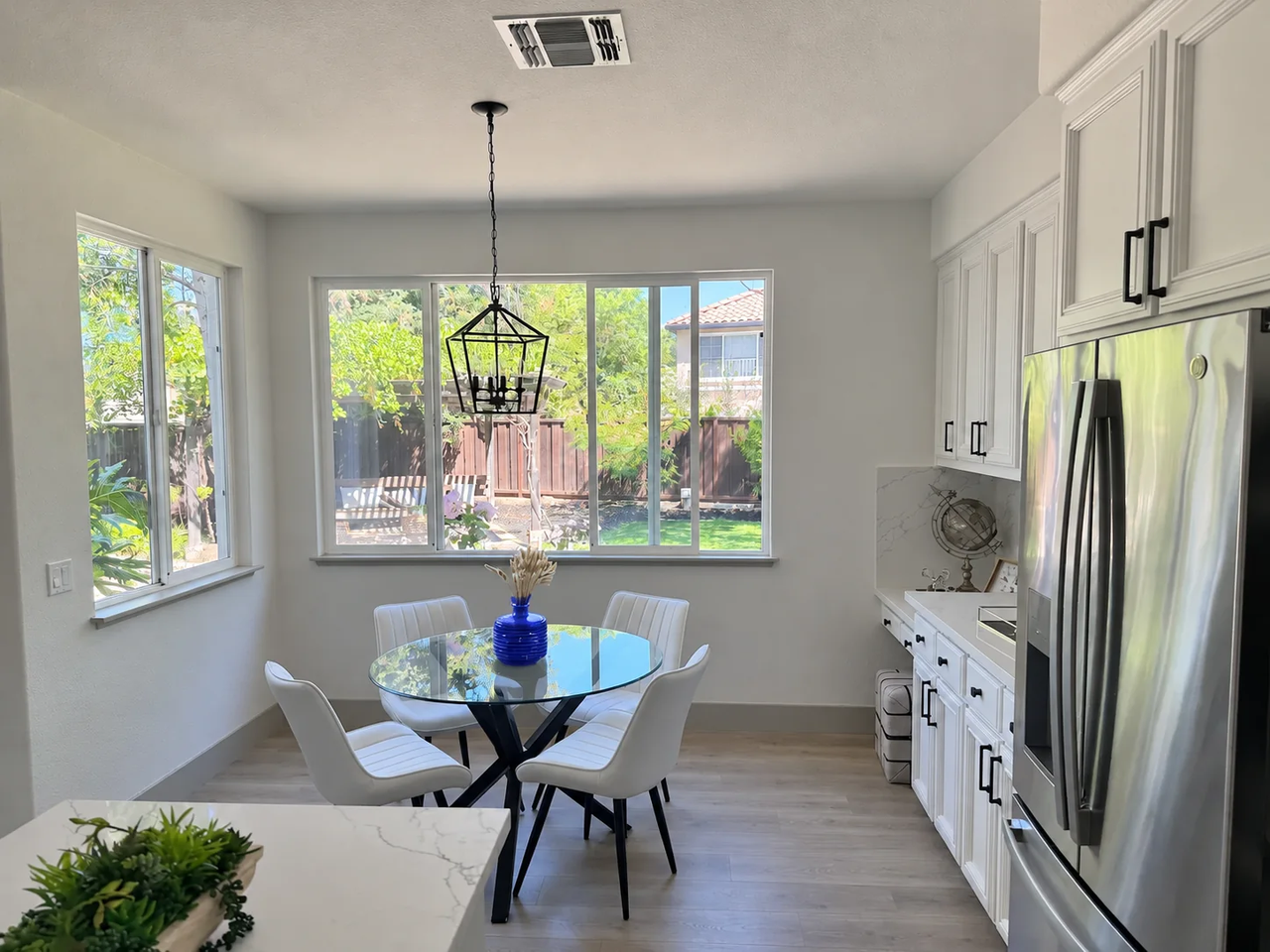
            "prompt": (
                "Change the body of the cup inside the red circle "
                "to matte cobalt blue. Preserve the lid, shape, "
                "lighting, and surrounding scene. "
                "Remove the annotation from the finished image."
            ),
            "quality": "medium",
            "complexity": "low",
            "output_format": "png",
        },
        files={
            "image": ("product.png", source, "image/png"),
            "markup": ("markup.png", markup, "image/png"),
        },
        timeout=(15, 300),
    )

save_result(response, "cup-edited.png")
重要的設計重點是同時明確指出要變更的內容與需要保留的細節。標註用來定位目標;文字用來定義操作。
GPT Image 2.6 API Pricing: Token Rates and SVG Costs